

Procedure
Start Windows PowerShell as an administrator.
-
Go to Start in your computer then enter PowerShell in the Search box.You will see Windows PowerShell in the results. Right-click Windows PowerShell then click Run as administrator.
-
If the User Account Control dialog box appears, click Yes to verify that you want to run Windows PowerShell under administrator credentials.
If you don't, you're going to get an error message as in the following:
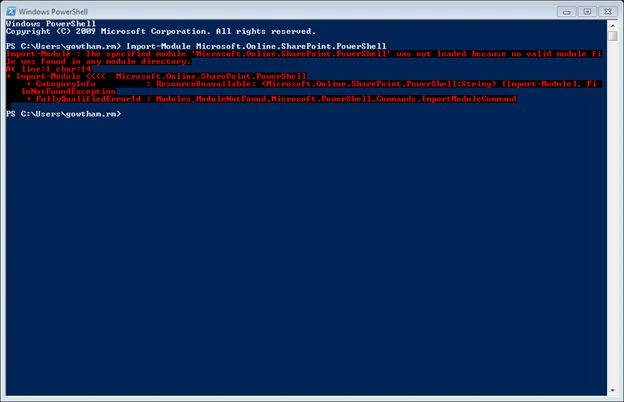
Create a credentials object before executing the script because it will provide a safe and secure way to pass your user name and password to Office 365.
Type the following command from the Windows PowerShell prompt and press Enter. It will open the dialog box window and enter your Office 365 user name and password.
- Script: $credential = Get-Credential
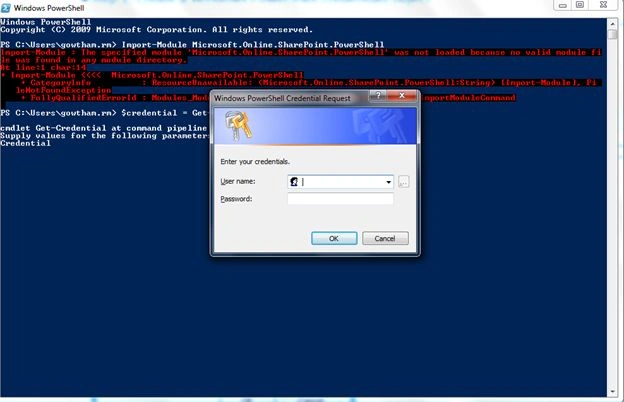
Connect to SharePoint Online
Before connecting to SharePoint Online, we need to supply two pieces of information:
-
Credentials
-
URL of the SharePoint admin site
We need to import the correct Windows PowerShell module before we connect to SharePoint. Type this command from the Windows PowerShell prompt and then press Enter.
- Script: Import-Module Microsoft.Online.SharePoint.PowerShell
Identify the admin site URL as in the following:
-
Add your domain name.
- a. For example, my domain is gowtham.onmicrosoft.com then your domain host name is the gowtham.
-
Add a hyphen (-) followed by -admin.sharepoint.com.
After constructing the admin URL, connect to the SharePoint service using PowerShell as in the following:
- Script:Connect-SPOService -Url https://thegowtham-admin.sharepoint.com -credential $credential
- Script:Get-SPOSite
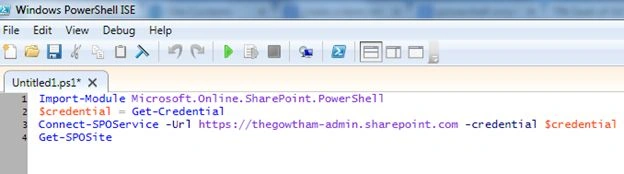
You should get back a list of all your SharePoint Online sites.
The final step is very important. To close the SharePoint Online session, enter this command:
- Script Disconnect-SPOService
- $credential = Get-Credential
- Import-Module Microsoft.Online.SharePoint.PowerShell
- Connect-SPOService -Url https://thegowtham-admin.sharepoint.com -credential $credential
- Get-SPOSite
- Disconnect-SPOService
Gowtham RajamanickamPosted Apr 25, 2016, 1:57 AM
thanks vijayt
Gowtham RajamanickamPosted Apr 25, 2016, 1:57 AM
thanks hemanth
Gowtham RajamanickamPosted Apr 25, 2016, 1:57 AM
thnks tom
Vijay SPosted Apr 8, 2015, 9:20 AM
Nice
Tom MohanPosted Mar 10, 2015, 1:06 AM
Nice