

Let us first look at Window Forms.
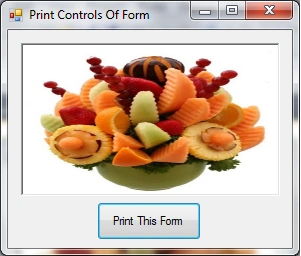
In this form I have taken one picturebox & one button.
See the following Image:
Let's look at the code :
- [System.Runtime.InteropServices.DllImport("gdi32.dll")]
- public static extern long BitBlt(IntPtr Dest, int Xaxes, int Yaxes, int Width, int Height, IntPtr Src, int XSrcaxes, int YSrcaxes, int dwRop);
To know more about the BitBlt in detail, see this link : BitBlt
Create a new object of the PrintDocument for print.
- System.Drawing.Printing.PrintDocument myPrintDocument = new System.Drawing.Printing.PrintDocument();
- Graphics myGraphics1 = this.CreateGraphics();
- myBitmap = new Bitmap(this.Width, this.Height, this.CreateGraphics());
- Graphics myGraphics2 = Graphics.FromImage(myBitmap);
- IntPtr HandleDeviceContext1 = myGraphics1.GetHdc();
- IntPtr HandleDeviceContext2 = myGraphics2.GetHdc();
- BitBlt(HandleDeviceContext2, 0, 0, this.ClientRectangle.Width, this.ClientRectangle.Height, HandleDeviceContext1, 0, 0, 13369376);
- myGraphics1.ReleaseHdc(HandleDeviceContext1);
- myGraphics2.ReleaseHdc(HandleDeviceContext2);
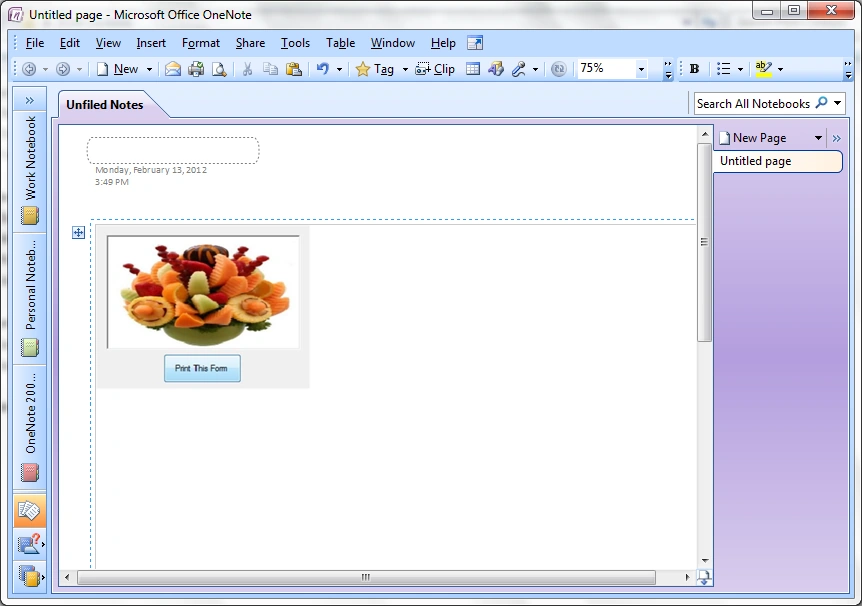
The above code is used to print the controls of the Windows Form.
- myPrintDocument.PrintPage +=new System.Drawing.Printing.PrintPageEventHandler(myPrintDocument_PrintPage);
Create the PrintPage Event of PrintDocument Object for Printing.
- myPrintDocument.Print();
The above code start the printing.
- private void myPrintDocument_PrintPage(System.Object sender, System.Drawing.Printing.PrintPageEventArgs e)
- {
- e.Graphics.DrawImage(myBitmap, 0, 0);
- }
Sivaraman DhamodaranPosted Jun 14, 2012, 4:10 AM
Nice share Man
Jean PaulPosted Jun 13, 2012, 8:24 PM
That was a cool idea! Thanks for sharing Ghanshyam.
Ghanashyam NayakPosted May 21, 2012, 7:07 AM
Hi Rikin, For that you have you use the X & Y coordinates. you have to find the starting point of that blank values & then you have to print each your values at that related coordinates.
rikin shahPosted May 12, 2012, 2:28 PM
Hello, I need your kind help. I have 1 task in Printing a winform's values. Client has given already printed paper with blank value. these values i need to fill in paper while printing. Pls give me code that can print only values at specific locations. that would be better if this can be possible directly from Current form or using Report Viewer. pls help me in this with code.
rikin shahPosted May 12, 2012, 2:28 PM
Hello, I need your kind help. I have 1 task in Printing a winform's values. Client has given already printed paper with blank value. these values i need to fill in paper while printing. Pls give me code that can print only values at specific locations. that would be better if this can be possible directly from Current form or using Report Viewer. pls help me in this with code.
Abhi KumarPosted Feb 14, 2012, 12:33 AM
Very useful article. thanks for sharing.
Nitin SinghPosted Feb 13, 2012, 11:48 PM
Very nice presented, thanks
Stephen JohnsonPosted Feb 13, 2012, 11:08 PM
You have presented your article very nicely.
Laura ParkerPosted Feb 13, 2012, 11:05 PM
Very Creatively presented
Manish SinghPosted Feb 13, 2012, 11:12 AM
Hi Ghanashyam This is one of best window based article. Thanks for sharing.