

In this article I will show you how to Add or Remove Item Level Permissions programmatically. I will show you this thing in console application. You can use it anywhere based upon your requirements.
Sometimes we are having a business requirement like if someone is adding any item to a list or document library than some users should have read permissions to it, some of them should have write permissions and some of the users should not have any access to that particular list item.
Then how to achieve this kind of requirements.
In ideal situations we are writing Item Adding event handlers and based upon business rules we are giving the access and removing the access because whenever any user is adding any item than that item will inherit the site level permissions. So on this event we can add or remove the permissions to that list item.
Let's see how we can add or remove permissions at item level.
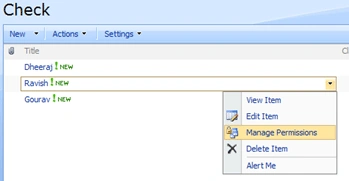
Step 0: Create one list named Check and add 2-3 items in it.
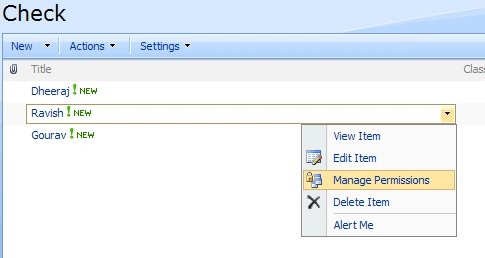
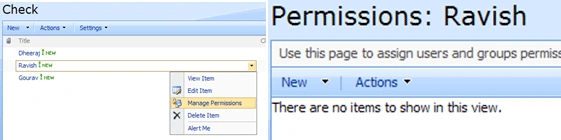
Click on Manage Permissions link and see who all are having permissions to that particular list item.
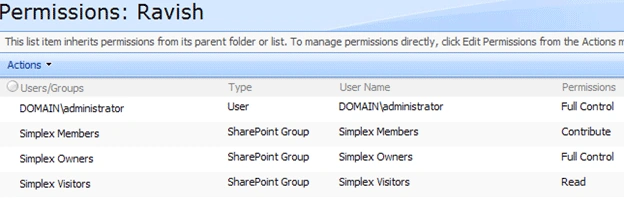
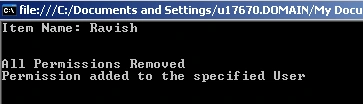
In my case on "Ravish" list item this much user or Groups are having access. Now our task is to remove all the users or groups who are having the access and add only administrator to it. i.e. only administrator should have the access.
We are doing this through sharepoint object model. Below are the steps of doing this.
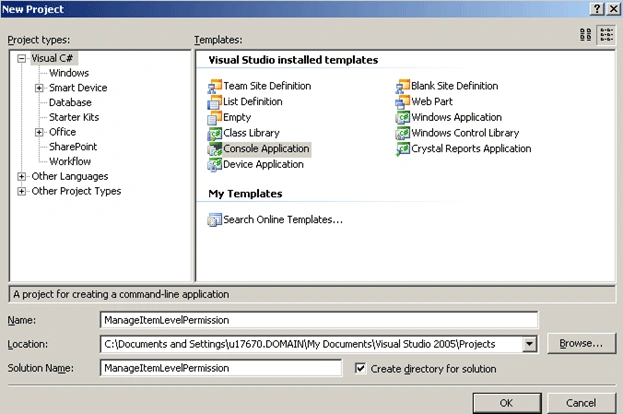
Step 1: Create one console application.
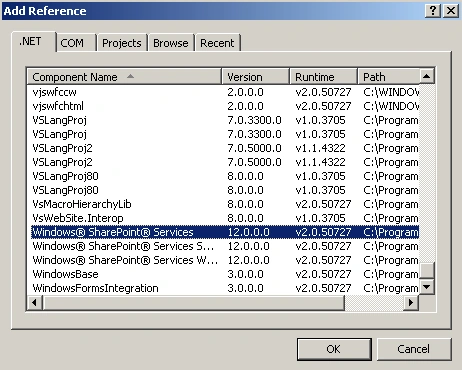
Step 2: Add refernce to Microsoft.Sharepoint.dll
Step 3: Navigate to the List item by using sharepoint object model.
//Connect to Sharepoint Site
SPSite oSPSite = new SPSite("http://spdevserver:1002/");
//Open Sharepoint Site
SPWeb oSPWeb = oSPSite.OpenWeb();
//get the Sharepoint List
SPList oSPList = oSPWeb.Lists["Check"];
//Get the Sharepoint list item for giving permission
SPListItem oSPListItem = oSPList.Items[0];
Console.WriteLine(oSPListItem["Title"]);
Console.Read();
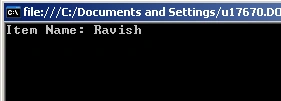
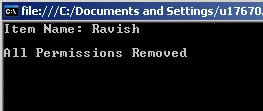
Step 4: Now we have navigated to List Item Ravish. Next step is to remove all the permissions for this list item.
Function Call
RemoveAllPermissions(oSPListItem);
Function Definition:
private static void RemoveAllPermissions(SPListItem CurrentlistItem)
{

kalu singh raoPosted Jul 6, 2016, 1:52 AM
Nice...
SayanPosted Jun 16, 2014, 2:49 AM
can i use it for share point 2010 ?
SayanPosted Jun 16, 2014, 1:54 AM
WOW very usable
Merul TechPosted Jun 29, 2012, 12:02 PM
Thank you very much for a nice article. you saved my day.
Denis ZalagaevPosted Aug 8, 2011, 2:19 PM
Thanx!
ZuberPosted Sep 10, 2010, 6:27 AM
Thankx
eliza sahooPosted Jun 21, 2010, 8:43 AM
Here is a solution to this problem. public static int NextListItemID(SPSite oSite, Guid listId) { int listItemId = -1; Microsoft.SharePoint.SPSecurity.RunWithElevatedPrivileges(delegate() { if (oSite.WebApplication.ContentDatabases.Count > 0) { //Get the connection string for the sharepoint database string connString = oSite.WebApplication.ContentDatabases[0].DatabaseConnectionString; //Establish a connection SqlConnection con = new SqlConnection(connString); try { con.Open();