

In this article we will be seeing how to configure key filters in SharePoint
2010 using C#.
Key Filters appear just below the navigation hierarchy. Refer this Article
to configure navigation hierarchy. Key Filters operate similar to the navigation
hierarchy. They are used to filter the view of lists / document libraries.
The following fields are available for key filter fields are
- Content Type
- Choice Field
- Managed Metadata Field
- Person or Group Field
- Date and time field
- Number Field
I have a list and I am having the following
items.
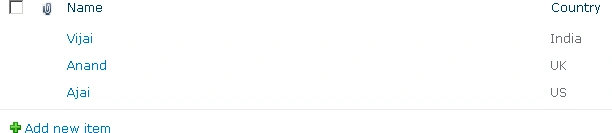
I am going to add the fields to the Key Filter Field using #
Steps Involved:
- Open Visual Studio 2010.
- Create Console application.
- Replace the code with the following.
using System;
using System.Collections.Generic;
using System.Linq;
using System.Text;
using Microsoft.SharePoint;
using Microsoft.Office.DocumentManagement.MetadataNavigation;namespace ConfigureKeyFilter
{
class Program
{
static void Main(string[] args)
{
using (SPSite site = new SPSite("http://serverName:1111/"))
{
using (SPWeb web = site.RootWeb)
{
SPList list=web.Lists.TryGetList("cl");
SPField field=list.Fields["Country"];
MetadataNavigationSettings listNavSettings = MetadataNavigationSettings.GetMetadataNavigationSettings(list
;
MetadataNavigationKeyFilter mdnKeyFilter=new MetadataNavigationKeyFilter (field);
listNavSettings.AddConfiguredKeyFilter(mdnKeyFilter);
MetadataNavigationSettings.SetMetadataNavigationSettings(list, listNavSettings, true);
}
}
}
}
}
- Hit F5.
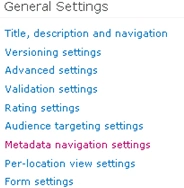
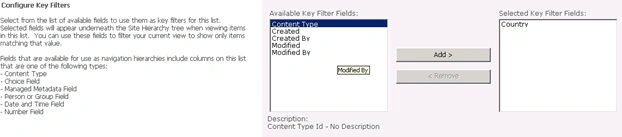
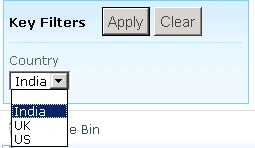

Join the conversation! Your thoughts help the community grow.