

Introduction
Let us look at provisioning SharePoint site content types, using SharePoint Framework components.
In the previous post, you would have seen provisioning fields, using SPFx components.
Site content type can be created manually, programmatically or using Visual Studio project. Here, let us look at adding site content type, using definition file (XML) with SPFx solution. The content type contains collection of fields, which are used to create records in SharePoint.
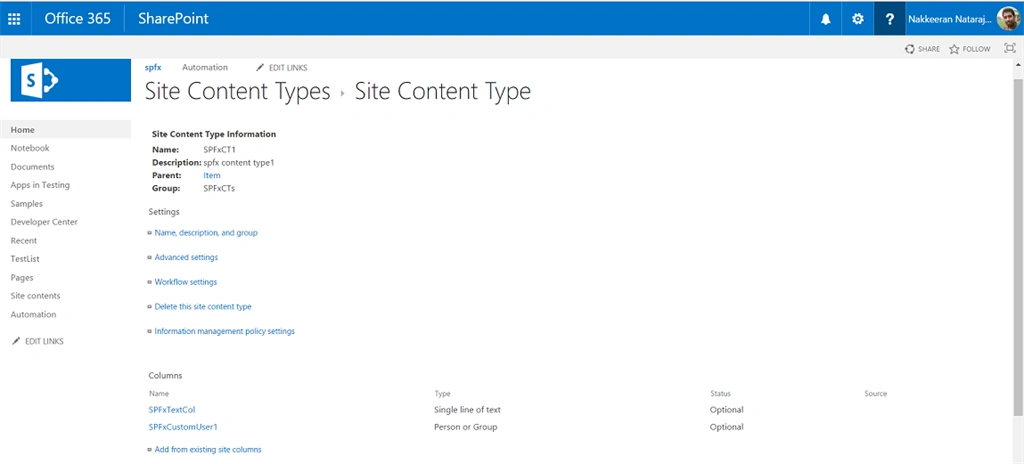
In this sample, let us try to create a simple SharePoint content type, which contains few fields, using SPFx project.
Adding content types
Create a SharePoint framework project by running the command, using the existing project.
Add the site content type definition file to assets folder (asset folder to be created under root SharePoint folder) under SPFx project. Refer to my post for more details.
XML given below shows the definition for creating a content type. The definition contains a content type with two different fields. FieldRef contains the fields created or already existing fields on the site. The definition for new field can also be listed here, using field tag. The feature IDs of each and every field is unique, which can be generated, using Visual Studio tools. Copy the piece of XML content given below.
- <?xml version="1.0" encoding="utf-8"?>
- <Elements xmlns="http://schemas.microsoft.com/sharepoint/">
- <Field ID="{3582AD5E-5D8B-4DE1-BEDF-57557EA84262}"
- Name="SPFxCustomUser1"
- DisplayName="SPFxCustomUser1"
- Type="User"
- Required="FALSE"
- Group="SPFxCustomColumns" />
- <ContentType ID="0x010076E63D35613E4802AF332A0F8DDE6759"
- Name="SPFxCT1"
- Group="SPFxCTs"
- Description="spfx content type1">
- <FieldRefs>
- <FieldRef ID="{C73155F8-745A-47F7-893E-FC2C9363E69F}" />
- <FieldRef ID="{3582AD5E-5D8B-4DE1-BEDF-57557EA84262}" />
- </FieldRefs>
- </ContentType>
- </Elements>
Murtuza HusainPosted Jul 28, 2021, 7:08 AM
Any idea how to update the created content type ?