

Prerequisites
- Microsoft Azure Subscription (MSDN subscribers or sign up for one month free trial)
- Microsoft WebMatrix download from here
You will learn
- Publish Web App or Website using Microsoft WebMatrix Development Tool
WebMatrix is a free, lightweight, cloud-connected web development tool. WebMatrix was built to streamline Web development and make it easy, whether you're getting started or you just want to get things done.
Features of WebMatrix,
- Small, but complete package
- Easy Integration with other IDE
- Start with Open Source technologies - DotNetNuke, Umbraco, WordPress, Joomla, etc
- Site publishing
- Simple to code
- Optimize for search
- Database made simple
- Elegant interface, simple experience
Step 1: Search for “WebMatrix” in local machine
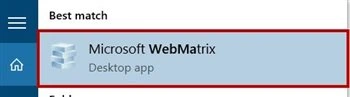
If WebMatrix installed on machine it will display otherwise install from “Microsoft Web Platform Installer”,
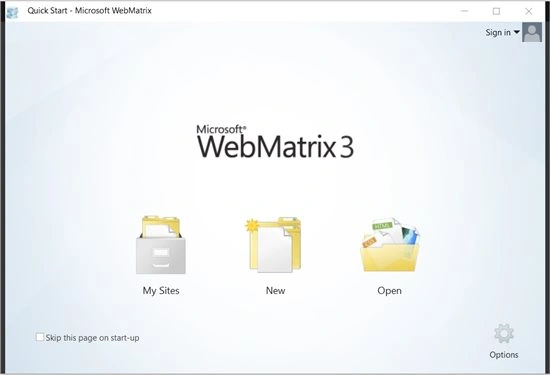
Step 2: Right-top corner “Sign in” option available so click on that & select “Add Account”,
Step 3: 2 options available for login: Sign in or import an account,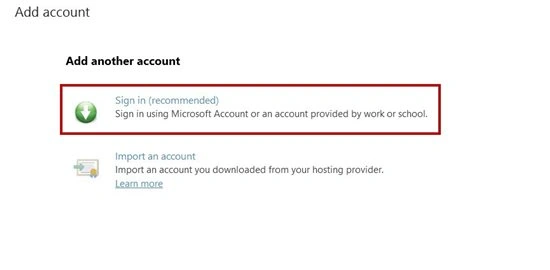
Step 4: Choose Microsoft Azure account either Microsoft account or organizational account,
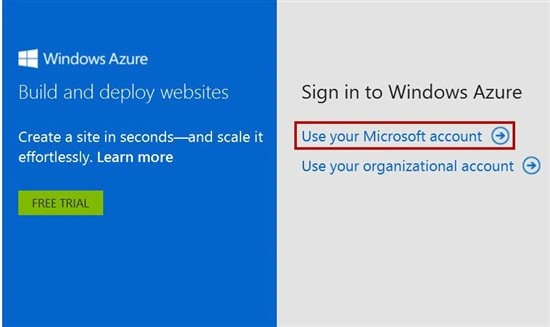
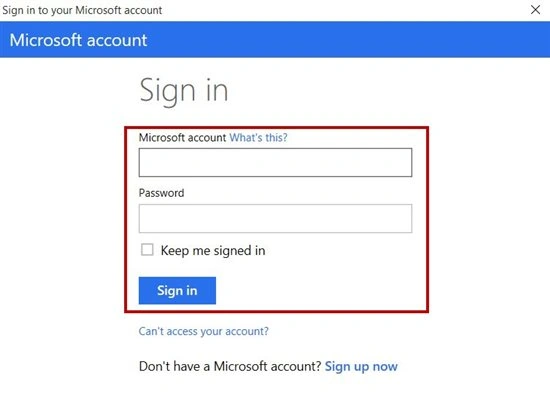
Step 5: Enter Microsoft Azure Account Email id & Password,
Click on New: Empty Site, App Gallery & Template Gallery options available,
App Gallery contains collections of apps like WordPress, Joomla, etc.
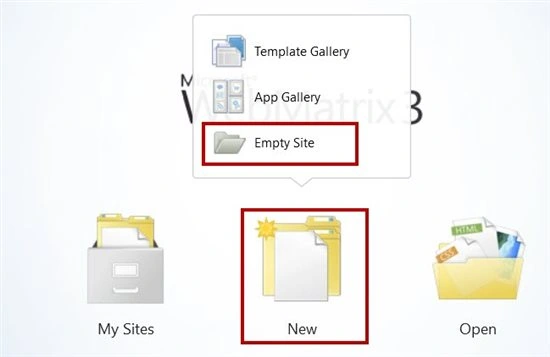
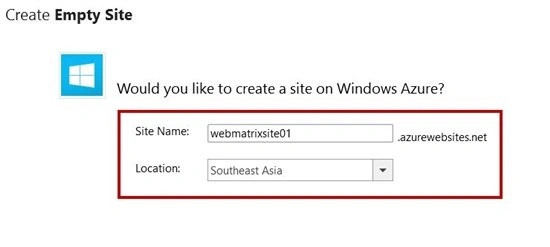
Step 6: Select last option “Empty Site”. Enter Site Name & choose Location from list.
Step 7: Select file type : HTML, CSS, ASPX(C#), etc.
Enter page name
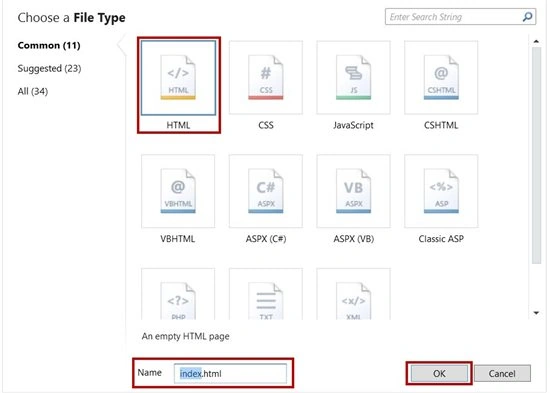
Step 8: html page will open & edit according to website
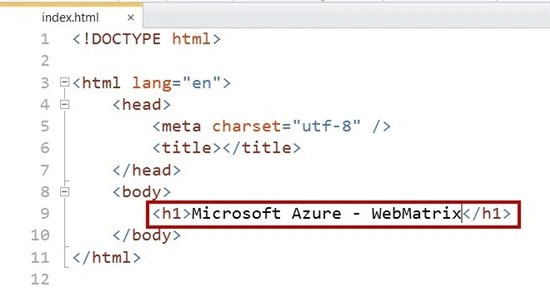
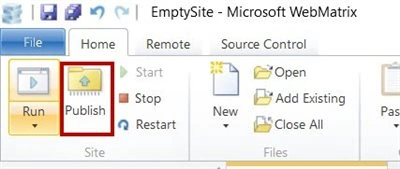
Step 9: Click on “Publish” option
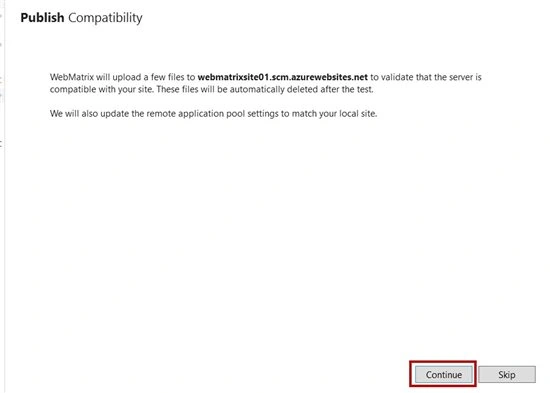
Step 10: Click on “Continue” button.

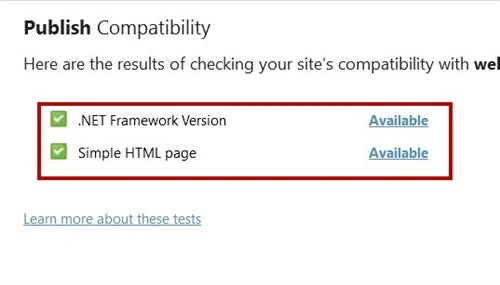
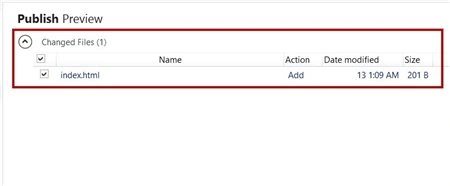
Now run the WebApp.
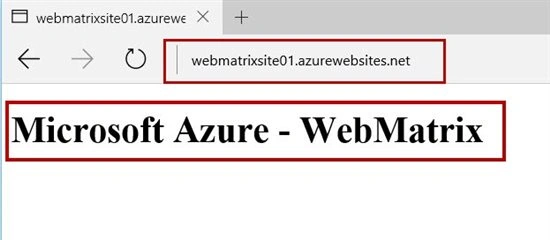
Congratulations! Your Web App was successfully published on Microsoft Azure with the help of the Microsoft WebMatrix development tool!
Step 10: Click on “Continue” button.
Now run the WebApp.
Congratulations! Your Web App was successfully published on Microsoft Azure with the help of the Microsoft WebMatrix development tool!
Read more articles on Azure:
MyProfyle AdminPosted Sep 20, 2018, 5:48 AM
Can I deploy the WordPress code to azure using WebMatrix? I've already created the azure web service for WordPress and want some customization in code so I did the code change on my local machine and want to deploy it on WordPress azure web service that I've created. Any help with WebMatrix tool is highly appreciated.
Prasanna MuraliPosted May 10, 2016, 10:30 AM
nice share
Amit DavePosted May 3, 2016, 10:31 AM
Keep up the Good work!
Bhuvanesh MohankumarPosted May 2, 2016, 6:55 AM
Good one
Sonu ChaudharyPosted May 2, 2016, 5:58 AM
Thanks for sharing
NitinPosted May 2, 2016, 3:35 AM
Thanks for sharing
Gowtham RajamanickamPosted May 2, 2016, 2:45 AM
good one..
Kuppurasu NagarajPosted May 1, 2016, 2:21 PM
Nice Sharing..
Munesh SharmaPosted May 1, 2016, 1:42 PM
nice article
Vignesh ManiPosted May 1, 2016, 9:14 AM
Nice