

Docker Container Registry
Docker Container registry is a place where all the docker images you have built will be pushed (copied remotely) so that you can pull them anytime or in any system to create containers.
Most used registry is https://hub.docker.com where all the open-source images are available for local deployment or can be used in production.
To pull images from hub.docker.com below cmd line is used.
docker pull postgres
This is an example to pull Postgres latest image when default registry in local machine is hub.docker.com. The official image is available here - https://hub.docker.com/_/postgres
Azure Container Registry
Azure Container Registry also is the same as hub.docker.com but is provided by azure cloud. It has several features above the simple registry
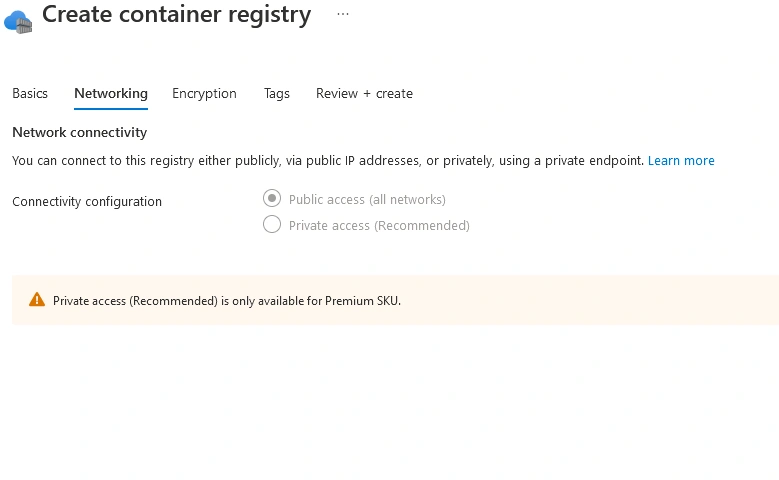
The Azure Container registry can be private and can be used by only one team or users who have access. So, users with access can push and pull images.
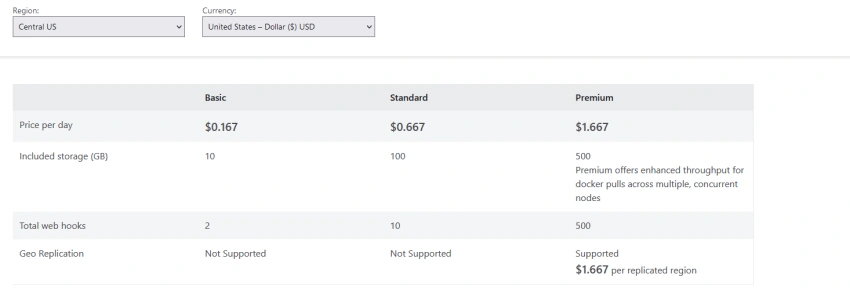
It provides geo-replication so that images pushed in one datacenter in one region gets replicated in all the connected configured datacenters and gets deployed simultaneously to Kubernetes clusters in respective locations.
More can be read in the docs here - https://azure.microsoft.com/en-us/services/container-registry/#overview
Also images can be built as part of CI CD pipeline in Azure Pipelines and pushed to Azure Container registry, more read here - https://docs.microsoft.com/en-us/azure/devops/pipelines/ecosystems/containers/acr-template?view=azure-devops
The purpose of this article is to provide steps to create a Private Azure container registry and provide commands to push and pull images from newly created registry.
Steps to create registry
Step 1
Login to https://portal.azure.com
Step 2
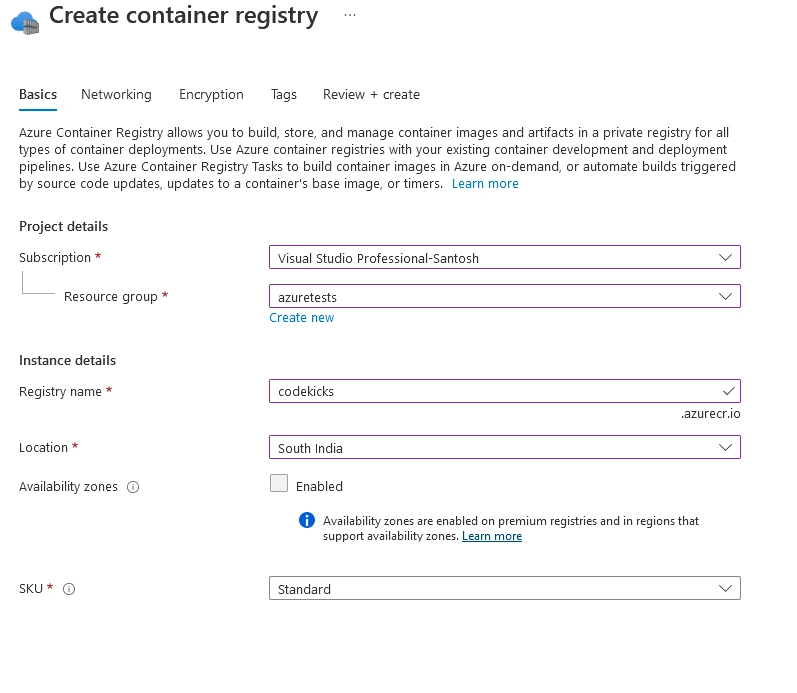
Search for Azure Container registry and click create as below,
Step 3
Select a name for registry. This name cannot be changed later, so choose wisely
Step 4
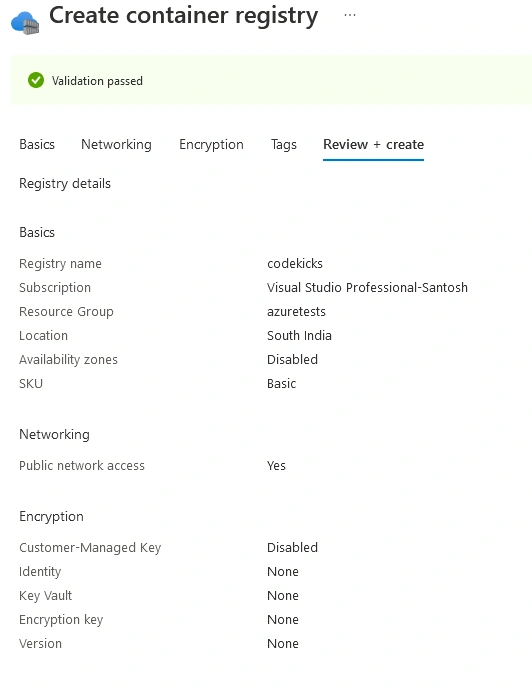
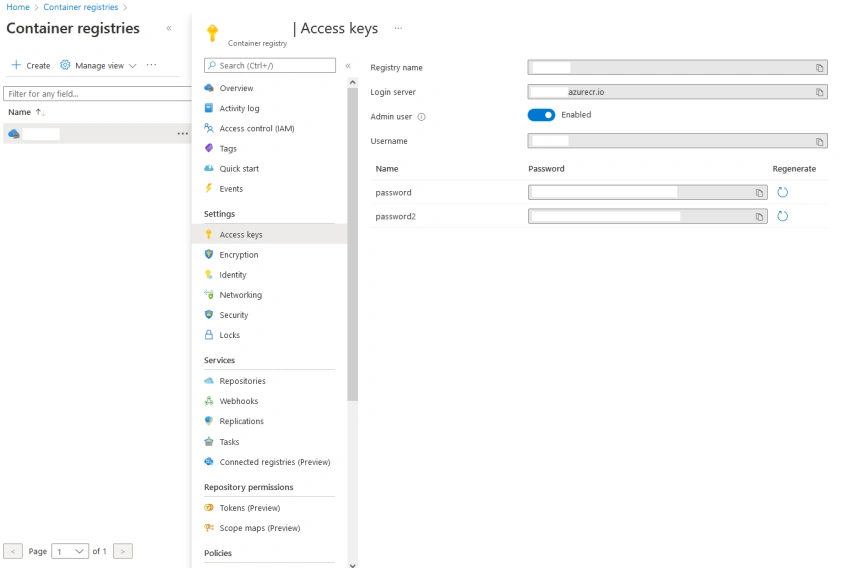
Join the conversation! Your thoughts help the community grow.