

Introduction
In this article, we will cover the following topics.
- Overview of print() function in Python
- The syntax of the print() function
- Parameters which can be passed into the print() function
- Understanding all the parameters of the Python print() function with example
- Writing files using the print() function
Python print() function
Python print function is mainly used to print the objects to the standard output screen or to a stream file.
Syntax of the python print() function
- print(*objects, sep=' ', end='\n', file=sys.stdout, flush=False)
Parameters of the print() function
As you can see in the syntax, there are five parameters that we can pass to the print() function.
- *Object
Whatever object you want to print on the screen or to the file. Here, you can see the print() function prefixed with the asterisk (*) which says that you can pass more than one object.
- sep
sep means separator whose default value you can see one space.
- end
After every print statement, you will define in the end parameter what you want to print. The default value of the print statements is Newline (\n)
- file
By using the file parameter, you can write your output into the file stream. By default, its value is sys.stdout. This means the output will be printed on the system's standard output stream, i.e., on the console.
- flush
It takes either True or False. When the value is true, the stream will be forcefully flushed. By default, its value is False.
Example
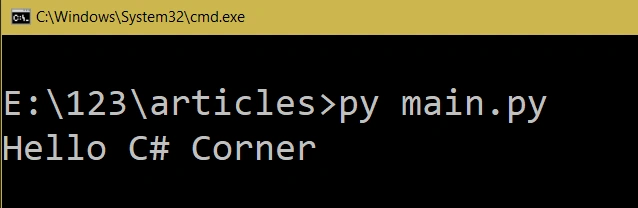
Simple print() function
- '''''''-------------Example 1-------------'''
- # Passing string object
- print("Hello C# Corner")
Output
Example
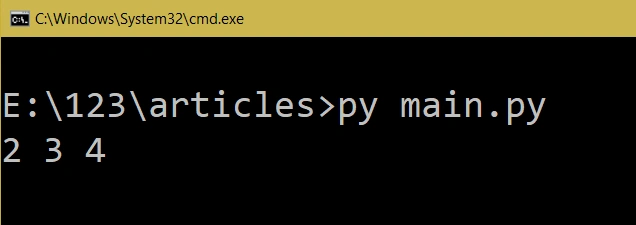
Multiple objects passing in the print() function without a separator.
- # Passing multiple object with space
- # Because "sep" parameters default values is space (" ")
- print(2,3,4) # It will print 2 3 4
Output
Example
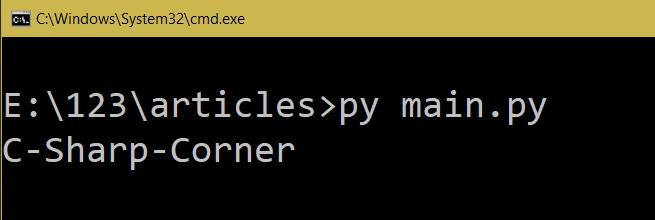
Using "sep" parameter.
- # Changing the value of the "sep" parameter
- print("C","Sharp","Corner",sep="-")
Example
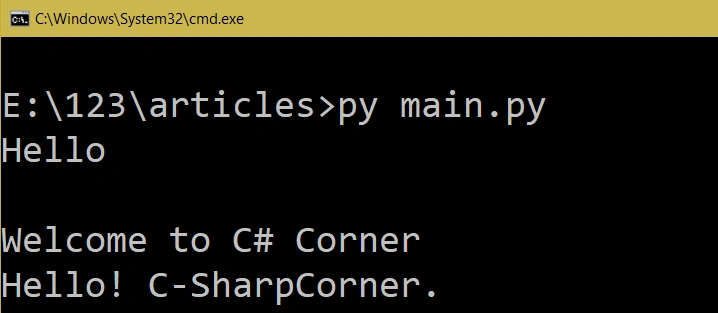
Understanding the "end" parameter.
- '''''''-------------Example 1-------------'''
- # Print without any object
- print("Hello")
- print() # There is no object but default value of the end parameter is '\n'
- print("Welcome to C# Corner")
- '''''''-------------Example 2-------------'''
- print("Hello",end='! ') # It will print Hello!
- print("C",end='-') # It will print C-
- print("SharpCorner",end='.') #It will SharpCorner.
- # So the Complete output will be Hello! C-SharpCorner
Example
Writing a file using print().
- # Writing file using print function
- myfile = open('csharpcorner.txt', 'w')
- print('Welcome to https://www.c-sharpcorner.com', file = myfile)
- myfile.close()
The above code will create one csharpcorner.txt file and will print the function's output to that file.
What Python print() function returns?
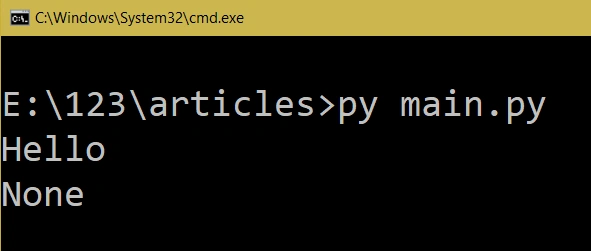
Python print() function always returns "None".
Example
The returning value from the print function.
- result=print("Hello") #return value will be save into result
- print(result) # It will print none because print returns None
Output
Summary
In this article, we learned about print() method in Python.
Koshila SenadhiraPosted Dec 1, 2022, 11:22 AM
Interesting Article!
Mahesh ChandPosted Dec 21, 2018, 11:47 AM
Nice. I think image sizes are too big :).