

Introduction
The Apache Hive data warehouse software facilitates reading, writing, and managing large datasets residing in distributed storage and queried using SQL syntax.
In this article, we will use C# to query Hive step by step.
Prerequisite
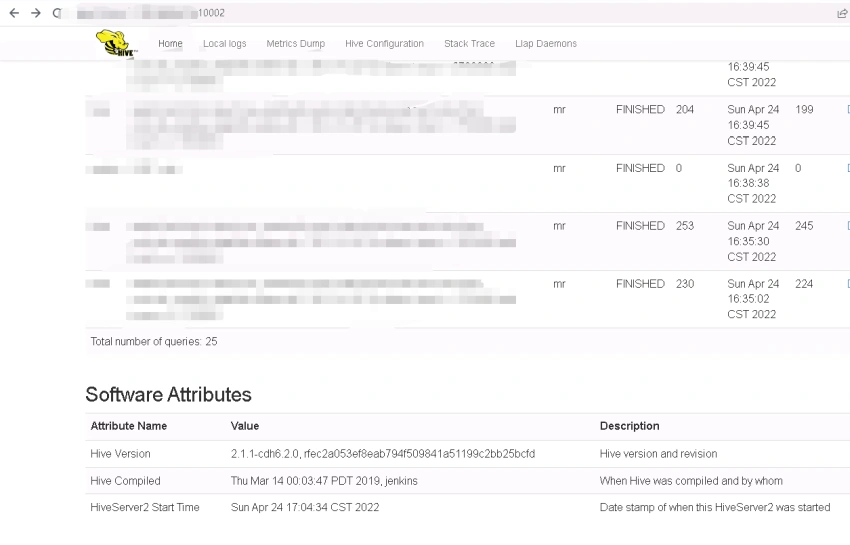
Before starting the specific content, we need to have a Hive server that can be connected.
Next, I will use version 2.1.1-cdh6.2.0 as a demonstration.
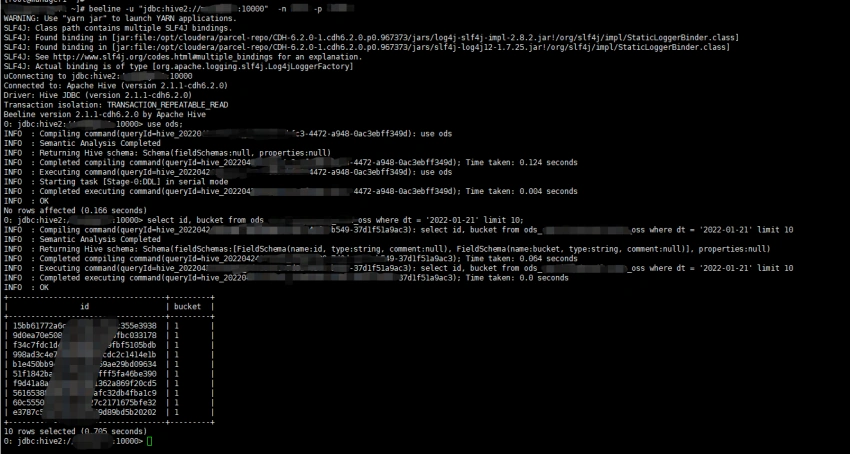
Using beeline to test the connection and make a simple query.
beeline -u "jdbc:hive2://yourip:10000" -n yourname -p yourpwd
use ods;
select id, bucket from ods_xxxx_oss where dt = '2022-01-21' limit 10;
The following screenshot is the result of performing the above operations.
How can we query the data from Hive with C# to get the above result?
We can use Open Database Connectivity(ODBC) to complete the above query.
For more information about ODBC, take a look at the following posts.
- https://docs.microsoft.com/en-us/sql/odbc/reference/introduction-to-odbc
- https://www.techtarget.com/searchoracle/definition/Open-Database-Connectivity
In next section, we will write some code to do it.
Code
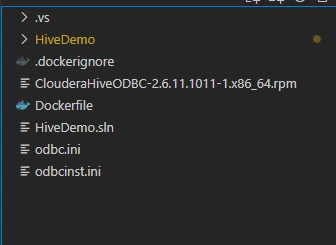
Create a console application and install the following packages.
<ItemGroup>
   <PackageReference Include="Dapper" Version="2.0.123" />
   <PackageReference Include="System.Data.Odbc" Version="6.0.0" />
</ItemGroup>
The most important package is System.Data.Odbc, Dapper is used to simplify SQL operations.
The following code demonstrates how to connect to hive and query data from hive:
public static class HiveHelper {
    // dsn
    // private static string _dsn = "DSN=hivedsn;Schema=ods;UID=xxx;PWD=xxx;";
    // dsn-less
    private static string _dsn = "Driver=Hive;Host=xxx.xxx.xxx.xxx;Port=10000;Schema=ods;UID=xxx;PWD=xxx;";
    public static List < QueryResult > QueryRawData() {
        var sql = $ " select id, bucket from ods_xxx_oss where dt = '2022-01-21' limit 10;  ";
        try {
            using
            var conn = new OdbcConnection(_dsn);
            conn.Open();
            var res = conn.Query < QueryResult > (sql, commandTimeout: 600000000);
            return res.ToList();
        } catch (Exception ex) {
            throw;
        }
    }
}
public class QueryResult {
    [Column("ods_xxx_oss.id")]
    public string ? Id {
            get;
            set;
        }
        [Column("ods_xxx_oss.bucket")]
    public string ? Bucket {
        get;
        set;
    }
}
Here are some things to note,
- There are two ways for connection string, DSN or DSN-less
- Create database connection with OdbcConnection
- Column name mapping should contain the table name
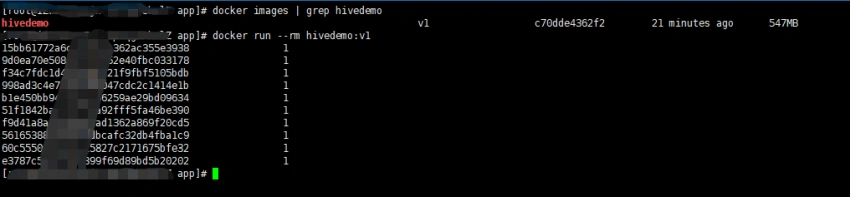
Add CustomPropertyTypeMap and print the query result.
Join the conversation! Your thoughts help the community grow.