

Read the previous parts of the series here,
- Quick Start Tutorial: Creating Universal Apps Via Xamarin - Part One
- Quick Start Tutorial: Creating Universal Apps Via Xamarin - Part Two
- Quick Start Tutorial: Creating Universal Apps via Xamarin: Label and Button - Part Three
- Quick Start Tutorial: Creating Universal Apps Via Xamarin: Device class - Part Four
This article explains part four in the series, the Device class.
Device.StartTimer
StartTimer - It helps to raise the events at a specific time period.
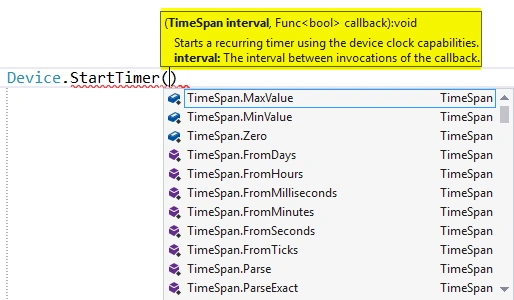
TimeSpan and callback delegates are the arguments. TimeSpan specifies the number of internal events that should raise and execute the statements and pass the callback function.
Terminate Timer- Callback function returns true. StartTimer continues the task, returns false as StartTimer stops.
Example
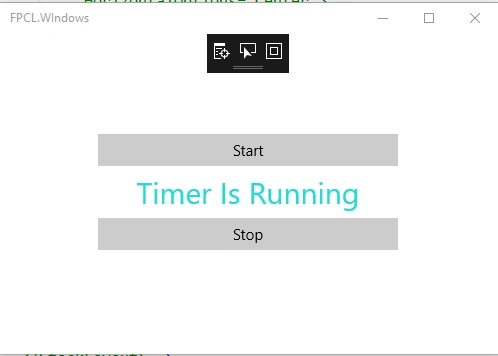
This example demonstrates changing the label TextColor every second.
Xaml page
Add two buttons, start and stop, and a label control.
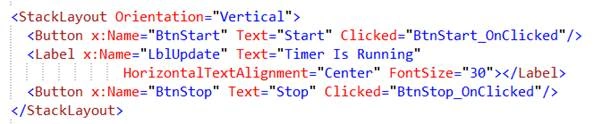
Code behind of the page
StartTimer will raise the event every second to call this callback function. This function is generating a random number and assigning it to the label control.
Xaml page
Add two buttons, start and stop, and a label control.
Code behind of the page
StartTimer will raise the event every second to call this callback function. This function is generating a random number and assigning it to the label control.
- private bool _isTimerStart = true;
- static readonly Random GenRandom = new Random();
- private void StartTimers()
- {
- try
- {
- Device.StartTimer(new TimeSpan(0, 0, 1), () =>
- {
- LblUpdate.TextColor = Color.FromRgb(
- GenRandom.Next(1,128),
- GenRandom.Next(129,255),
- GenRandom.Next(50,255));
- return _isTimerStart;
- });
- }
- catch {}
- }
- private void BtnStart_OnClicked(object sender, EventArgs e)
- {
- _isTimerStart = true;
- StartTimers();
- }
- private void BtnStop_OnClicked(object sender, EventArgs e)
- {
- _isTimerStart = false;
- }
Device.OpenUri
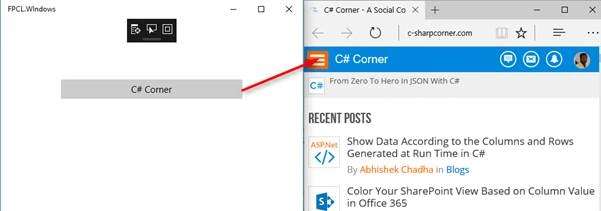
This function is used to open the URL in the default Browser.

- private void BtnLink_OnClicked(object sender, EventArgs e)
- {
- Device.OpenUri(new Uri("http://www.c-sharpcorner.com/"));
- }
Device.BeginInvokeOnMainThread
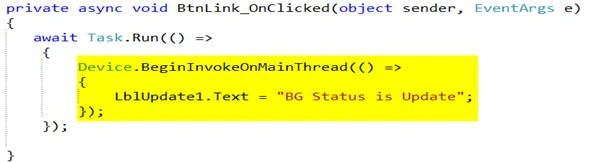
This thread updates background thread status to the UI (Controls). UI is running in the main thread and the background task is running in the different thread. Background thread accesses the UI controls and a cross thread exception will occur.
Example
As given in the example given below, in the button click event, create the BG task (async, await). This BG task job is to update the status to the UI.
What happens in this situation is that an Application will crash.
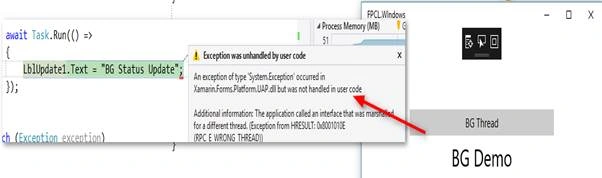
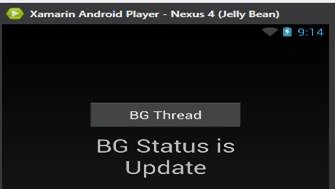
To avoid this, use the BeginInvokeOnMainThread function.
kalu singh raoPosted Jul 18, 2016, 1:37 AM
Nice...
Santhakumar MunuswamyPosted Jun 25, 2016, 3:05 AM
Nice share
Kuppurasu NagarajPosted Jun 14, 2016, 1:13 PM
Nice Sharing..
Vignesh ManiPosted Jun 14, 2016, 12:04 PM
Nice
RajaPosted Jun 14, 2016, 12:04 AM
Good One....
Debasis SahaPosted Jun 13, 2016, 1:41 PM
Nice One..