
The name of my application is R-Twitter. In my R-Twitter you can use all features that you do in Twitter, like creating a profile, searching another user profile, following whom you want, tweet and so on.
I used some Google images in this application.
Now I will explain my application step-by-step.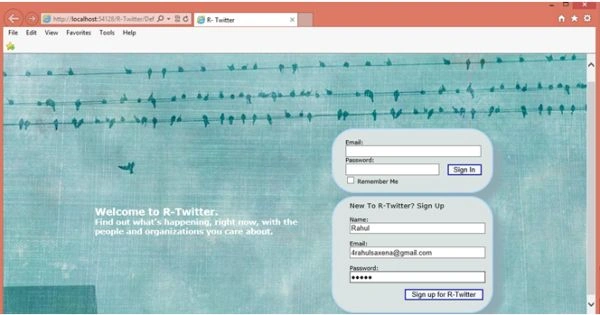
After Login you will redirect to your profile default page.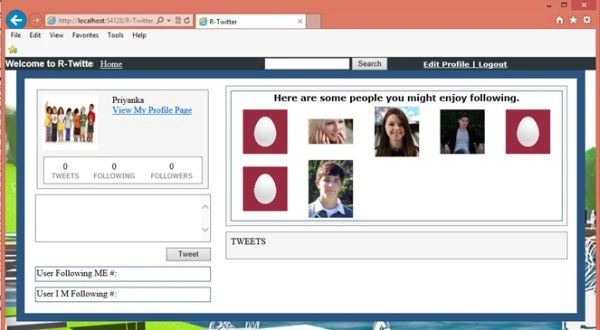
From the top you can edit your profile.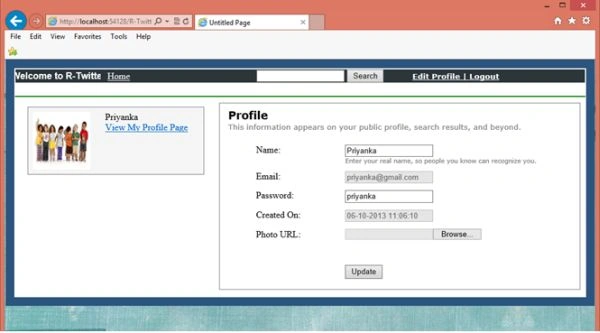
From the top you can search the profile.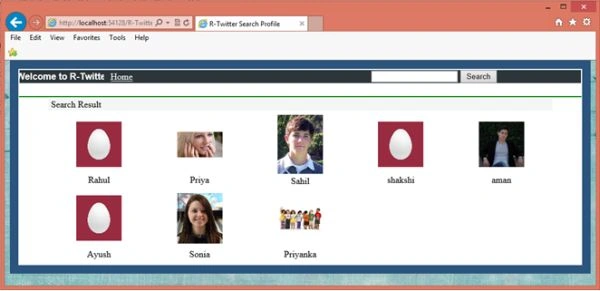
You can view the detail of any profile by clicking on the image.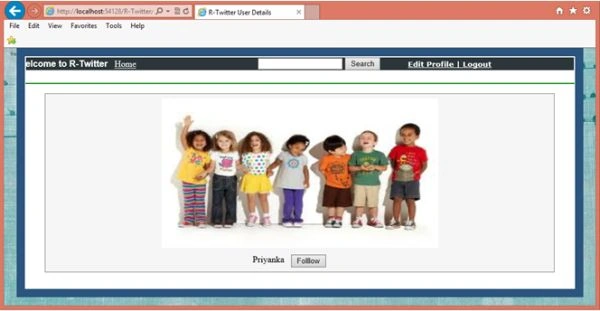
The following is my profile page where you can tweet, see all your followers, see all the users whom you are following, and so on.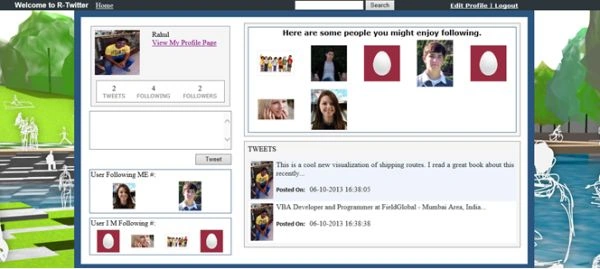
The following is my database table.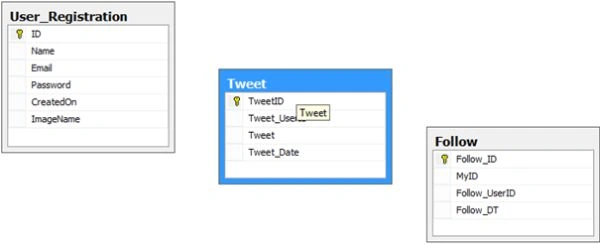
Table # User_Registration.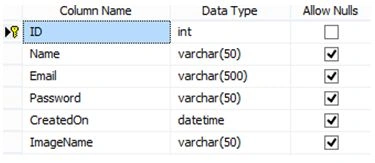
Table # Tweet.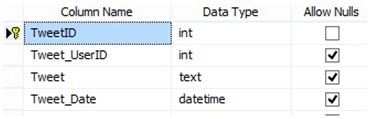
Table # Follow.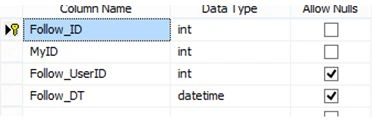
You can find the database in the App_Data folder. To use the database change the connection string in DataBaseClass.cs located in the App_Code folder.
If you have any query then you reach me at [email protected].

R-Twitter - An Open Source Project
Join the conversation! Your thoughts help the community grow.
Sign in to leave a comment
It is the same account you read, post and publish with — and you will come straight back to this page.
Rahul Kumar SaxenaPosted Mar 23, 2015, 12:36 AM
Thanks Syed Shanu...
Syed ShanuPosted Mar 22, 2015, 5:39 PM
Nice one Rahul.
Rahul Kumar SaxenaPosted Dec 10, 2013, 1:41 AM
Hi Usman Thanks for comment... You can check from DB whether user uploaded pic or not then on the base of that you can show your default pic..
Usman SheikhPosted Dec 7, 2013, 1:43 PM
great work :) i have a question how can i set a default picture for a user who havnt uploaded any picture?
Rahul Kumar SaxenaPosted Oct 9, 2013, 2:29 AM
thankx Kiran. . . . ; )
Kiran Kumar TalikotiPosted Oct 7, 2013, 8:21 AM
Nice app Rahul.Helpful:)