

Re-indexing SharePoint list or library
Re-index List or Library is a new feature introduced in SharePoint 2013. A Site Collection Administrator will have access to manually re-index the list or library so that the newly added managed metadata property or site columns added to your list or library will be re-indexed by the next Continuous/Full/Incremental crawls.
Re-Index SharePoint list/library
- Login to Office 365.
- Navigate to the SharePoint site.
- Go the list for which re-indexing must be performed.
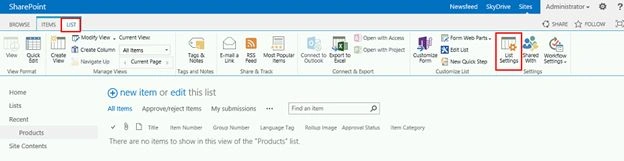
- Click on List tab and then click on List Settings.
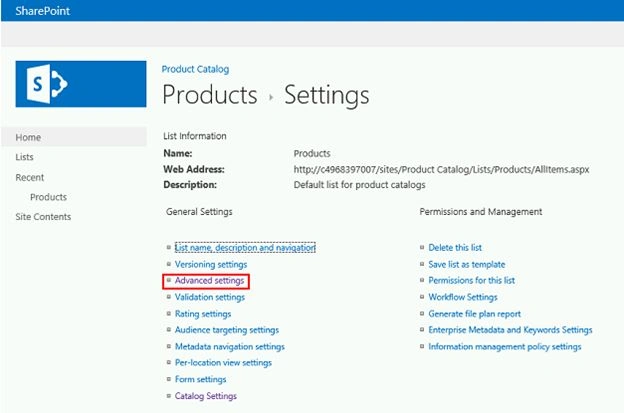
- Click on Advanced Settings.
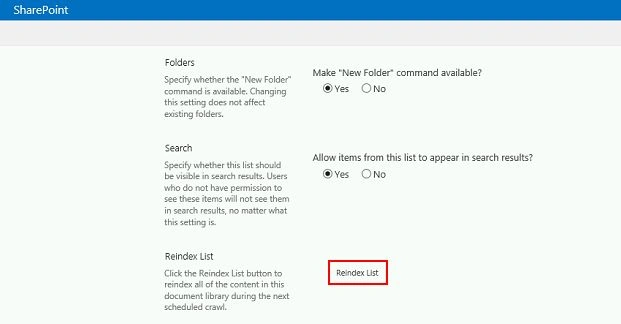
- Click on Reindex List button and then click on Ok.
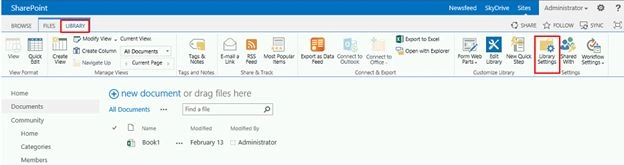
- Similarly for a library, click on the Library tab and then click on the Library Settings button in the ribbon interface.
- Click on the Advanced Settings.
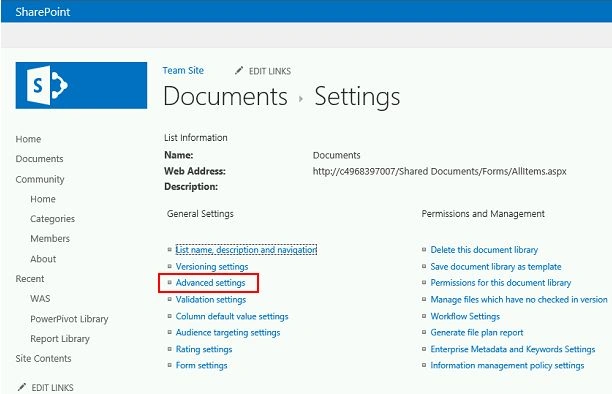
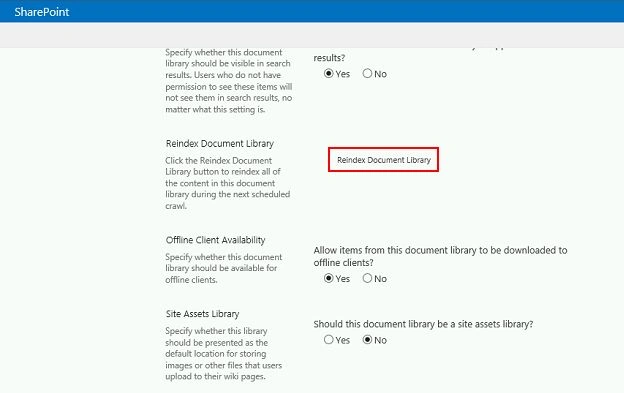
- Click on the Reindex Document Library button and then click on Ok.
Summary
Thus in this article you saw the re-indexing list/library feature in SharePoint 2013.
Join the conversation! Your thoughts help the community grow.