

Introduction
This series will allow you to learn ReactJS and Redux thoroughly in a steady manner.
Also, to understand from the beginning, please go through the Part-One and Part-Two.
This third part will cover the following.
- Implementation – React Complete LifeCycle
- Implementation – Usage of setState() method
- Implementation – Setting state using props
- Implementation – Operate two text boxes using the same function
- Implementation – Update and clear the state along with usage of the ref attribute
- Implementation – What is plain Redux and how does redux work? (Without React)
Implementation – React Complete LifeCycle
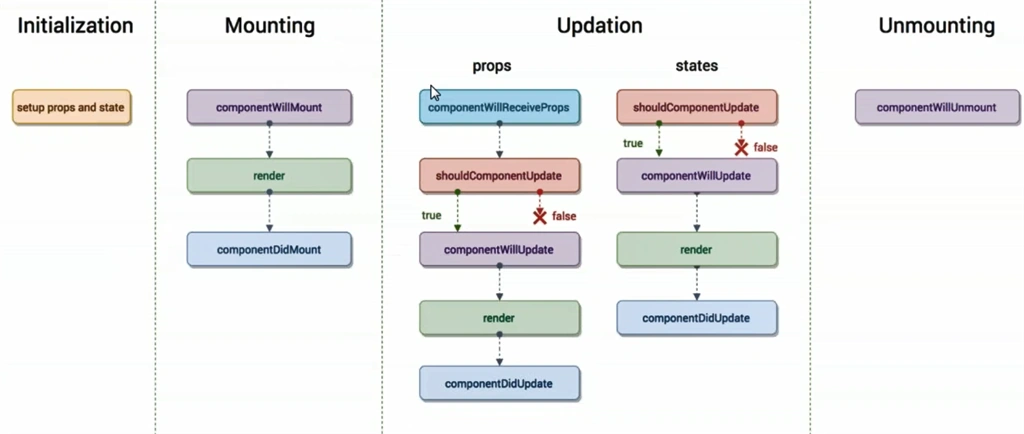
- Here, we are talking about the whole lifecycle of ReactJS where we will talk about all the methods included in this life cycle.
- In the below example we have two React components – one would be taking care of the state and a method which is incrementing state’s data based on button-click and then it passes that state as prop into another component ‘Content’ which is having all the method to understand the full lifecycle.
- Here, we would be covering all the methods covered in this complete life cycle.
- componentWillMount()
- componentDidMount()
- componentWillReceiveProps(props)
- shouldComponentUpdate(newProps, newState)
- componentWillUpdate(nextProps, nextState)
- componentDidUpdate(prevProps, prevState)
- componentWillUnmount()
Example
- class App extends React.Component {
- constructor(props) {
- super(props);
- this.state = {
- data: 0
- };
- this.incrementNumber = this.incrementNumber.bind(this);
- }
- incrementNumber() {
- this.setState({
- data: this.state.data + 1
- })
- }
- render() {
- return ( < div > < button onClick = {
- this.incrementNumber
- } > Increment < /button> < Content myNumber = {
- this.state.data
- } > < /Content> < /div>);
- }
- }
- class Content extends React.Component {
- componentWillMount() {
- console.log("componentWillMount");
- }
- componentDidMount() {
- console.log("componentDidMount");
- }
- componentWillReceiveProps(props) {
- console.log("componentWillReceiveProps - props" + props);
- console.log(props);
- }
- shouldComponentUpdate(newProps, newState) {
- console.log("shouldComponentUpdate - new props -" + newProps + " = new state - " + newState);
- console.log(newProps);
- console.log(newState);
- return true;
- }
- componentWillUpdate(nextProps, nextState) {
- console.log("componentWillUpdate - next props -" + nextProps + " = next state - " + nextState);
- console.log(nextProps);
- console.log(nextState);
- }
- componentDidUpdate(prevProps, prevState) {
- console.log("componentWillUpdate - prev props -" + prevProps + " = prev state - " + prevState);
- console.log(prevProps);
- console.log(prevState);
- }
- componentWillUnmount() {
- console.log("componentWillUnmount");
- }
- render() {
- return ( < div > < h2 > {
- this.props.myNumber
- } < /h2> < /div>)
- }
- }
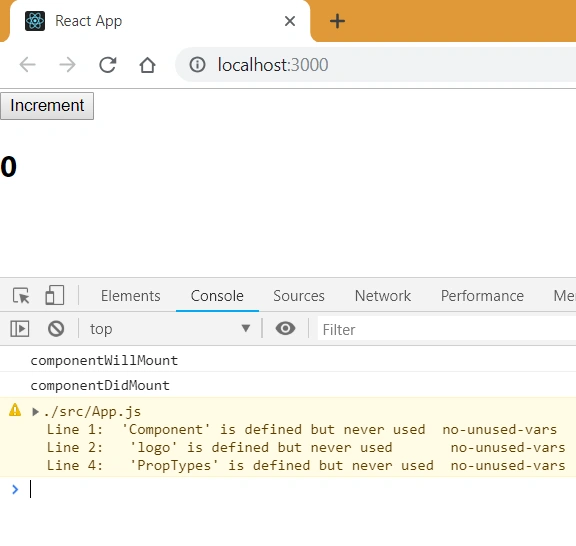
Output (After Load)
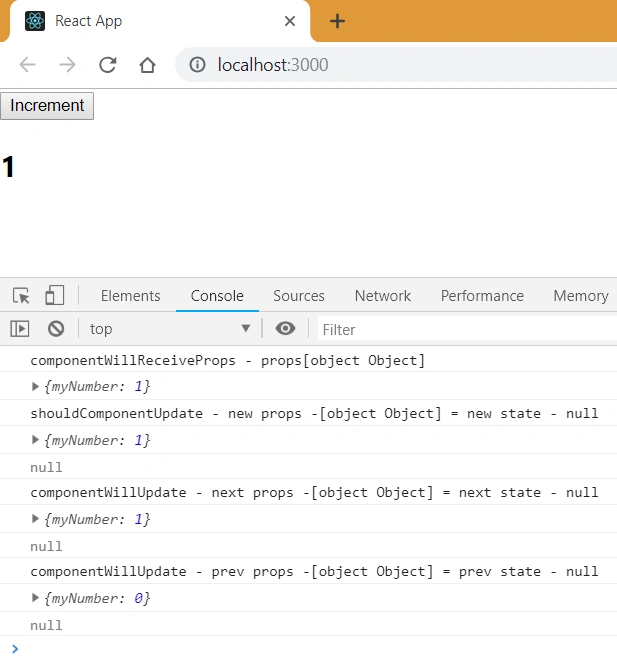
Output (After clicking on the button once)
Implementation – Usage of setState() method
- Here, we would see the usage of the setState() method – it is used to set the state and then play with states.
- When setState() is called, render() get called again.
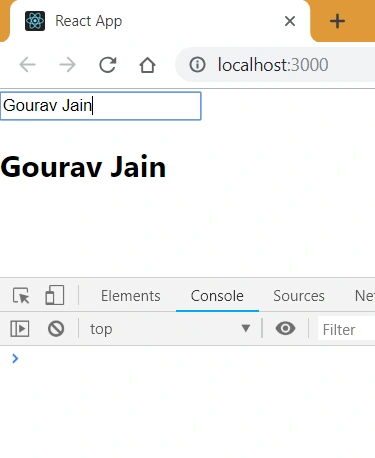
- Here, we would an input box which changes the state and show as soon I change in the text box
- Here, I use setState() in case of change in text box on its onChange() event.
Example
- class App extends React.Component {
- constructor() {
- super();
- this.state = {
- data: '...'
- }
- this.updateState = this.updateState.bind(this);
- }
- updateState(e) {
- this.setState({
- data: e.target.value
- });
- }
- render() {
- return ( < div > < input type = "text"
- value = {
- this.state.data
- }
- onChange = {
- this.updateState
- } > < /input> < h2 > {
- this.state.data
- } < /h2> < /div>)
- }
- }
Output (After typing anything in the textbox, it would be shown below in heading label)
Implementation – Setting state using props
- Here, we would set the state using props
- And, we are doing the same thing; i.e., as soon as Input box changes, it changes the state and shows us the updated text, but here, we are using the props, which internally calls setState which was getting called directly previously.
Example
- class App extends React.Component {
- constructor() {
- super();
- this.state = {
- data: '...'
- }
- this.updateState = this.updateState.bind(this);
- }
- updateState(e) {
- this.setState({
- data: e.target.value
- });
- }
- render() {
- return ( < div > < ChildComponent dataProp = {
- this.state.data
- }
- stateProp = {
- this.updateState
- } > < /ChildComponent> < /div>)
- }
- }
- class ChildComponent extends React.Component {
- render() {
- return ( < div > < input type = "text"
- value = {
- this.props.dataProp
- }
- onChange = {
- this.props.stateProp
- } > < /input> < h2 > {
- this.props.dataProp
- } < /h2> < /div>)
- }
- }
Output (After typing anything in the textbox, it would be shown below in heading label)
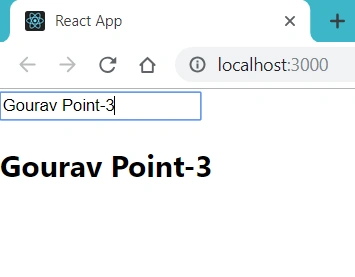
Implementation – Operate two text boxes using the same function
- Here, we would see that we have two text boxes and whatever I change in any of them, state gets updated and gets shown on the heading label.
- We are using the same function to handle both of the text boxes; i.e. if any of the textbox values change, it would reflect in another textbox as well as on the label.
Example
- class App extends React.Component {
- constructor() {
- super();
- this.state = {
- data: '...'
- }
- this.updateState = this.updateState.bind(this);
- }
- updateState(e) {
- this.setState({
- data: e.target.value
- });
- }
- render() {
- return ( < div > < ChildComponent dataProp = {
- this.state.data
- }
- stateProp = {
- this.updateState
- } > < /ChildComponent> < /div>)
- }
- }
- class ChildComponent extends React.Component {
- render() {
- return ( < div > < input type = "text"
- value = {
- this.props.dataProp
- }
- onChange = {
- this.props.stateProp
- } > < /input> < input type = "text"
- value = {
- this.props.dataProp
- }
- onChange = {
- this.props.stateProp
- } > < /input> < h2 > {
- this.props.dataProp
- } < /h2> < /div>)
- }
- }
Output (After typing anything in any of the textboxes, it would be shown below in heading label as well as on the other textbox)
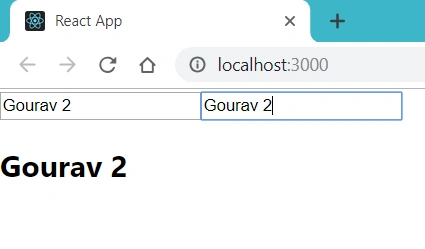
Implementation – Update and clear the state along with usage of ref attribute
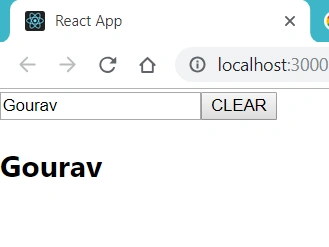
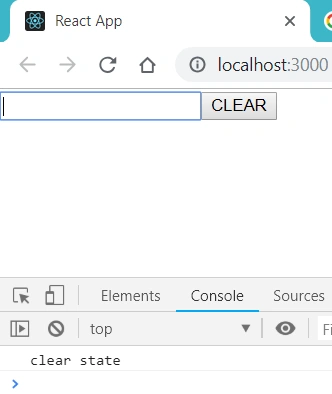
- Here, we would create two methods – updateState() – which would update the state as soon as we enter anything in the textbox and show it to the heading label and clearState() – which would clear the state and make it nothing and gets the focus back to the textbox.
- To catch the element so that we can focus on it, we are using ‘ref’ attribute which makes it easy to use ReactDOM.findDomNode() to find the element or node.
Example
- class App extends React.Component {
- constructor() {
- super();
- this.state = {
- data: ''
- }
- this.updateState = this.updateState.bind(this);
- this.clearState = this.clearState.bind(this);
- }
- updateState(e) {
- this.setState({
- data: e.target.value
- });
- }
- clearState() {
- this.setState({
- data: ''
- });
- console.log('clear state')
- ReactDOM.findDOMNode(this.refs.name).focus();
- }
- render() {
- return ( < div > < input type = "text"
- value = {
- this.state.data
- }
- onChange = {
- this.updateState
- }
- ref = "name" > < /input> < button onClick = {
- this.clearState
- } > CLEAR < /button> < h2 > {
- this.state.data
- } < /h2> < /div>)
- }
- }
Output (After typing anything in the textbox, it would be shown below in heading label
Output (After clicking on the Clear button, it clears everything, and focus comes back to textbox)
Implementation – What is Redux and how does redux work? (Without React)
- It's a predictable state container for JavaScript apps.
- It makes it easy to manage the state of your application.
- Also, it helps you manage the data you display and how you respond to user actions.
- It can be used with React or Angular or VueJS
- See below the structure through which redux works.
- {
- {
- type: 'UPDATE_TYPE'
- }
- and apart from that, we can have id or text
- for the value {
- id: 0
- type: 'UPDATE_TYPE'
- }
- }
Stay tuned for the next article which will have more concepts of ReactJS.
Happy learning!
Gourav JainPosted Mar 22, 2019, 12:18 AM
Please wait for a day or two, coming up with the whole article only on redux
Manav PandyaPosted Mar 18, 2019, 5:02 AM
And at the last section, the code you have mentioned about How redux works it seems difficult to understand, instead you can provide relevant example, Hope it make sense, Thanks
Manav PandyaPosted Mar 18, 2019, 5:00 AM
I want to put my input like we don't need to use bind() for every method, instead, we can use arrow function while accessing methods from any HTML elements