

In this article we will see how to read from a sharepoint list using sharepoint object model.
- To access the items of a sharepoint list first of all we need to connect to the Sharepoint Site or in other words we can say that we need to open that Sharepoint site and for this purpose we will use SPSite and SPWeb Objects.
- To access a List we will use SPList object.
- To get all the list items from a list we will use SPlistItemCollection object.
- To read the Item Collection obtained from SPlistItemCollection object we will use SPListItem object.
Let's see step by step how we can read List items from a List.
Step 0: Create a Sharepoint List named Products and Add two columns in it Product ID and Product Name as shown in the below figure.
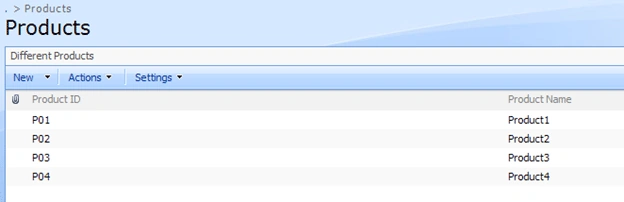
Add items in the list by clicking on New button.
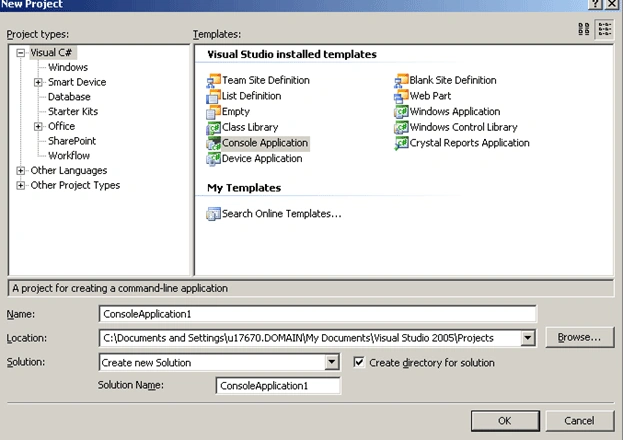
Step 1: Open Visual Studio and create console application.
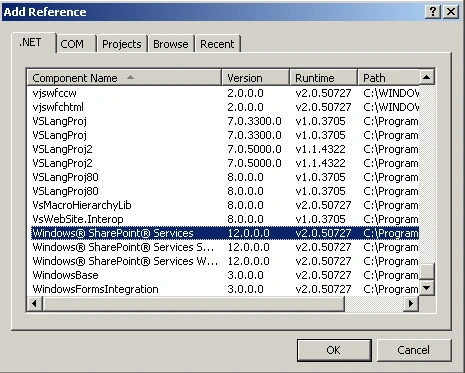
Step 2: Add reference to Microsoft.Sharepoint.dll.
Step 3: Create one SPSite object and pass site url as a parameter to it.
//SPSite object
SPSite oSpSite = new SPSite("http://spdevserver:1002/");
Step 4: Create SPWeb Object to open the Web.
//Connect to the web using SPWeb object
SPWeb oSPWeb = oSpSite.OpenWeb();
Yogesh Singh RawatPosted Feb 18, 2014, 6:04 AM
Can you help me how can I get Microsoft.Sharpoint.dll
pal karPosted Jul 4, 2010, 7:26 AM
This articles has come helpful to me
Madhu shekar R kPosted Jul 3, 2010, 6:47 AM
this article has helped me a lot.