

I've spent a fair amount of time this year moving data in and out of Unity Catalog volumes, and JSON is still one of those formats that trips people up more than it should. It looks simple — it's just text, after all — but the moment you point Spark at a real-world JSON file, you start running into the small decisions that determine whether your read actually works or silently gives you garbage. I want to walk through this using an actual sales dataset I've been working with, sitting in a volume at /Volumes/cornerstone_workspace/default/json_sales/sales_data.json, because I think it's easier to internalize this stuff with a concrete file in front of you rather than a toy example.
Why Volumes, and why it matters here
Unity Catalog volumes are how Databricks lets you work with non-tabular files — JSON, CSV, images, whatever — while still keeping them governed under the same catalog.schema hierarchy as your tables. My file lives under the cornerstone_workspace catalog, default schema, in a volume folder called json_sales. That three-level structure (catalog.schema.volume) is exactly what shows up in the path, and it's the same governance model I use for tables, which I appreciate — one permission model instead of two.
Reading the JSON file
My first instinct with any new JSON file is to just read it and look at what Spark infers, before I try to do anything clever:
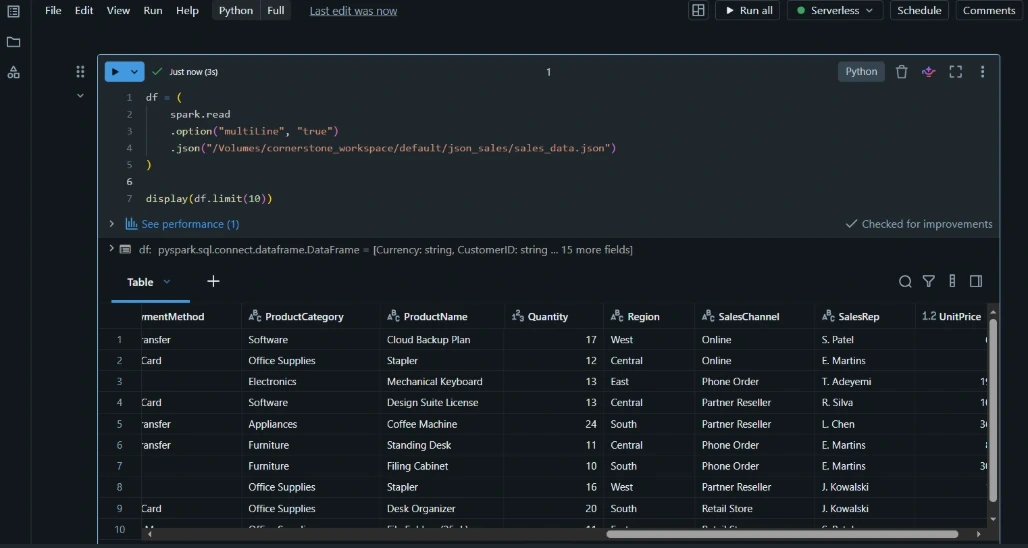
That multiLine option is the detail that catches almost everyone at least once. Spark's JSON reader defaults to expecting JSON Lines format — one complete JSON object per line — because that's what streams and log pipelines usually produce. My sales file is a pretty-printed array ([ {...}, {...}, ... ]), so without multiLine=True, Spark tries to parse each line as its own record, fails, and either throws an error or — worse — quietly populates a _corrupt_record column while giving me a mostly empty DataFrame. I've been burned by that exact silent failure before, so now I check for it every time.
Speaking of which, I always add a quick sanity check right after the read:
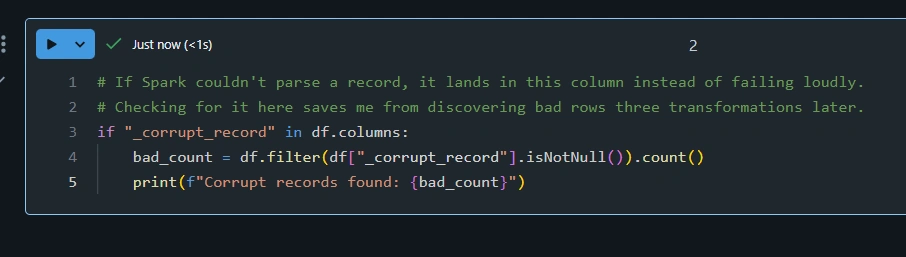
For my sales data — OrderID, OrderDate, CustomerID, ProductCategory, NetAmount, and so on — the schema inference does a solid job on its own. But I don't leave it to chance on anything I'm going to build a pipeline around. If I know the shape of the data in advance, I'll define an explicit schema and pass it in with .schema(my_schema). It's a bit more upfront work, but it means schema drift in a future data drop fails fast and visibly instead of quietly changing my column types.
Writing JSON back out
Once I've done some transformation — say, filtering to a specific region or recalculating net amounts after a discount adjustment — I often need to write the result back out as JSON, usually for a downstream system that expects that format rather than Parquet or Delta.
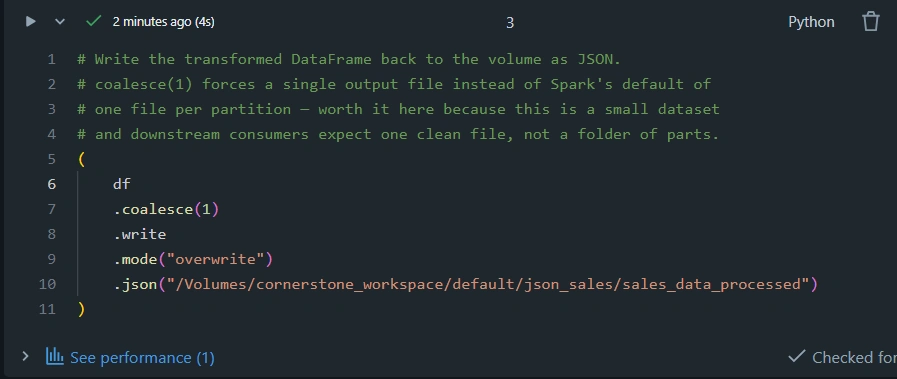
A couple of things I always keep in mind here. First, Spark writes JSON as a directory, not a single file — even with coalesce(1) you get a folder containing one part-*.json file plus a _SUCCESS marker. If a downstream tool genuinely needs a single named file, I follow up with a dbutils.fs.mv (or dbutils.fs.cp then cleanup) to rename it into place. Second, the mode argument matters more than people give it credit for — overwrite will happily wipe out an existing folder, append will add more part files rather than merging cleanly, and errorifexists (the default) will just fail if anything's already there. I pick deliberately rather than accepting the default.
Turning it into a proper table
Honestly, most of the time the JSON file is just a landing zone, not the destination. Once I've validated the data, I'll usually promote it into a managed Delta table inside the same Unity Catalog schema, because that's where I actually want to query it from:
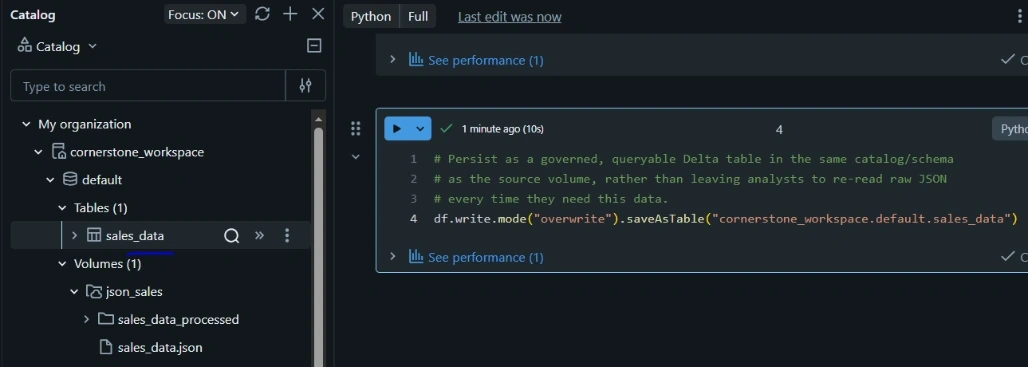
From that point on, it's just SQL — SELECT * FROM cornerstone_workspace.default.sales_data — with proper column types, statistics, and access controls, instead of a JSON file that everyone has to remember to parse the same way.
The lessons that stuck with me
If I had to boil this down: JSON reading in Spark fails quietly far more often than it fails loudly, and multiLine is the single setting most likely to be the difference between a clean read and a confusing one. Beyond that, treating the JSON file as a temporary landing format — read it, validate it, promote it to Delta — has saved me more debugging time than almost any other habit in my Databricks work.
Join the conversation! Your thoughts help the community grow.