

Introduction
In the world of AI applications, latency is a critical factor that directly impacts user experience and system efficiency. Whether it's real-time predictions in financial trading, healthcare diagnostics, or chatbots, the speed at which an AI model responds is often as important as the accuracy of the model itself.
Azure Machine Learning Endpoints provide a scalable and efficient way to deploy models while optimizing latency. In this article, we’ll explore strategies to reduce model latency using Azure ML Endpoints, covering concepts such as infrastructure optimization, model compression, batch processing, and auto-scaling.

Understanding Azure Machine Learning Endpoints
Azure Machine Learning provides two types of endpoints.
- Managed Online Endpoints: Used for real-time inference with autoscaling and monitoring.
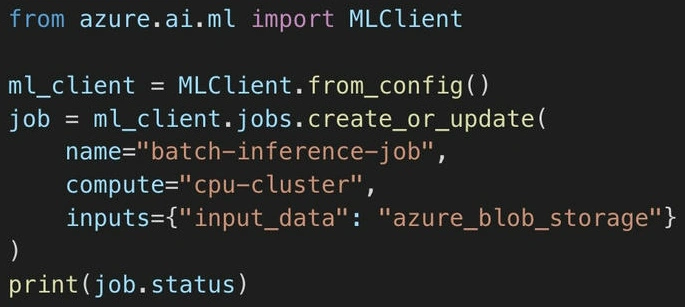
- Batch Endpoints: Optimized for processing large datasets asynchronously.
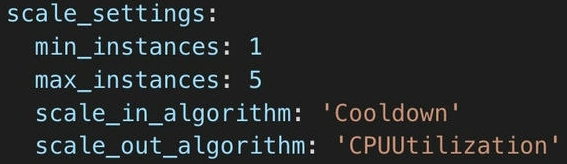
Each type of endpoint has different optimizations depending on the use cases. For latency-sensitive applications, Managed Online Endpoints are the best choice due to their ability to scale dynamically and support high-throughput scenarios.
Strategies to Reduce Model Latency
1. Optimize Model Size and Performance
Reducing model complexity and size can significantly impact latency. Some effective ways to achieve this include.
- Model Quantization: Convert floating-point models into lower-precision formats (e.g., INT8) to reduce computational requirements.
- Pruning and Knowledge Distillation: Remove unnecessary weights or train smaller models while preserving performance.
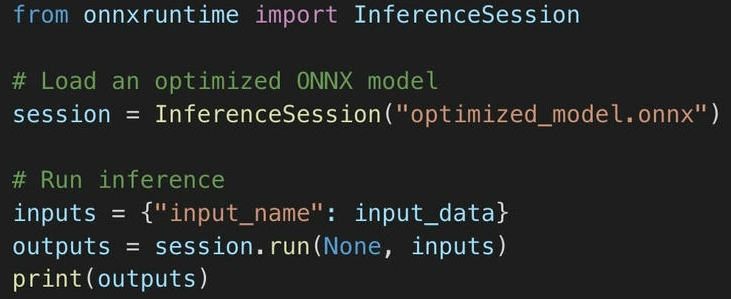
- ONNX Runtime Acceleration: Convert models to ONNX format for better inference speed on Azure ML.
2. Use GPU-Accelerated Inference
Deploying models on GPU instances rather than CPU-based environments can drastically cut down inference time, especially for deep learning models.
Steps to enable GPU-based endpoints.
- Choose NC- or ND-series VMs in Azure ML to utilize NVIDIA GPUs.
- Use TensorRT for deep learning inference acceleration.
- Optimize PyTorch and TensorFlow models using mixed-precision techniques.
Join the conversation! Your thoughts help the community grow.