

Content:
(For downloading the mongo db and to know what a mongo db is please visit this article)
(This is for beginners.)
See we know that we can insert values into a mongo db through document or Bsondocument classes.
But just like other relational databases (SQL Server, Oracle) if we want to make a relation between two tables we have to deal with classes. Because a mongo database is a document-oriented database. Instead of tables here we have to deal with a collection of tables.
So in this article I will create 2 classes and will create the one to many relation between 2 classes and will insert the value into that class. The classes are:
- Post
- Comments
In the post classes we have Title, Body, Char Count property as well as a list of comments. Because one post can hold many comments. So there is a 1 to many relationship between a Post and a Comments class.
Step 1:
Now create a console application named "MongodbConsole application".
Step 2:
Now go to the "bin" folder under the "mongodb-win32-i386-1.8.1" folder. After that first click the "mongod" exe just like it is the Mongo DB server.
Figure 1

Step 3:
Now create the class of "post":
public classPost
{
public Oid Id { get; privateset; }
public string Title { get; set; }
public string Body { get; set; }
public int CharCount { get; set; }
public IList<Comment> Comments { get; set; }
}
Step 4:
Now create the Comment classes:
public classComment
{
public DateTimeTimePosted { get; set; }
public string Email { get; set; }
public string Body { get; set; }
}
Step 5:
Now create another class named "postcomment" where we have to create a method named "operation".
In that method name we write all our code.
public classpostcomment
{
publi cvoid operation()
{
var mongo = newMongo();
mongo.Connect();
var db = mongo.GetDatabase("Blog");
var collection = db.GetCollection<Post>();
collection.Delete(p =>true);
//Create a Post to enter into the database.
var post = newPost()
{
Title = "My First Post in Big",
Body = "This isn't a very long post.",
CharCount = 27,
Comments = newList<Comment>
{
{ newComment() { TimePosted = newDateTime(2010,1,1),
Email = "[email protected]",
Body = "Very Good Article!" } },
{ newComment() { TimePosted = newDateTime(2010,1,2),
Email = "[email protected]",
Body = "ausome." } }
}
};
collection.Insert(post);
var post1 = collection.Linq().First(x =>x.CharCount != x.Body.Length);
post1.CharCount = post.Body.Length;
//this will perform an update this time because we have already inserted it.
collection.Save(post);
Console.WriteLine("post charecter line:" + post1.CharCount);
//count all the Posts
vartotalNumberOfPosts = collection.Count();
//count only the Posts that have 2 comments
var numberOfPostsWith2Comments =
collection.Count(p =>p.Comments.Count == 2);
//find the titles of the posts that Jane commented on...
var Commented =
(from p incollection.Linq()
where p.Comments.Any(c =>c.Email.StartsWith("shir"))
selectp.Title ).ToList ();
foreach (varobjinpostsThatJaneCommentedOn)
{
}
// Console.WriteLine("title Name is:-");
Console.WriteLine(Commented [0]);
Console.ReadLine();
}
}
See here we are creating a post object and feeding the data value and also give the data to comment classes.
After that we are saving the "post" in the collection.
After that through mongo linq we are fetching the total number of posts, numberOfPostsWith2Comments, and also title of the posts whose name is "shir".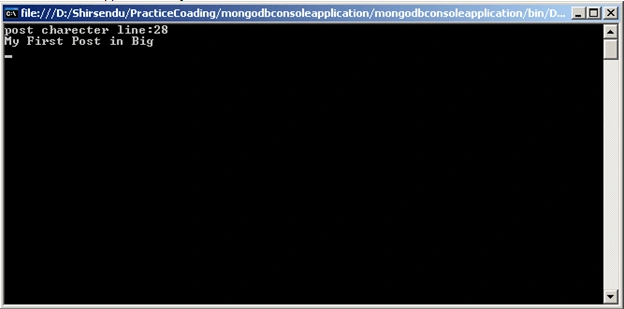
After running the application you will see output such as shown above.
See for Comments on "[email protected]" through linq we are finding the Post name.
Conclusion: So in this article I have described how to make a relationship between two classes in a mongo db using C#.Net.
Suresh ChintuPosted Jan 31, 2018, 4:02 AM
<a href="http://www.realtrainings.com">Real Trainings</a> is provides all IT-Training and Non-IT Training Institutes information in Hyderabad, Bangalore, Chennai and Corporate Trainings Companies information and Real time Trainers information at one place.In RealTrainings Students can Compare all Institute's Courses with all detailed information.