

ASP.NET MVC 3 provides a mechanism that can make a remote server call to validate a form field without posting the entire form to the server. This is useful when you have a field that cannot be validated on the client and is therefore likely to fail validation when the form is submitted.
In this attribute I am try to explain how we can use the Remote Attribute in a MVC application.
Step 1: We'll create a new MVC application in Visual Studio:
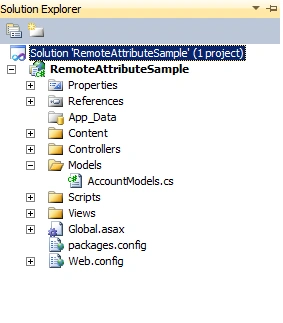
Step 2: Now to open the AccountController.cs file and add a new method there.
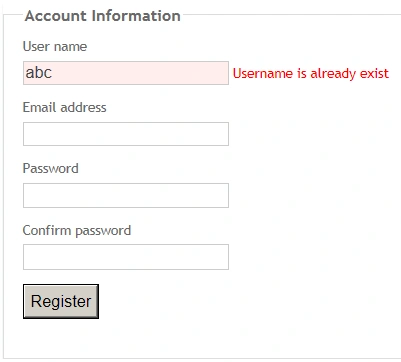
If the username contains "abc" it means the username is a duplicate. You can write your own logic to check the username.
public JsonResult CheckDuplicateUserName(string UserName)
public JsonResult CheckDuplicateUserName(string UserName)
{
if (UserName.Contains("abc"))
{
return Json("Username is already exist", JsonRequestBehavior.AllowGet);
}
return Json(true, JsonRequestBehavior.AllowGet);
}
The above method will return the Json object.
Step 3: Now in the RegisterModel class we will add a Remote attribute for the Username Property.
[Required]
[Display(Name ="User name")]
[Remote("CheckDuplicateUserName","Account", "", ErrorMessage = "Dupicate")]
publicstring UserName { get; set; }
In the following image, the first parameter is action and the second parameter is controller and the other parameters are optional.

Step 4: Now we will run our application and navigate to the Register page. If you try with another value like xyz then it will not give you an error:
You can also download the source code for this article.
Happy Coding.
Join the conversation! Your thoughts help the community grow.