

The following is the procedure to do that.
- Create a MVC project from the "Empty" template.
Right-click on "Controllers" and select "Add" >> "Controller...".
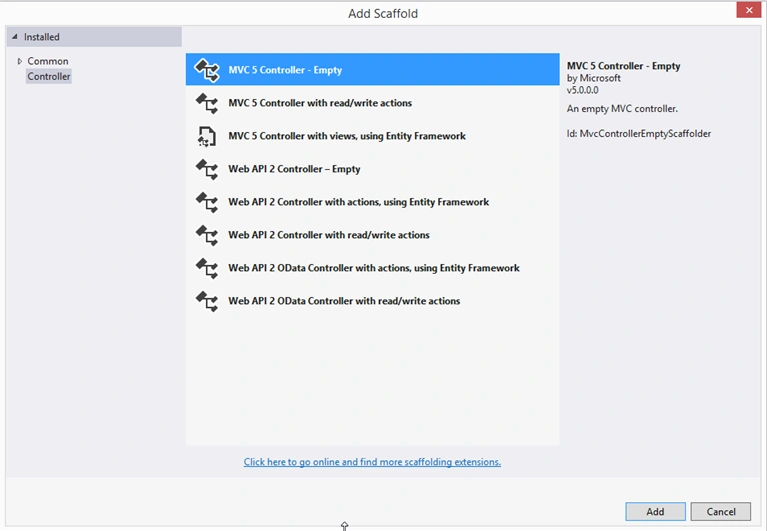
- Select "MVC 5 Controller - Empty" to add an empty controller. Click on the "Add" button.
- Name the controller as in the following:

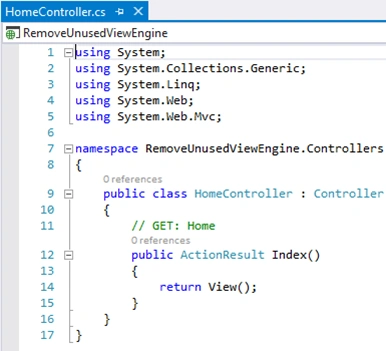
- We have an Index action result method that returns a view, Index.cshtml. But do not add a view for this action result.
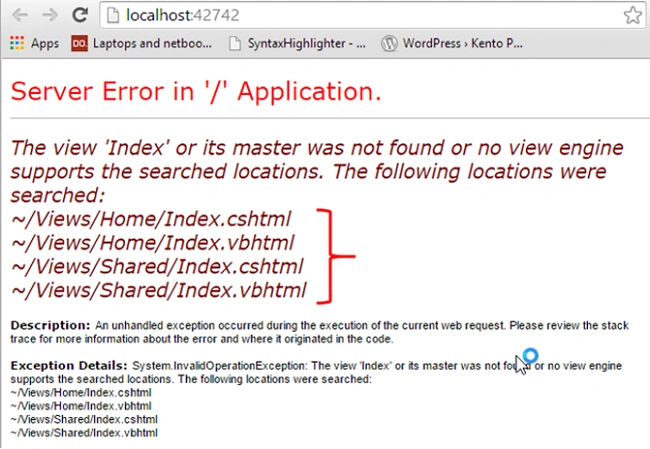
- Now run the project and you will see that ASP.NET MVC checks for a series of conventions that are built in. It searches for a web form view engine and razor view engine.
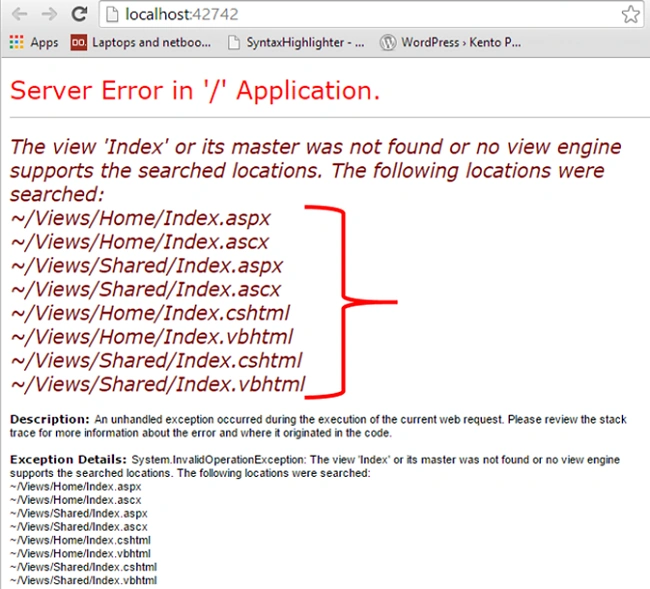
- Now let's remove the web form view engine.
In the Global.asax.cs file, remove all the view engines using the ViewEngines.Engines.Clear method.
Add RazorViewEngine using the ViewEngines.Engines.Add method.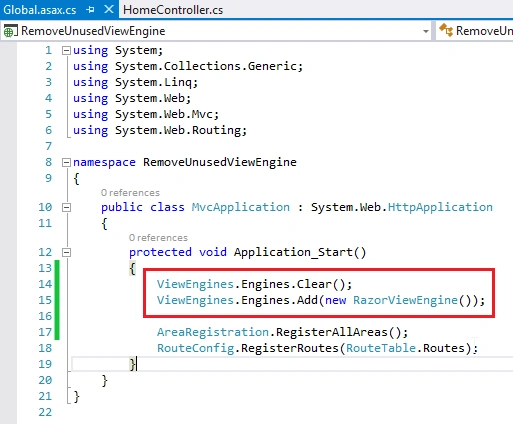
- Rerun the project and you will see ASP.NET MVC searches for razor view engines only.
<< Custom Action Result Sample in MVC: Day 36
Rajesh PatelPosted Jul 22, 2020, 7:15 AM
Nice one.we can also achieve the same thing using:- ViewEngines.Engines.RemoveAt(0);