

Introduction
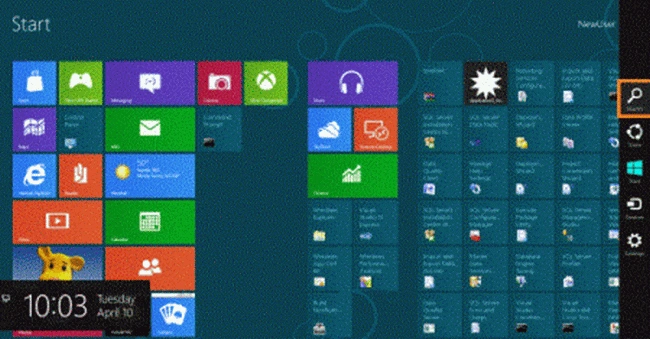
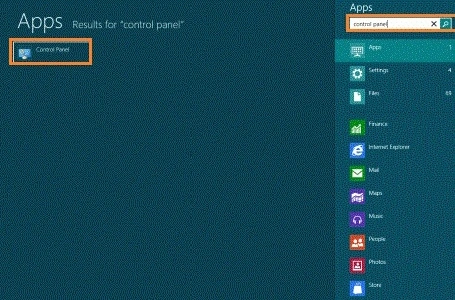
This article describes how to rename or delete a User Account in Windows 8. Windows 8 is a new Operating System. Windows 8 provides a Metro Application or Metro UI. Windows 8 provides many advanced and new features if you want to rename or delete the User Account. If you want to delete the account, you open the computer from the Administrator Login. You can move the cursor to the right bottom select the search box and type the Control Panel after opening the Control Panel, you can see many options such as System and Security, Programs, Ease of Access, User Account and Family Safety, and others.
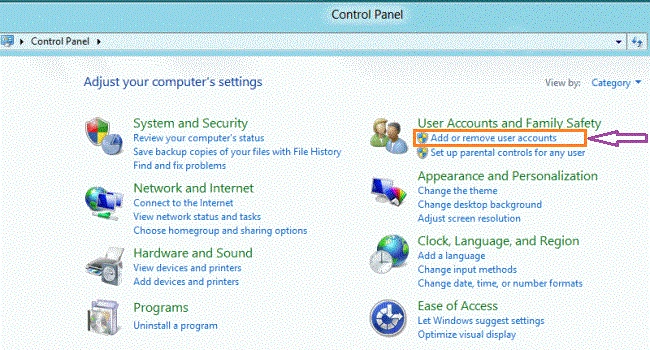
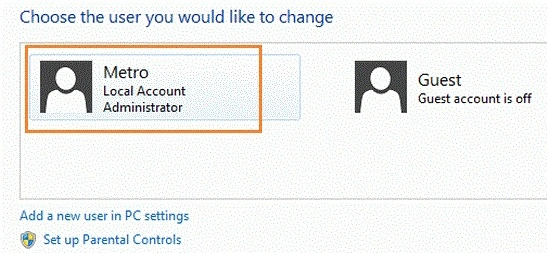
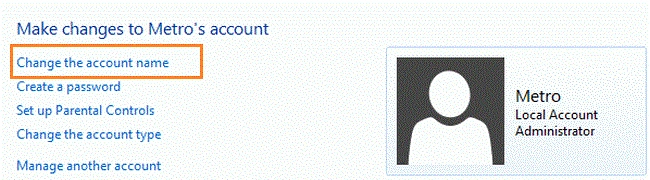
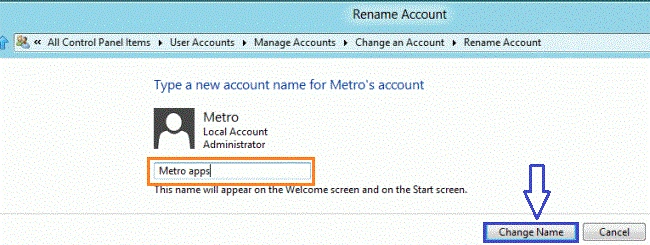
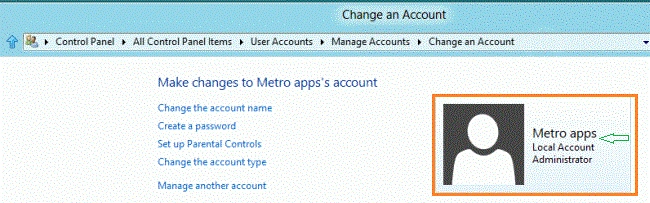
You click on "Add or Remove User Accounts" under "User Account and Family Safety". After opening a window, click on the user account you want to rename or delete. After clicking on the user account, you can choose the option you want. If you want to rename the User Account then click on the "Change the Account Name" in the window, type the new name that you want, and then click on the Change Name button. The User name will be changed.
Steps Rename or Delete User Accounts in Windows 8
Step 1. You can move the cursor on the right-bottom select the search box and type the name which you want.
Step 2. After opening the search box, you type the Control Panel and click on it.
Step 3. After opening the Control Panel, you click on the "Add or Remove User Accounts" under the "User Account and Family Safety".
Step 4. After opening a window, you click on the user account you want to rename or delete.
Step 5. After selecting the User Account, a new window will appear. You can perform many tasks such as changing the User Account Name, Setting up Parent Control, Deleting the Account, and others. If you can see the "Delete the Account" option, you can open your Computer in the Admin Login. If you want to rename the User Account, you click on "Change the Account Name".
C VelasPosted Jan 10, 2013, 7:13 PM
This still doesn't change the name in C:\users\<name>. How do I change that? It won't let me right click and rename.
Rama RavindranathPosted Dec 7, 2012, 4:49 AM
If i delete this folder "S-1-5-21-1582252562-3567101682-4055816014-1001" Will any of my files on the system be affected? will any file get deleted? Once i add a new account, the user folder for that account is not created in "C:\User\"! Please HELP! :(