

Introduction
This article explains how to write to the same document or replace the page with the new markup in JavaScript.
In this example we use two buttons that show information about images on the same page like this:
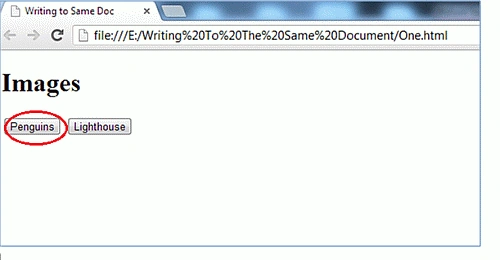
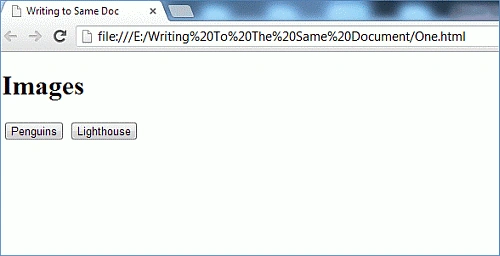 Now when we click on the Penguins Button:
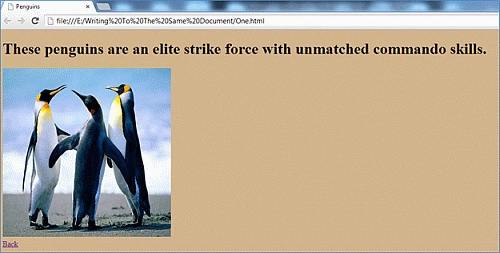
 It will replace the markup with the new markup in which we will see the image and information regarding the image on the same page (One.html).
Now to write the code for that:
Step 1: First we use two Button Controls like this:
Step 2: Now we use a JavaScript file (documentrewrite.js). In this file, we will write the function by which, when we click on the buttons, the markup of the page will be changed. So now we will write the code for the documentrewrite.js file:
First, we will create an Event Handler Like this:
Now we will write the code for our first Button Penguins. Here we first create a function like this:
This function replaces the markup of the page. Here we use the document. write a method to write the previous markup for the new window.
Now we will write the following code to apply the changes when the page is loaded:
Here we use a variable ButtonPenguins that represents the Penguins Button in our HTML page.
It will replace the markup with the new markup in which we will see the image and information regarding the image on the same page (One.html).
Now to write the code for that:
Step 1: First we use two Button Controls like this:
Step 2: Now we use a JavaScript file (documentrewrite.js). In this file, we will write the function by which, when we click on the buttons, the markup of the page will be changed. So now we will write the code for the documentrewrite.js file:
First, we will create an Event Handler Like this:
Now we will write the code for our first Button Penguins. Here we first create a function like this:
This function replaces the markup of the page. Here we use the document. write a method to write the previous markup for the new window.
Now we will write the following code to apply the changes when the page is loaded:
Here we use a variable ButtonPenguins that represents the Penguins Button in our HTML page.
- <input type="button" id="btnPenguins" value="Penguins" />
- <input type="button" id="btnLighthouse" value="Lighthouse" />
- function Addevent(obj, eventType, func) {
- if (obj && typeof (obj) == "object") {
- if (obj.AddeventListener) {
- obj.AddeventListener(eventType, func, false);
- }
- else {
- obj["on" + eventType] = func;
- }
- }
- }
- function penguins() {
- var x = '<!DOCTYPE html>';
- x += '<html>';
- x += '<head>';
- x += '<meta http-equiv="content-type" content="text/html;charset=utf-8">';
- x += '<title>Penguins</title>';
- x += '<style type="text/css">';
- x += 'body { background-color: Tan; }';
- x += '</style>';
- x += '</head>';
- x += '<body>';
- x += '<h1>These penguins are an elite strike force with unmatched commando skills.</h1>';
- x += '<img src="Penguins.jpg" width="350" height="350" />';
- x += '<br />';
- x += '<a href="One.html">Back</a>';
- x += '</body>';
- x += '</html>';
- document.write(x);
- document.close();
- }
- function initialize() {
- if (document.getElementById) {
- var ButtonPenguins = document.getElementById('btnPenguins');
- if (ButtonPenguins) {
- Addevent(ButtonPenguins, 'click', penguins);
- }
- }
- }
- var ButtonPenguins = document.getElementById('btnPenguins');
- if (ButtonPenguins) {
- Addevent(ButtonPenguins, 'click', penguins);
- }
- Addevent(window, 'load', initialize);
- function lighthouse() {
- var x = '<!DOCTYPE html>';
- x += '<html>';
- x += '<head>';
- x += '<meta http-equiv="content-type" content="text/html;charset=utf-8">';
- x += '<title>Lighthouse</title>';
- x += '<style type="text/css">';
- x += 'body { background-color: Gray; }';
- x += '</style>';
- x += '</head>';
- x += '<body>';
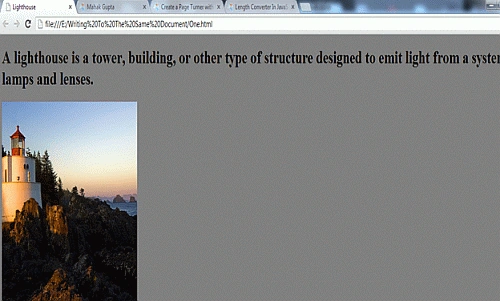
- x += '<h1>A lighthouse is a tower, building, or other type of structure designed to emit light from a system of lamps and lenses.</h1>';
- x += '<img src="Lighthouse.jpg" width="350" height="350" />';
- x += '<br />';
- x += '<a href="One.html">Back</a>';
- x += '</body>';
- x += '</html>';
- document.write(x);
- document.close();
- }
- function initialize() {
- if (document.getElementById) {
- var ButtonPenguins = document.getElementById('btnPenguins');
- var ButtonLighthouse = document.getElementById('btnLighthouse');
- if (ButtonPenguins) {
- Addevent(ButtonPenguins, 'click', penguins);
- }
- if (ButtonLighthouse) {
- Addevent(ButtonLighthouse, 'click', lighthouse);
- }
- }
- }
- Addevent(window, 'load', initialize);
sridhar goshikaPosted Aug 6, 2013, 7:23 AM
Hi Gupta can you provide any article related to application compatible on any Smart devices?