

Require() is a Node.js function that is used to include the Node.js modules that are placed in separate files. If you want to get some basic information about Node.js modules, follow the link given below.
Let’s start with some easy examples.
Module.js
App.js
Output
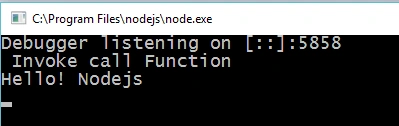
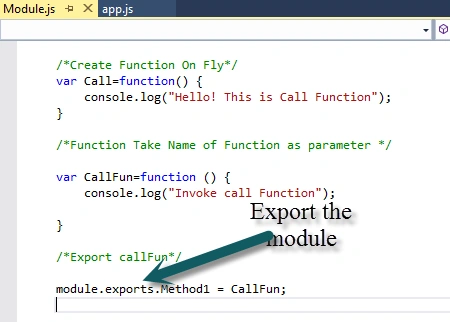
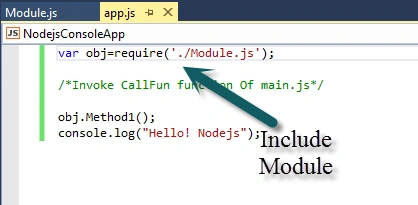
In this example, we create a Module.js file and define two functions in this file. At the end of file, we write the “module.exports.Method1 = CallFun;”. In this line of code, we use export method. Export is the object that's actually returned as the result of a require call. In an App.js file, we include the Module.js file, using require function and take the reference in Call obj. Using Call obj, we called the Method1.
Include multiple files
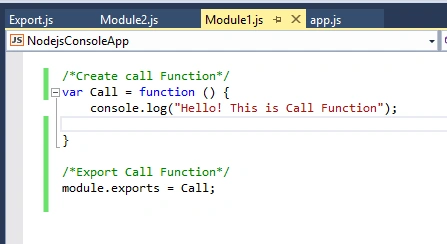
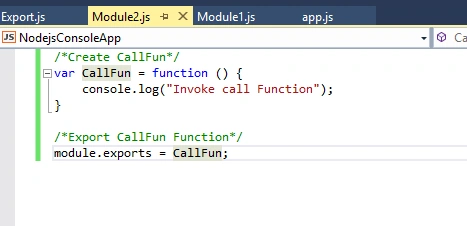
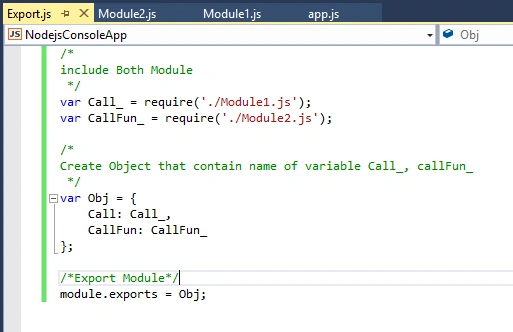
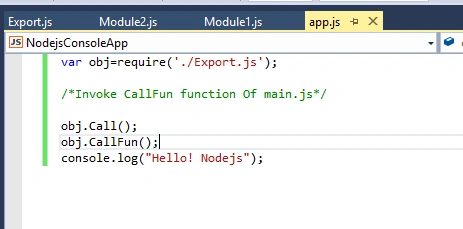
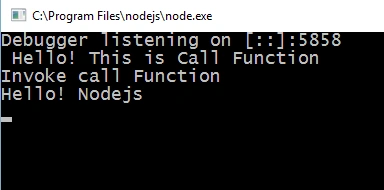
In previous examples, we exported the single module. What if we want to export multiple modules? Now, we are taking an example where we have two modules and we include both modules in App.js file. You can directly include both modules in App.js file, but best approach is to create another JavaScript file and include both modules in this file. At last, include this file into App.js file.
Module1.js
Module2.js
Export.js
App.js
Output
Import JSON File
In previous examples, we exported and included only js files. Now, we take an example where we will include the JSON file in the code.
Employee.json
Export.js
App.js
Output
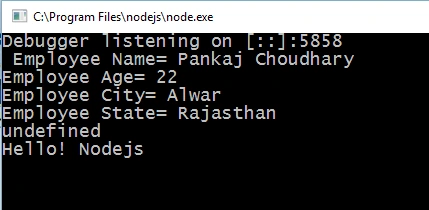
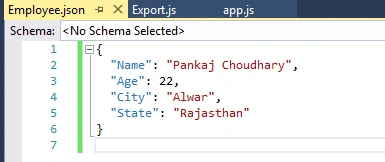
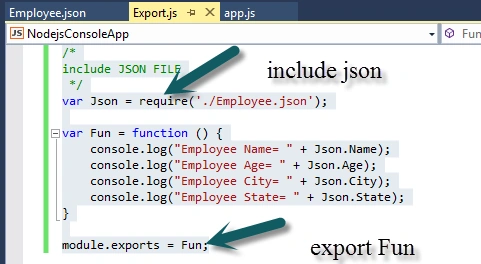
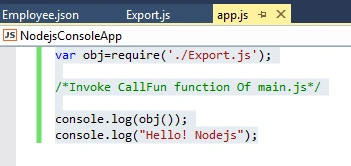
In this example, we create an Employee.json file, insert some data into it, and include this file in Export.js file. It is quite interesting that we don’t need to export the JSON file. At last, we include the Export.js file in App.js file and read all the data of Employee.json file.
I hope you liked this article. If you have any query or doubt, you can post it in the comment section. Thanks for reading the article.
Module.js
- /*Create Function On Fly*/
- var Call=function() {
- console.log("Hello! This is Call Function");
- }
- /*Function Take Name of Function as parameter */
- var CallFun=function () {
- console.log("Invoke call Function");
- }
- /*Export callFun*/
- module.exports.Method1 = CallFun;
App.js
- var obj=require('./Module.js');
- /*Invoke CallFun function Of main.js*/
- obj.Method1();
- console.log("Hello! Nodejs");
Output
In this example, we create a Module.js file and define two functions in this file. At the end of file, we write the “module.exports.Method1 = CallFun;”. In this line of code, we use export method. Export is the object that's actually returned as the result of a require call. In an App.js file, we include the Module.js file, using require function and take the reference in Call obj. Using Call obj, we called the Method1.
Include multiple files
In previous examples, we exported the single module. What if we want to export multiple modules? Now, we are taking an example where we have two modules and we include both modules in App.js file. You can directly include both modules in App.js file, but best approach is to create another JavaScript file and include both modules in this file. At last, include this file into App.js file.
Module1.js
- /*Create call Function*/
- var Call = function () {
- console.log("Hello! This is Call Function");
- }
- /*Export Call Function*/
- module.exports = Call;
Module2.js
- /*Create CallFun*/
- var CallFun = function () {
- console.log("Invoke call Function");
- }
- /*Export CallFun Function*/
- module.exports = CallFun;
Export.js
- /*
- include Both Module
- */
- var Call_ = require('./Module1.js');
- var CallFun_ = require('./Module2.js');
- /*
- Create Object that contain name of variable Call_, callFun_
- */
- var Obj = {
- Call: Call_,
- CallFun: CallFun_
- };
- /*Export Module*/
- module.exports = Obj;
App.js
- var obj=require('./Export.js');
- /*Invoke CallFun function Of main.js*/
- obj.Call();
- obj.CallFun();
- console.log("Hello! Nodejs");
Output
Import JSON File
In previous examples, we exported and included only js files. Now, we take an example where we will include the JSON file in the code.
Employee.json
- {
- "Name": "Pankaj Choudhary",
- "Age": 22,
- "City": "Alwar",
- "State": "Rajasthan"
- }
Export.js
- /*
- include JSON FILE
- */
- var Json = require('./Employee.json');
- var Fun = function() {
- console.log("Employee Name= " + Json.Name);
- console.log("Employee Age= " + Json.Age);
- console.log("Employee City= " + Json.City);
- console.log("Employee State= " + Json.State);
- }
- module.exports = Fun;
App.js
- var obj=require('./Export.js');
- /*Invoke CallFun function Of main.js*/
- console.log(obj());
- console.log("Hello! Nodejs");
Output
In this example, we create an Employee.json file, insert some data into it, and include this file in Export.js file. It is quite interesting that we don’t need to export the JSON file. At last, we include the Export.js file in App.js file and read all the data of Employee.json file.
I hope you liked this article. If you have any query or doubt, you can post it in the comment section. Thanks for reading the article.
raghvendraPosted Aug 10, 2017, 2:47 AM
Hello sir can u explain why this program not executing in cmd var http = require('http'); http.createServer(function (req, res) { res.writeHead(200, {'Content-Type': 'text/html'}); res.end('Hello World!'); }).listen(8080);
raghvendraPosted Aug 10, 2017, 2:46 AM
Hello Sir can u explain why this program is not executing on cmd
Ankur VermaPosted Sep 29, 2016, 5:39 AM
Nice ........
Vipul MalhotraPosted Jul 21, 2016, 8:26 AM
Nice article
kalu singh raoPosted Jul 21, 2016, 1:52 AM
Good Job
Anu VPosted Jul 20, 2016, 11:59 PM
Nice