In SharePoint 2010, I had a customer requirement to add new fields to the existing InfoPath form for one custom list with large data. For this I started editing the InfoPath form with the tool MS InfoPath Designer 2010 (which comes with MS Office).
To edit the form, you can click on “Customize Form” ribbon button inside the “List” Tab. It will opena form in the InfoPath designer tool.

I added some new fields to the form and tried to publish the form using either of the below marked actions.
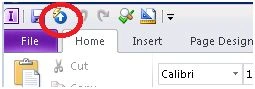
Or
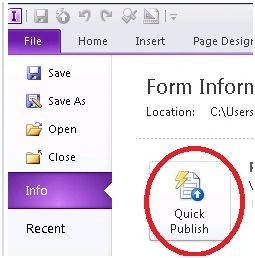
But in design checker it threw the exception: “Control binding is not supported” for three different calculated value fields. I managed to resolve this issue with the help of this blog.
Again I clicked on “Quick Publish” to publish the form; this time I didn't get the above three exceptions and now it took long time, but publishing failed with the following error.
The publish operation could not be completed. It cannot be determined if the form template was successfully published. Try publishing the form template again, or change the list settings to use the default SharePoint form.
- The SOAP message cannot be parsed.
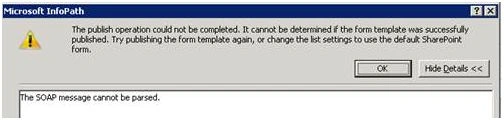
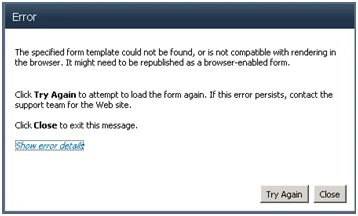
The exception was not at all leading me to the right direction. When I checked the ULS logs there was no specific and helpful error found. There was also no problem with permissions to the list. User was having Full Control.
After Googling for some time,the following solutions were found for this particular error:
Unfortunately no single option from above helped me.
But after trying all these above options, again I gave a thought to the “Request timed out” exception from Fiddler. Even though I tried increasing all timeout values above, I was Googling more on this issue. After spending lot of time on this, I found that few of the blogs mentioned huge lists cases, which means a list witha large number of items, and it was true for this list as well. It had around 4500 items.
So I decided to reduce the items batchwise (max 100 at one batch) from the list and let it go to the recycle bin. I was also checking form publishing simultaneously during this process. It was still failing. But as it was gradually decreasing the number of items in the list, it finally reached that level when InfoPath Form Publishing was successful
The magic number was around 1500 items. When I checked it multiple times, I found that above this level, the form was not able to publish.The reason for this may be becausethe Form contained 25 calculated values and hence publishing was failing for large items.
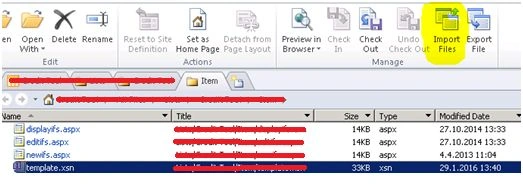
Now as the reason was known, it was needed (for publishing the updated form with new changes) to either move items above 1500 to a similar duplicate list and then again move those back OR Delete those items and then restore it back from the recycle bin. That’s it!
Note: FYI, during this process, I faced this different exception as well during publishing,
The SharePoint list form can't be customized with InfoPath because fields of an unsupported data type are marked as required, or because fields are corrupted. In SharePoint, try deleting the columns or editing the column properties to remove the required attribute.
- ABC (Lookup)
The solution for this was I had to remove columns from the SharePoint list and then refresh the InfoPath Form. Then I deleted the dropdown list control from Form and then again added it with binding to the Lookup list column. Publishing was successful.
Read more articles on SharePoint:




Deeptyranjan MohnatyPosted Oct 5, 2018, 12:52 AM
Hello All. I am also facing similar issue. here is the Forum link: https://bit.ly/2QxKx9f , but seems like for a different reason. I have checked all the suggested points in this article. I have only 545 items in my list. seeking for your expert advice guys.
Rupali ShindePosted Feb 23, 2016, 5:11 AM
infopath good article sir , thanks
Saineshwar BageriPosted Feb 21, 2016, 11:06 PM
Nice one
Humayun Kabir MamunPosted Feb 21, 2016, 11:06 PM
Nice...
Prasham SabadraPosted Feb 20, 2016, 12:55 PM
Thanks Shriram for sharing :)
Shubham KumarPosted Feb 20, 2016, 2:03 AM
nice share
Santhakumar MunuswamyPosted Feb 20, 2016, 2:03 AM
Thanks for nice share
Sibeesh VenuPosted Feb 20, 2016, 1:40 AM
Nice Share
Mohammed IbrahimPosted Feb 19, 2016, 2:47 PM
nice