Introduction
Flask is a very famous micro web framework written in Python. It was created by Armin Ronacher. It is based on the Werkzeug WSGI toolkit and the Jinja2 template engine. It is very simple, flexible and provides fine-grained control.
In this article, I will explain how to create a REST service by using Flask and Python.
Steps to Create REST Service
Install Flask by using the command prompt like below.
pip3 install Flask
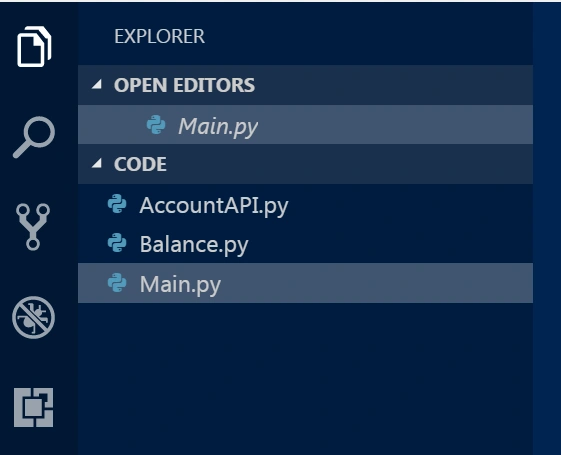
Create three Python files.
Here, I have created two Service files named AccountAPI and Balance.
AccountAPI.py
Python code in AccountAPI.py Service.
- from flask import Blueprint
- import json
-
- account_api = Blueprint('account_api', __name__)
-
- @account_api.route("/account")
- def accountList():
- return "list of accounts"
-
- @account_api.route("/names")
- def namesList():
- my_json_string = json.dumps({'key1': 'Ram', 'key2': 'val2'})
- return my_json_string
Balance.py
Python code in Balance.py Service.
- from flask import Blueprint
- import json
-
- balance_api = Blueprint('balance_api', __name__)
-
- @balance_api.route("/balance")
- def getBalance():
- return "list of balance"
Main.py
This file defines the service end-point details and runs the server.
- from flask import Flask
- from AccountAPI import account_api
- from Balance import balance_api
-
- app = Flask(__name__)
- app.register_blueprint(account_api, url_prefix='/accounts')
- app.register_blueprint(balance_api, url_prefix='/balances')
-
- @app.route("/")
- def hello():
- return "Hello World!"
-
- if __name__ == "__main__":
- app.run()
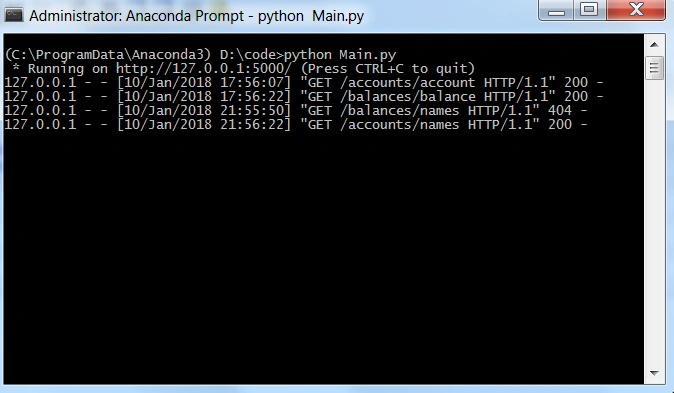
Now, execute the code like below. Type the following command in command prompt.
python Main.py
Then, it will start the execution.
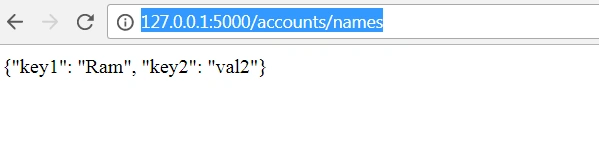
Open the browser and type the URL.
http://127.0.0.1:5000/accounts/names
It will give an output like below.
Finally, your services are deployed using Flask and Python 3.5. I have uploaded the complete zipped code for more details.
Conclusion
Flask is a very powerful and easy framework developed in Python for the deployment of REST services.

Lokesh SharmaPosted Feb 10, 2018, 4:19 AM
Hey, Thank you, this information is very useful for me.