

Question: If my database has crashed on Wednesday 04:48 PM, how will you recover the database to 04:40 PM.?
Answer: You may want to restore and recover a database to a specific point in time. The first step is to take a tail log backup of the database if a t-log file is available. Now you will select the last full backup available, then you will select the last differential backup available after the last full backup and then you will restore all t-; log backups from the last differential back until 04:48 PM t-log backup. Then you will restore trail log backups until 04:40 PM using the stop at command. We can use the following process in SQL Server 2005, 2008, 2008r2 and 2012.
While restoring a database to a point within the backup you will see the following four types of operations:
- Set up script and backup database
- Restore the database to a point in time
- Clean up database
- Set up script and backup database
Backup database
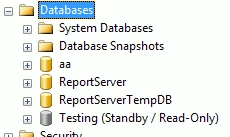
Step 1: Create Database
CREATE DATABASE Testing
GO
Step 2: Ensure database is in full recovery
ALTER DATABASE Testing
SET RECOVERY FULL
GO
Step 3: Choose Database
USE Testing
GO
Step 4: Create Table
CREATE TABLE Test
(
ID INT,
[Name] CHAR(10)
)
GO
Step 5: Taking full backup
BACKUP DATABASE [Testing] TO DISK = N'D:\backup\Testing.bak'
GO
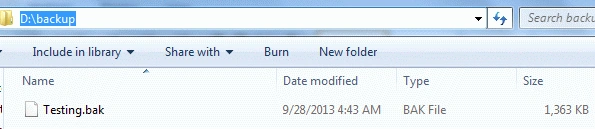
Step 6: INSERT INTO table
INSERT INTO Test
(ID,
[Name])
VALUES (1,'A'),(2,'B'),(3,'C'),(4,'D'),(5,'E')
GO
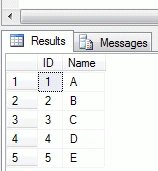
Step 7: Selecting the data from Test
SELECT *
FROM Test
GO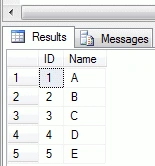
Step 8: Taking differential backup
BACKUP DATABASE [Testing] TO DISK = N'D:\backup\Testing1.dif'
WITH DIFFERENTIAL
GO 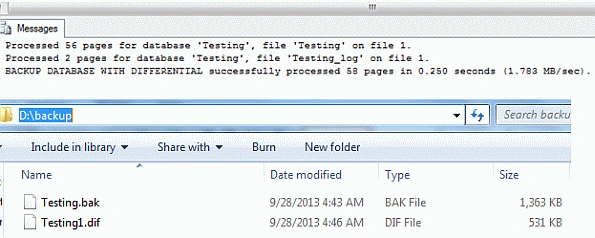
Step 9: Insert into table
INSERT INTO Test
(ID,
[Name])
VALUES (6,'F'),(7,'I')
Step 10: Taking log backup
BACKUP LOG [Testing] TO
DISK = N'D:\backup\Testing1.trn'
GO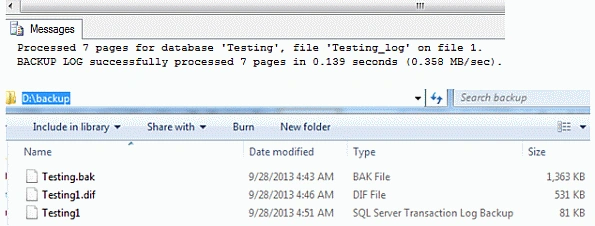
Step 11: Marking Time Stamp
SELECT GETDATE() BeforeTruncateTime;
-- Selecting the data from Test
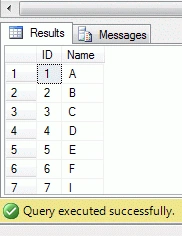
SELECT *
FROM Test
GO
-- Quick Delay before Truncate
WAITFOR DELAY '00:00:01'
GO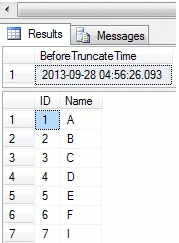
Step 12: Truncate table
TRUNCATE TABLE Test
GO
-- Quick Delay after Truncate
WAITFOR DELAY '00:00:01'
GO
-- Marking Time Stamp
SELECT GETDATE() AfterTruncateTime;
-- Selecting the data from Test
SELECT *
FROM Test
GO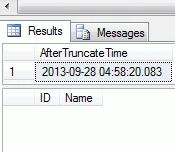





Join the conversation! Your thoughts help the community grow.