

Introduction
We can use the SharePoint 2013 Representational State Transfer (REST) service to do the same tasks you can do when you use .Net CSOM or JSOM.
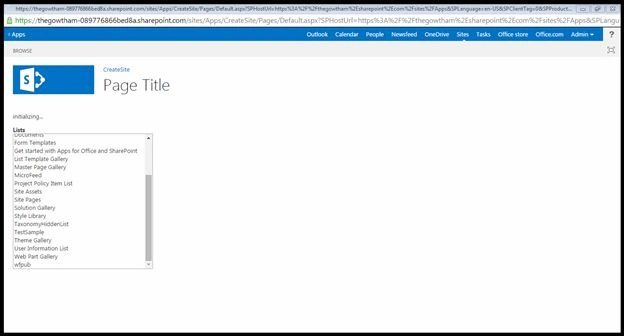
Here I will explain how to retrieve all lists and/or libraries in SharePoint 2013 using the REST API.
Procedure
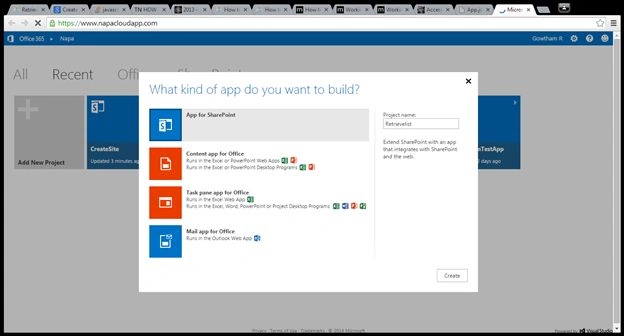
- On your Developer Site, open the "Napa" Office 365 Development Tools and then choose Add New Project.
- Choose the App for SharePoint template, name the project Retrievelist and then choose the Create button.
Prerequisite
These are the important steps to be done before creating the app.
Specify the following permissions that your app needs:
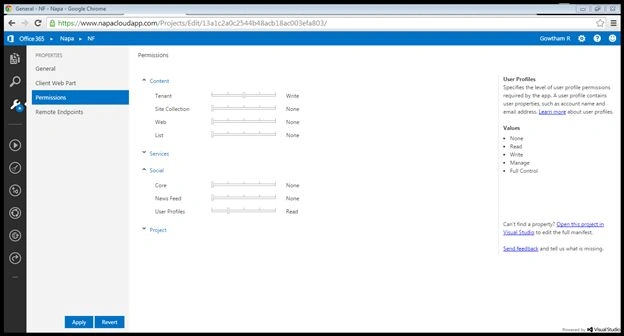
- Choose the Properties button at the bottom of the page.
- In the Properties window, choose Permissions.
- In the Content category, set Write permissions for the Tenant scope.
- In the Social category, set Read permissions for the User Profiles scope.
- Close the Properties window.
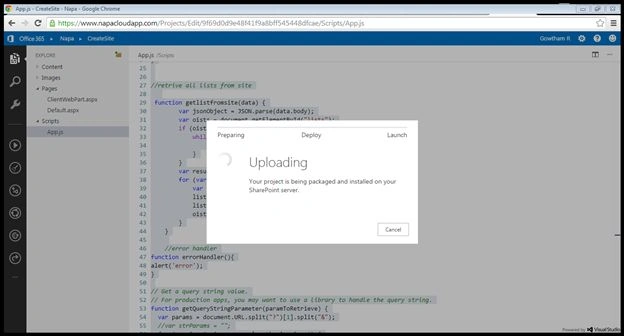
Expand the Scripts node, choose the App.js file and delete the contents of the file and replace with the following code:
- var hostweburl;
- var appweburl;
- // Get the URLs for the app web the host web URL from the query string.
- $(document).ready(function () {
- //Get the URI decoded URLs.
- hostweburl = decodeURIComponent(getQueryStringParameter("SPHostUrl"));
- appweburl = decodeURIComponent(getQueryStringParameter("SPAppWebUrl"));
- // Load the SP.RequestExecutor.js file.
- $.getScript(hostweburl + "/_layouts/15/SP.RequestExecutor.js", runCrossDomainRequest);
- });
- // Build and send the HTTP request.
- function runCrossDomainRequest() {
- var executor = new SP.RequestExecutor(appweburl);
- executor.executeAsync({
- url: appweburl + "/_api/SP.AppContextSite(@target)/web/lists?@target='" + hostweburl + "'",
- method: "GET",
- headers: { "Accept": "application/json; odata=verbose" },
- success: getlistfromsite,
- error: errorHandler
- });
- }
- //retrive all lists from site
- function getlistfromsite(data) {
- var jsonObject = JSON.parse(data.body);
- var oists = document.getElementById("lists");
- if (oists.hasChildNodes())
- {
- while (oists.childNodes.length >= 1) {
- oists.removeChild(oists.firstChild);
- }
- }
- var results = jsonObject.d.results;
- for (var i = 0; i < results.length; i++)
- {
- var listcombined = document.createElement("option");
- listcombined.value = results[i].Title;
- listcombined.innerText = results[i].Title;
- oists.appendChild(listcombined);
- }
- }
- //error handler
- function errorHandler(){
- alert('error');
- }
- // Get a query string value.
- // For production apps, you may want to use a library to handle the query string.
- function getQueryStringParameter(paramToRetrieve) {
- var params = document.URL.split("?")[1].split("&");
- //var strParams = "";
- for (var i = 0; i < params.length; i = i + 1) {
- var singleParam = params[i].split("=");
- if (singleParam[0] == paramToRetrieve) return singleParam[1];
- }
- }
Once you have done the code part run the project .
Once you have deployed the app select the Click here to launch your app in new window link and it will redirect to another page.
Once you have deployed the app select the Click here to launch your app in new window link and it will redirect to another page.
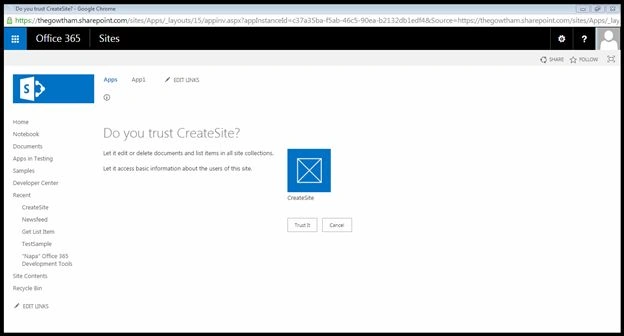
Click the Trust it button here.
Output
Current users followed news from my site.
I hope you have enjoyed this.
Vijay SPosted Apr 8, 2015, 9:19 AM
Great article
Tom MohanPosted Mar 13, 2015, 4:51 AM
Nice one