

This article explains how to retrieve the Checked Out documents of the current user from a Document Library and display it using a Content Query web part.
Navigate to the Page where you need to display the web part.


Under the Categories Tab select Content Rollup and then select Content Query and click on Add. The web part will be added to the page.
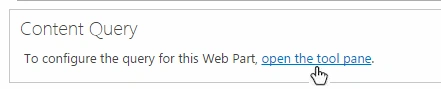
Click on open the tool pane link to get the web part properties.
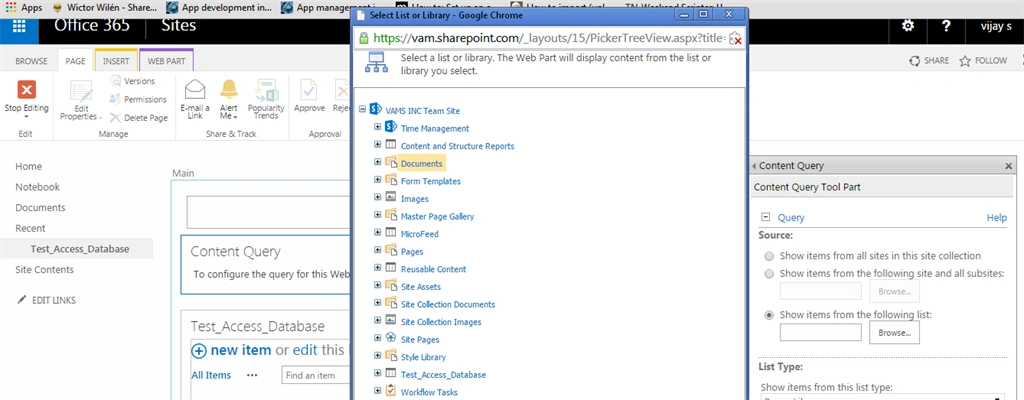
In the web part property expand the Query section and select Show items from the following list: and click on Browse, a dialog with all list and library will be displayed. Select a document library from where you need to retrieve the checked out documents for the current user.
By default the List Type will be Document Library so there is no need to make any changes there.

Now the Next option is to filter the documents. Under Additional Filters select the property Checked Out To and set the condition is equal to [Me].

Then Apply Grouping, Sorting and Styles based on your requirements and click Ok and then save the changes, the document that was checked out by the current user will be displayed in the web part.
Document Library with All Documents

Web part with current users Checked Out documents

Natarajan ViswanathanPosted Mar 20, 2015, 7:31 AM
Gowtham Rajamanickam my question is very simple don't we have the option in document library setting page to get all the checkout files. Am damn sure that's what the purpose of this article, isn't it?.
Karthik Muthu KaruppanPosted Mar 19, 2015, 4:26 PM
nice
Tom MohanPosted Mar 19, 2015, 12:28 PM
Good one
Gowtham RajamanickamPosted Mar 19, 2015, 6:25 AM
welcome Vijay S
Vijay SPosted Mar 19, 2015, 6:13 AM
Thank you guys. And thank you Gowtham for your explanation to Natraj
Vithal WadjePosted Mar 18, 2015, 2:12 PM
nice
Gowtham RajamanickamPosted Mar 18, 2015, 7:02 AM
Natarajan Viswanathan requiremnent is retrive the item .So all checked out files will comes under the query..
Natarajan ViswanathanPosted Mar 18, 2015, 6:04 AM
it was good info., but i've questions don't we have option in document library settings page like "manage file which has no check in version"?
Vijay SPosted Mar 18, 2015, 5:52 AM
Thank you
Gowtham RajamanickamPosted Mar 18, 2015, 3:35 AM
informative...