

In this article we will see how to store and retrieve images from a SQL Server Database into a Data Grid in WPF using Data Binding. I am creating the database using the code first approach. Now we will look into the System Requirements.
System Requirements
The following are the System Requirements:
- Microsoft Visual Studio 2010.
- SQL Server 2008 R2.
Now we will look into the design part and it is shown below: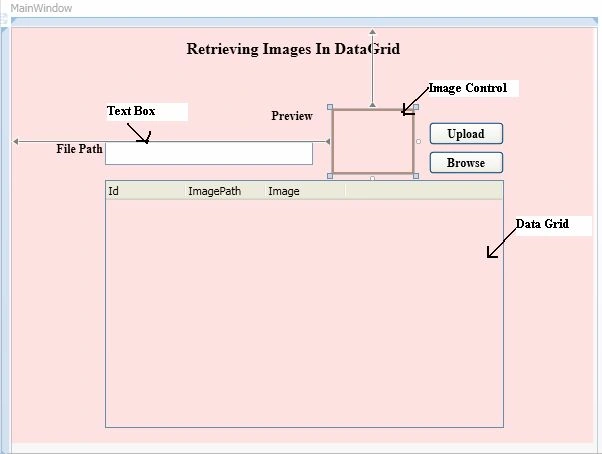
I have used a class named "ImageClass" and its definition is shown below.
public class ImageClass
{
public int Id { get; set; }
public string ImagePath { get; set; }
public byte[] ImageInBytes { get; set; }
}
In the preceding class, the "Id" property is the primary key, the "ImagePath" property will be the path of the image from the system that you will browse to and the "ImageToByte" property will store the image in the form of an array of bytes.
The XAML code for binding the data grid is shown below.
<DataGrid AutoGenerateColumns="False" Height="248" HorizontalScrollBarVisibility="Auto" HorizontalAlignment="Left" Margin="94,153,0,0" Name="dataGrid1" VerticalAlignment="Top" Width="399" Background="#FFFFE2E2" >
<DataGrid.Columns>
<DataGridTextColumn Header="Id" Binding="{Binding Path=Id}" Width="80"/>
<DataGridTextColumn Header="ImagePath" Binding="{Binding Path=ImagePath}" Width="80" />
<DataGridTemplateColumn Header="Image" Width="80" IsReadOnly="True" ="">
<DataGridTemplateColumn.CellTemplate>
<DataTemplate>
<Image Source="{Binding Path=ImageInBytes}" Width="60" Height="60" />
</DataTemplate>
</DataGridTemplateColumn.CellTemplate>
</DataGridTemplateColumn>
</DataGrid.Columns>
</DataGrid>
Working
The following snapshot shows how the application looks when you are ready to uploade the image file into the database: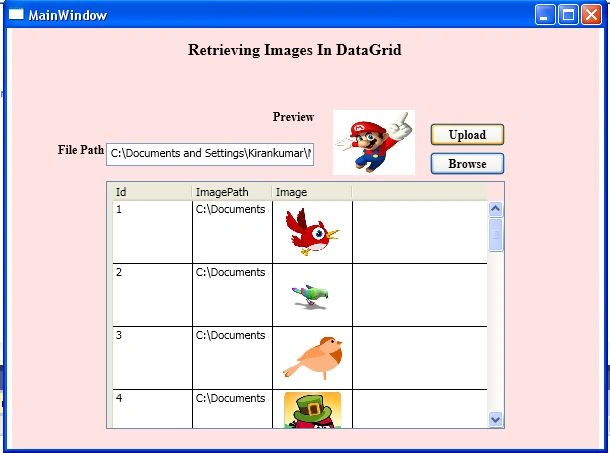
The following is the procedure to upload or store an image into a SQL database.
Step 1: Click on the "browse" button, browse to the picture using an open dialog window and it is shown in the following snapshot:
Step 2: The preview of the image is shown in the image control. Then click on the upload button; it is shown in the following snapshot: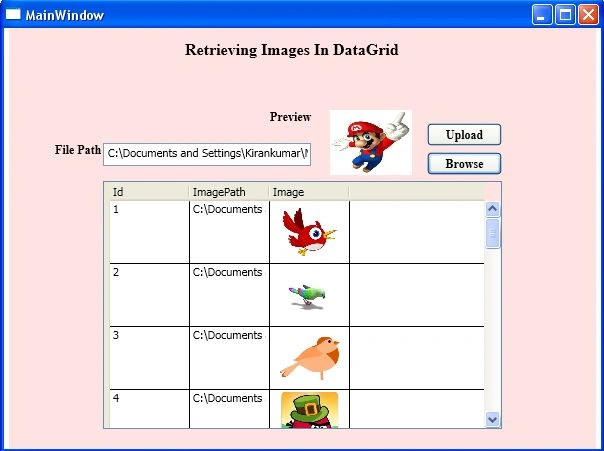
Step 3: Refresh the data grid; the uploaded image will be shown in the data grid as in the following:
Summary
In this article I showed how to show an image in a data grid from a database. I have uploaded the source code also. If you have any queries regarding this article then please do comment. Thanks for reading my article.
Arun Oli Selvan ManoharanPosted Apr 18, 2015, 2:17 AM
Hai.... kindly suggest how to print this datagrid with the images in wpf
edo wongPosted Jan 23, 2014, 5:56 AM
hello, I would like to know how to clear dbset/context data?