

Introduction
This article explains how to retrieve items from a list in SharePoint 2013 using CSOM-JavaScript.
Prerequisites
- Ensure you have access to the Office 365 online.
- Ensure the Napa tool is available in your site.
Steps to be followed
- Create an app for SharePoint using Office 365 Tools. If you have missed out on how to create an app in SharePoint 2013, then Click here.
- Create a list and name it “MyCustomList”. Click here if you want to learn how to create a list.
- Click on the Default.aspx page.
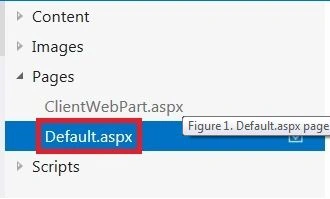
- Place the following code inside the “PlaceHolderMain” tag.
<div id=”listItems”></div>
- Click on the App.js file.
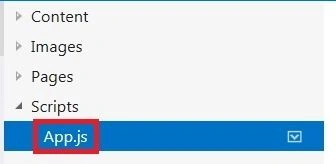
- Globally declare the content, web and list objects as shown below.
var context = SP.ClientContext.get_current(); //gets the current context
var web = context.get_web(); //gets the web object
var list = web.get_lists(); //gets the collection of lists
var targetList;
var results;
var itemColl;
- Now write the function to retrieve items from the list.
function retrieveListItems() {
targetList = list.getByTitle("MyCustomList"); //get the list details
var camlQuery = new SP.CamlQuery(); //initiate the query object
camlQuery.set_viewXml(
'<View><Query><Where><Contains><FieldRef Name=\'Title\'/>' +
'<Value Type=\'Text\'>V</Value></Contains></Where></Query>' +
'<RowLimit>10</RowLimit></View>'
);
itemColl = targetList.getItems(camlQuery);
//returns the item collectionbased on the query
context.load(itemColl);
context.executeQueryAsync(retrieveListItemsSuccess, retrieveListItemsFail);
}
- In the preceding sample code snippet we are retrieving the list items based on the query.
- “getItems” is one of the method that is used to retrieve the items from the list using the listitem object.This method specifies which items to return.
- This method returns the Item collection.
- The following example displays the ID and Title of the first 10 items in the MyCustomList list, whose collection Title contains the letter “V”.
- Load the Item collection object and then execute the code by calling executeQueryAsync().
function retrieveListItemsSuccess() {
var listItemEnumerator = itemColl.getEnumerator();
result = "List Items :<ul><li>ID Title</li>";
while (listItemEnumerator.moveNext()) {
var oListItem = listItemEnumerator.get_current();
var listDetails = "<li>" + oListItem.get_id() + " " + oListItem.get_item('Title') + "</li>";
result = result + listDetails;
}
result = result + "</ul>";
var data = document.getElementById('listItems');
data.innerHTML = "";
data.innerHTML = result;
$('#message').text = result;
}
// This function is executed if the above call fails
function retrieveListItemsFail(sender, args) {
alert('Failed to get list items. Error:' + args.get_message());
}
- That's it. Now let's start testing.
Testing
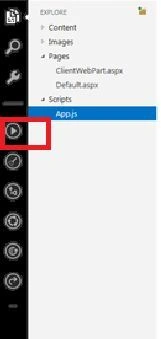
- Now to run the app click on the "Play" button that is available towards the left-most corner.
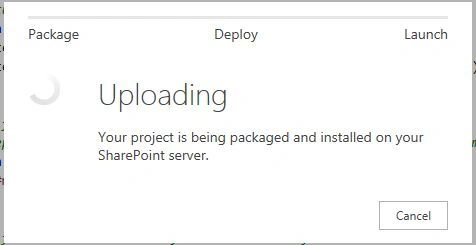
- The app is packaged, deployed, and installed on your Office 365 Site.
- Just go to the following URL:
Syntax: https://yoursite/Lists/ListName
Example: https://mysite/Lists/MyCustomList
- In “MyCustomList” there are totally 5 items.
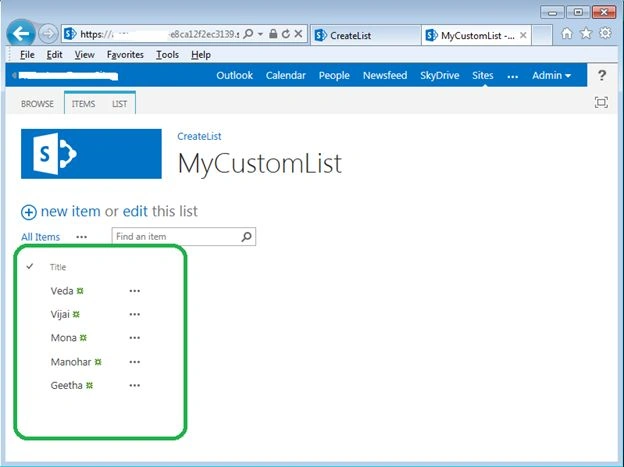
- Depending on our query we need to retrieve the items whose title contains the letter “V”.
- Now let's navigate to the results page and check.
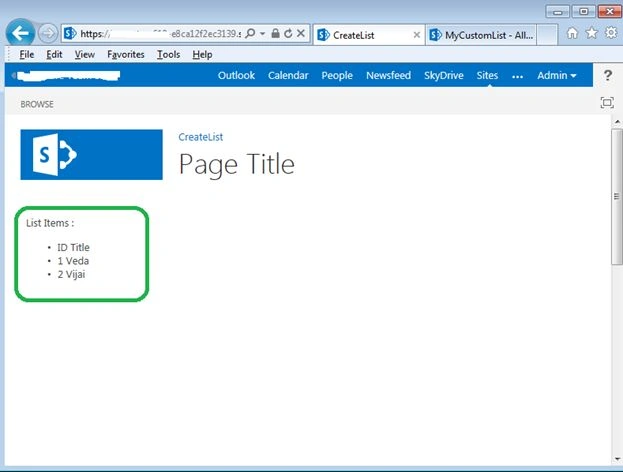
- That's it!!! We are able to see only the items whose title contains the letter “V”.
Summary
Thus in this article you saw how to retrieve the items from a list in SharePoint 2013 using CSOM-JavaScript.
Sudha SundarPosted Dec 11, 2014, 8:29 AM
Hi, I have tried this sample but data is not binding with div tag. I have checked the retrieved list items as an alert. results are coming,, but the problem is results not binding with the div tag. Kindly advice!!!
Lakshmanan Sethu SankaranarayanPosted Feb 25, 2014, 3:43 AM
Good one!