

Welcome to an article on how to retrieve license plans on SharePoint Online and Office 365, using Nintex Workflows. This article will display the action “Office 365 retrieve license plans”. Here, we will see how to configure this action and use it for our work.
Using this action, you can get all the SKUs of all the available license plans.
Let’s see the implementation of this functionality.
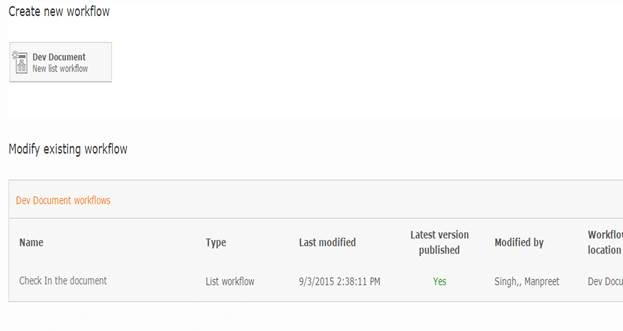
- I have created a document library “Dev Document”. In Dev Document, Click on the Library tab on the top ribbon and click on Nintex Workflows.

- You will see the following screen. Just click “Create new workflow”.
- You will reach to the design phase of the Nintex Workflows.
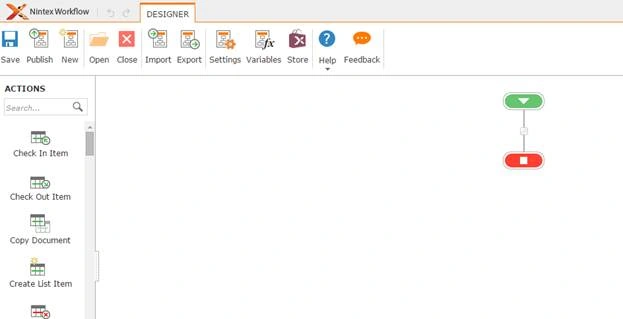
- Add the action, “Office 365 retrieve license plans” by right clicking on the workflow or by dragging and dropping from the left toolbox.
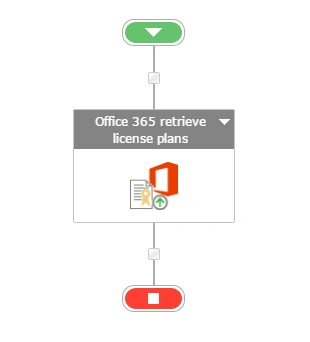
- Now, let’s configure it.
- When you double click on the action, the following screen opens.
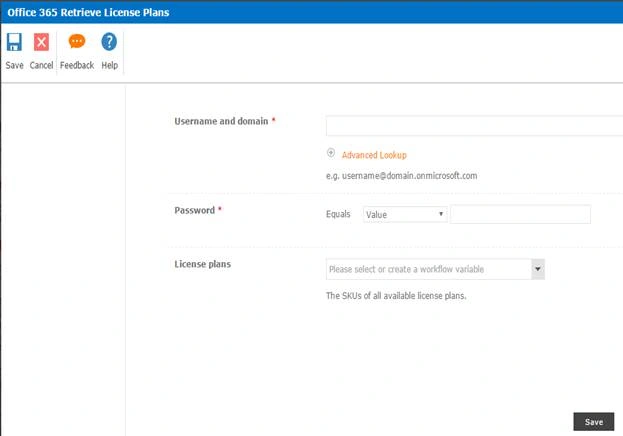
Configuration
- Username & domain: Provide the user name and domain of the user. It must be an admin user.
- Password: Specify the password.
- License plans: Here, you can add a variable to store the SKUs of all the available license plans on this tenant.
- Now, we have configured our workflow. Let’s publish it and use it.
- Click on Publish on the left corner of the ribbon of Nintex Designer.

- You will see the screen, as shown below:
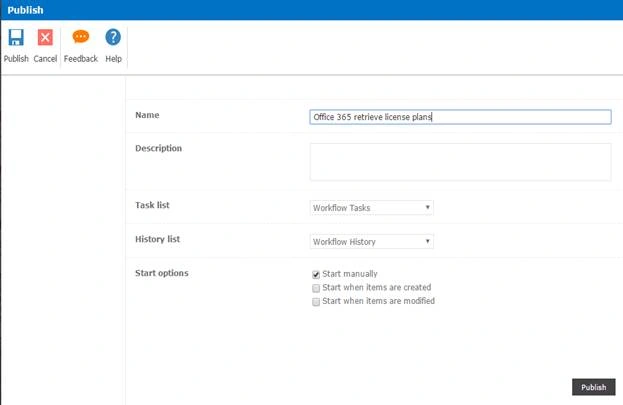
- Give your workflow a Name and Description.
- Choose the task list where it should store the tasks; it will be Workflow Tasks by default.
- Choose the history list where it should store the history logs; it will be Workflow History by default.
- In Start Options, you can either start your workflow manually or you can start it automatically when an item is created. I will select this option to create automatically when an item is created.
- Click on Publish
- Your workflow will get published.
Once you have configured, the workflow will get the SKUs of all the available license plans when the workflow executes.
So, in this article, we saw how to retrieve the license plans using the action Office 365 retrieve license plans in SharePoint Online and Office 365, using Nintex Workflows. We will see more new articles on the actions of Nintex Workflows in the upcoming parts of the article. Until then, keep learning!
Shobana JPosted Jul 16, 2016, 6:36 AM
Nice