

This article provides step-by-step instructions on how to,
- Write an Azure Resource Graph query to run periodically.
- Create an Azure Logic App with a System-Assigned Managed Identity.
- Set up a Managed Identity with appropriate access.
- Automate the execution of your Azure Resource Graph query via Logic Apps.
- Store query results in CSV format in Azure Blob Storage.
Prerequisites
- An Azure subscription (Sign up for a free account if you don’t have one.)
- An Azure Storage Account with a Blob Container.
1. Write an Azure Resource Graph Query
In here I am retrieving the power state summary of my test Virtual Machine, to do that I am using the following Kusto Query Language (KQL) query.
Resources
| where type =~ 'microsoft.compute/virtualmachines'
| extend vmPowerState = tostring(properties.extended.instanceView.powerState.code)
| summarize count() by vmPowerState
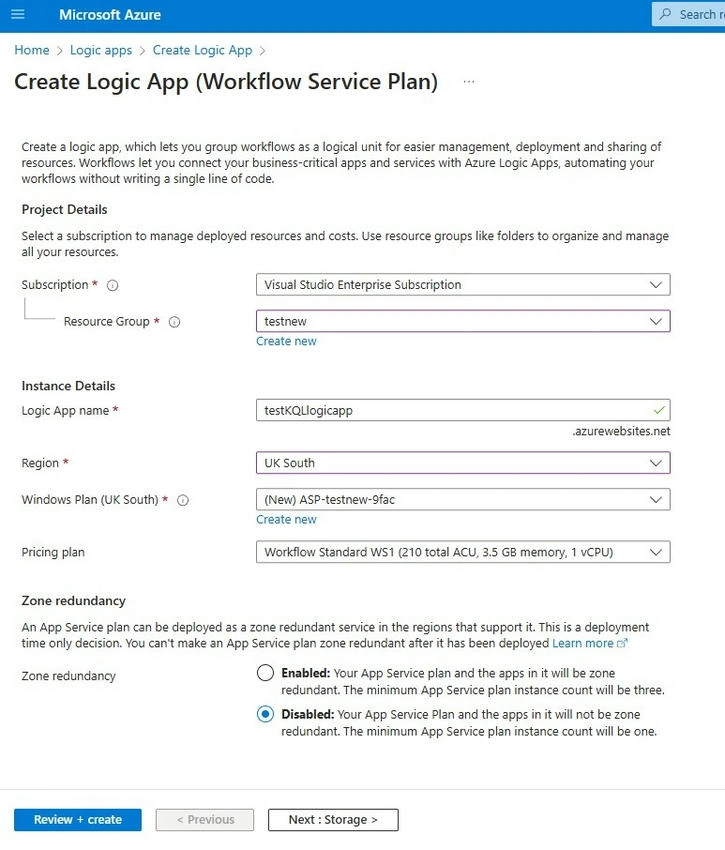
2. Create an Azure Logic App
- Navigate to the Azure Portal.
- Search for Logic Apps in the top search bar and select it.
- Click Add to create a new Logic App.
- Under Plan Type, select Consumption.
- Complete the required configurations and deploy the Logic App.
3. Set Up a Managed Identity
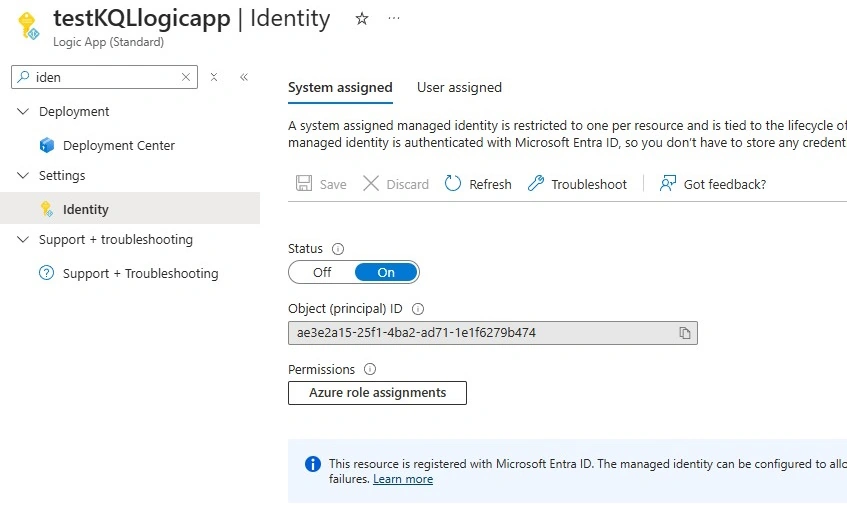
Enable System-Assigned Managed Identity
- Navigate to the Logic App you created.
- On the left menu, select Identity.
- Choose the System-Assigned tab, set the status to On, and click Save.
4. Assign Role Permissions
To grant the Managed Identity the ability to query across subscriptions, resource groups, and resources.
- Navigate to Azure Role Assignments.
- Assign the Azure Resource Graph Reader role to the Logic App's Managed Identity.
- Refer to Assign Azure Roles to a Managed Identity for more details.
5. Configure and Run Your Logic App
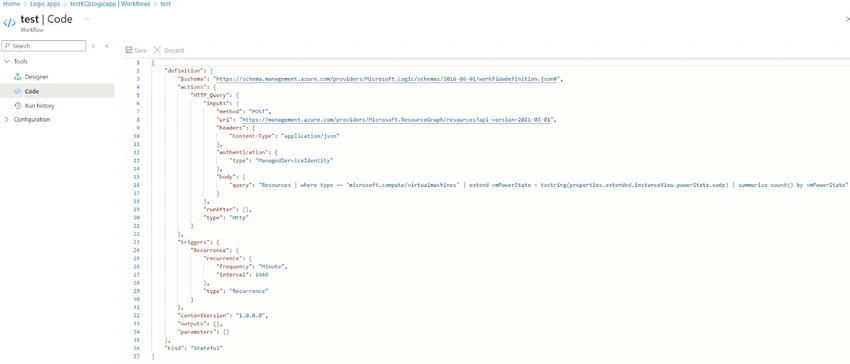
- Open your Logic App and switch to Code View.
- Paste the following JSON configuration: Workflow validation failed. Switch to Designer View and adjust the setup if needed.
- Click Save and Run your Logic App.
6. Store Query Results in Azure Blob Storage (CSV Format)
Convert JSON Response to CSV Format
- Add a Data Operations: Select action to extract necessary fields.
- Use a Data Operations: Compose action to format the data into CSV.
Example CSV Formatting Expression
concat('Power State,VM Count\n', join(body('Select'), '\n'))
Upload to Azure Blob Storage
- Add the Azure Blob Storage - Create Blob action.
- Configure it to store the CSV output in a designated Blob Container.
Next Steps
- Monitor and review execution results in Logic Apps Run History.
- Expand automation to include alerts, notifications, or remediation actions.
By following these steps, you can automate periodic queries of Azure resources and store the results efficiently in Azure Blob Storage in CSV format.
Join the conversation! Your thoughts help the community grow.