

Introduction
MongoDB uses BSON as the data storage and network transfer format for "documents". BSON is a binary-encoded serialization of JSON-like documents. BSON is designed to be lightweight, traversable, and efficient. MongoDB is representative of NoSQL databases. It is a document-oriented database, which means that data will be stored in documents in BSON format.
Setting up MongoDB in your system
First, you have to download the MongoDB Zip file from the following site: http://downloads.mongodb.org/win32/mongodb-win32-x86_64-2.4.5.zip and then install MongoDB in your system. If you don't know about installing then use the following link:http://www.dbtalks.com/UploadFile/e6aced/how-to-install-mongodb-in-your-system/.
Install C# driver in your system
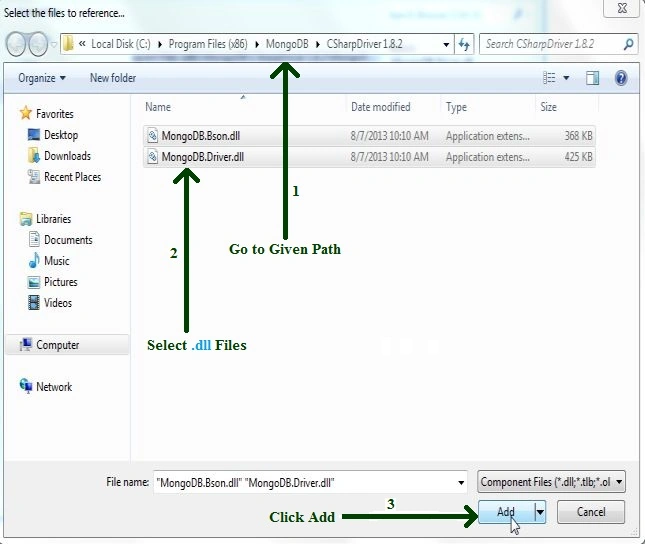
The C# driver consists of two libraries: the BSON Library and the C# driver. The BSON library can be used independently of the C# Driver if desired. The C# Driver requires the BSON library. First, you have to download the C# driver at the link: http://driver-downloads.mongodb.org/dotnet/index.html. Then download the latest version of the C# driver in msi format. Then install the C# driver into your system. After installing the C# driver, store it in your system in this path: C:\Program Files (x86)\MongoDB\CSharpDriver 1.8.2. You have seen two DLL files, the first is MongoDB.Bson.dll and the second is MongoDB.Driver.dll.These files are used in connecting to MongoDB with C#.Net.
Run MongoDB Server
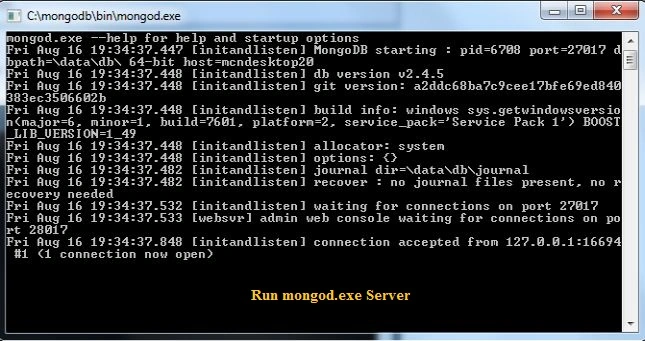
Go to the "C:\mongodb\bin" address in your system and then run mongo.exe and mongod.exe as in the following figure:
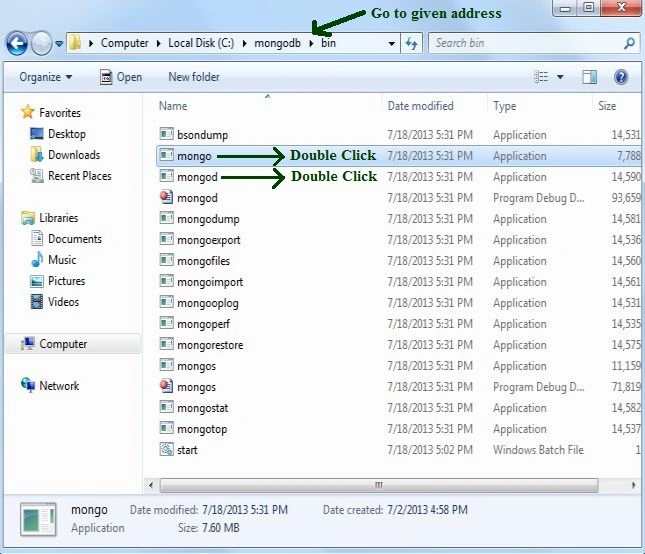
mongo.exe server
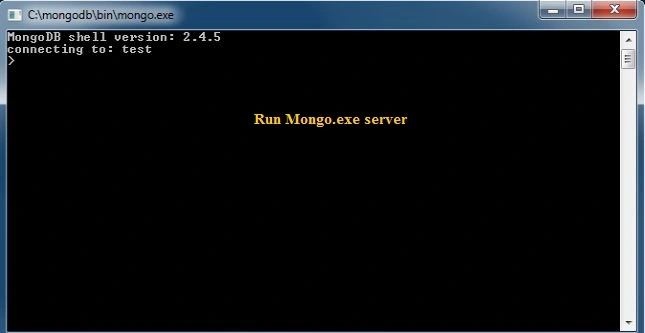
mongod.exe server
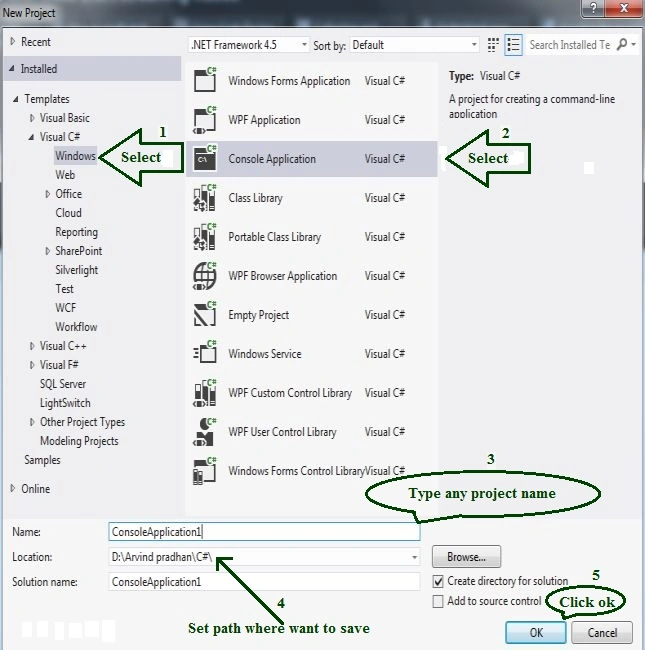
Open Microsoft Visual Studio
I have learned about Visual Studio 2012. But you need it to work with any Visual Studio version. First, go to "File" -> "New" -> "Project..." and then create a new console application and provide any name.
Add reference file
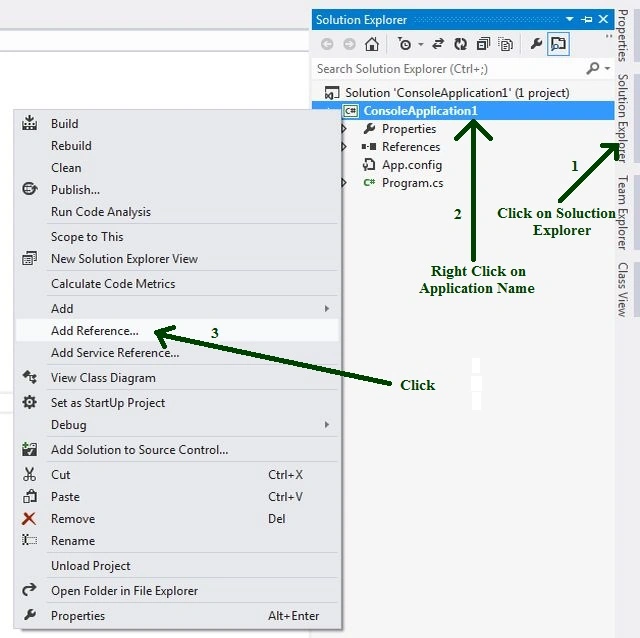
After creating a console application you need to add two references from the C# driver. See that in the following.
- Go to Solution Explorer then right-click on the application name, then click "Add Reference".
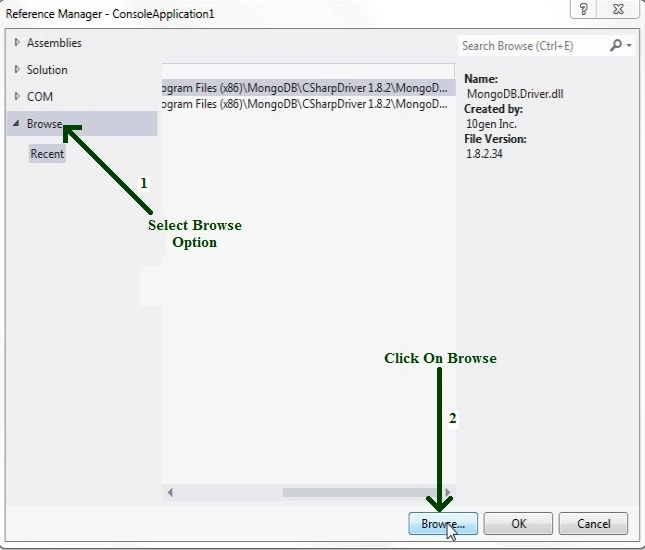
- Select "Browse" then click on "Browse".
- After clicking on "Browser" then select DLL files then click on "Add" as in the following figure.
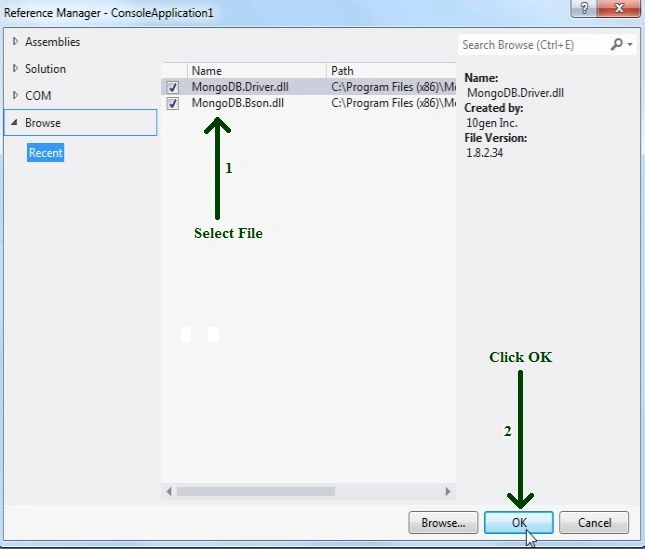
- Select some files and then click "OK".
Connect to MongoDB with C# and then save BSON document in MongoDB database
The following is the Console Application code in the C# language .
- using System;
- using System.Collections.Generic;
- using System.Linq;
- using System.Text;
- using System.Threading.Tasks;
- using System.Xml.Linq;
- using MongoDB.Bson; // Add BSON Library file
- using MongoDB.Driver; // Add Driver Library file
- namespace ConsoleApplication1 {
- classProgram {
- staticvoid Main(string[] args) {
- MongoServer mongo = MongoServer.Create(); //Create object of MongoDB server
- mongo.Connect(); // call to connect MongoDb server
- Console.WriteLine("Connect to MongoDB Server");
- Console.WriteLine();
- var db = mongo.GetDatabase("My_Database"); // Call to "My_ Collection" database which create in MongoDB
- using(mongo.RequestStart(db)) // call to request send to MongoDB
- {
- var collection = db.GetCollection < BsonDocument > ("My_Collection");
- /* call to MongoDB which create collection in "My_Database"*/
- BsonDocument book = newBsonDocument() // Create BSON document which document name is "Book"
- .Add("_id", BsonValue.Create(BsonType.ObjectId)) // Create "Object _id"
- .Add("author", "pradhan") // Add data in "book" document (key and value format)
- .Add(" title", "My exprience");
- collection.Insert(book); /* Insert BSON document type data (name is "book") in collection ("My_collection") */
- var query = newQueryDocument("author", "pradhan"); /*Create Query for view data, which save in collection ("My_Collection"), in MongoDB database ("My_Databse") */
- foreach(BsonDocument item in collection.Find(query)) // create foreach loop for select item in collection
- {
- Console.WriteLine("Key Value ");
- Console.WriteLine();
- foreach(BsonElement element in item.Elements) // create foreach loop for select element in item
- {
- Console.WriteLine("{0} {1}", element.Name, element.Value); // print element name and value
- }
- }
- Console.WriteLine();
- }
- Console.WriteLine();
- Console.Read();
- mongo.Disconnect(); // call to disconnect MongoDB server
- }
- }
- }
Output
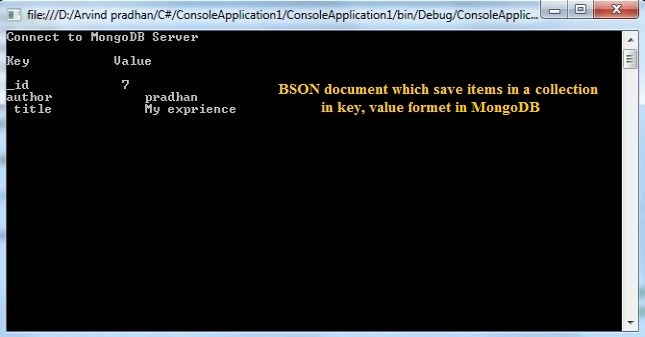
When you run that code you will see the following output.
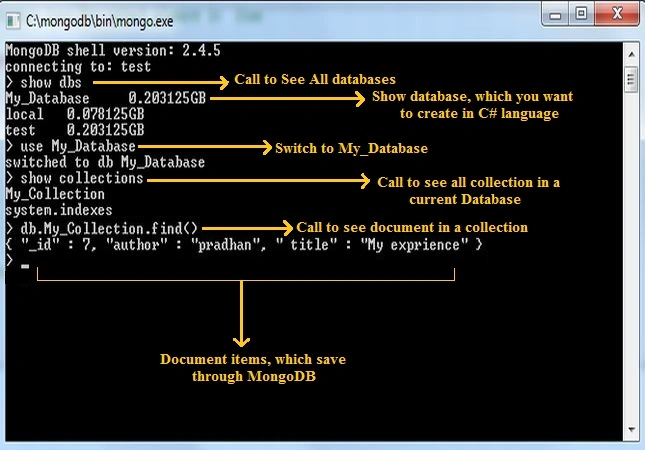
Note: if you want to see data in the MongoDB Server, then use the following procedure.
Umesh KumarPosted Apr 6, 2016, 8:41 AM
how can i download this code file
Arvind PradhanPosted Aug 20, 2014, 11:34 PM
I hope , this is help-full .
Arvind PradhanPosted Aug 20, 2014, 11:33 PM
If you can learn about BSON and MongoDB then You can see my Articles on http://www.dbtalks.com/UploadFile/e6aced/about-bson-and-json-in-mongodb/ or http://www.dbtalks.com/3/39/mongodb.aspx
Pradeep DeepuPosted Aug 20, 2014, 3:34 PM
thanks..! helped me a lot.! would be great if u can talk about bson in deep..! Please my kind request.
Sharad GuptaPosted Aug 31, 2013, 2:49 AM
nice one arvind
Arvind PradhanPosted Aug 21, 2013, 5:41 AM
thank you sir
Former memberPosted Aug 19, 2013, 7:29 AM
nice article