

Introduction
Scalable Vector Graphics (SVG) is the part of the vector-based family of graphics. There are various forms of raster-based graphics available that store the color definition for each pixel in an array of data. Some of the most common raster-based formats used on the web today are JPEG (Joint Photographic Experts Group), GIF (Graphics Interchanged Format) and PNG (Portable Network Graphics). SVG is a language for describing 2D vector graphics in XML.
Advantages of SVG
- SVG is created using mathematical formulas that require very small amounts of data to be stored in the file because SVG does not store each and individual pixel data like raster graphics.
- It does not lose any quality if the image is zoomed or resized.
- Every element and every attribute in an SVG file can be animated.
- the size of the source file of SVG is very small so in a very small bandwidth, you can load file faster compared to Raster Graphics.
- SVG can be drawn programmatically and rendered by the browser.
- SVG files are an XML based or text-based file so it is friendly to search engines.
- SVG images can be created and edited in any text editor.
- SVG images can be searched, indexed, scripted and compressed because it is a text file.
Basics of SVG
The creation of an SVG image is a very different process. To create any other raster images like JPEG, PNG or GIF we use image editing software like Photoshop and so on. But SVG images are XML based files so it can be created in any other text editor. There is a tool also available (inkspace). By using this tool you can draw and create SVG images very conveniently.
Basic Shapes Created by SVG
You can use an SVG XML tag to create shapes.
| Element | Description |
| line | Creates Simple line |
| circle | Creates Circle |
|
rect
|
Creates Rectangle <td style="border: 1px dashed #ababab;">
|
|
ellipse
|
Creates Ellipse
|
|
polygon
|
Creates Polygon
|
|
polyline
|
Creates Multiline Shape
|
|
path
|
Creates Arbitrary Path
|
|
text
|
Allows to Creates Text
|
The line Element
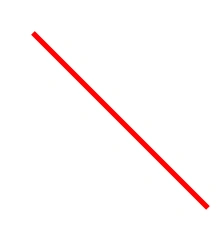
The line element draws the line. You can create a line definition by defining the starting and ending X and Y coordinates. Code to draw a line in SVG is given below:
- <!DOCTYPE html>
- <html>
- <body>
- <svg width="500" height="300" >
- <line x1='25' y1="25" x2='200' y2='200' style='stroke:red;stroke-width:5'/>
- </svg>
- </body>
- </html>
Output: The output of the code above is as given below:
The circle Element
This circle element is used to define the circle in SVG. To define the circle you need to define an <td style="border: 1px dashed #ababab;">X, Y attribute that will be the center of the circle and you need to define the radius of the circle. The code to draw a circle in SVG is given below:
- <!DOCTYPE html>
- <html>
- <body>
- <svg width="500" height="300" >
- <circle cx="100" cy="100" r="60" fill="red"
- style="stroke:#000000;stroke-width:2"/>
- </svg>
- </body>
- </html>
Output

The rect Element
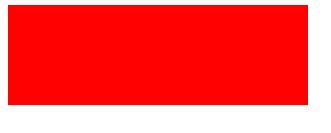
The rect element draws a line in SVG. Creating the rectangle is as simple as defining a width and height. The code to draw a rectangle is given below:
- <!DOCTYPE html>
- <html>
- <body>
- <svg width="500" height="300" >
- <rect width="300" height="100" style="fill:red;"/>
- </svg>
- </body>
- </html>
Output
The ellipse Element
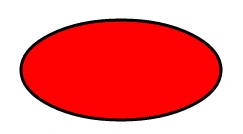
The ellipse element is used to draw an ellipse in SVG. Drawing of an ellipse is similar to drawing a circle but to define an ellipse you need to define 2 radii. The code to draw an ellipse in SVG is given below:
- <!DOCTYPE html>
- <html>
- <body>
- <svg width="500" height="300" >
- <ellipse cx="150" cy="80" rx="100" ry="50"
- style="fill:red; stroke:#000;stroke-width:3"/>
- </svg>
- </body>
- </html>
In the code above cx and cy are the attributes of the ellipse that defines the center of the ellipse and rx and r are the attributes; rx defines the radius for the x-axis and ry defines the radius for the y-axis. The output of the code above is given below:
Output
The polygon Element
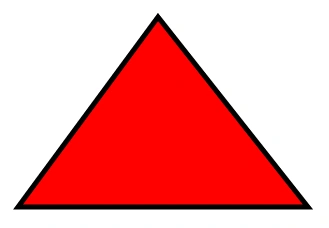
Polygons are 2-dimensional shapes. They are made of straight lines and the shape is "closed" (all the lines connect).
Creating the triangle by using the polygon element
- <!DOCTYPE html>
- <html>
- <body>
- <svg width="500" height="300" >
- <polygon points="150,10 10,200 300,200"
- style="fill:red;stroke:#000;stroke-width:5"/>
- </svg>
- </body>
- </html>
- 150,10
- 10, 200
- 300,200
Output
The output of the code above is given below
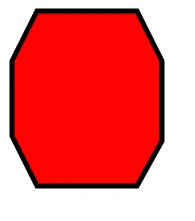
Create an 8-sided polygon
To create an 8-sided polygon you need to define 8 points for the polygon element. The code to draw a simple 8-sided polygon is given below:
- <!DOCTYPE html>
- <html>
- <body>
- <svg width="500" height="300" >
- <polygon points="50,5 150,5 175,55 175,135 150,180 50,180 25,130 25,55"
- style="fill:red;stroke:#000;stroke-width:5"/>
- </svg>
- </body>
- </html>
Output
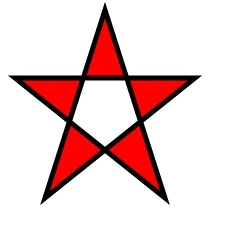
The following code creates a star using polygon:
- <!DOCTYPE html>
- <html>
- <body>
- <svg width="500" height="300" >
- <polygon points="100,10 40,198 190,78 10,78 160,198"
- style="fill:#FF0000;stroke:#000;stroke-width:5;fill-rule:evenodd;" />
- </svg>
- </body>
- </html>
Output
The polyline Element
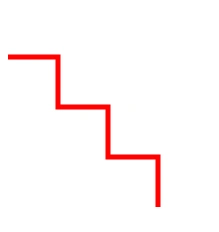
A polyline is a drawing consisting of multiple line definitions. The code and example of a polyline are given below:
- <!DOCTYPE html>
- <html>
- <body>
- <svg width="500" height="300" >
- <polyline points="0,50 50,50 50,100 100,100 100,150 150,150 150,200"
- style="fill:white;stroke:red;stroke-width:5"/>
- </svg>
- </body>
- </html>
Output: the output of the code above is given below:
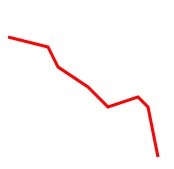
Create an irregular line by using the polyline element:
- <!DOCTYPE html>
- <html>
- <body>
- <svg width="500" height="300" >
- <polyline points="0,30 40,40 50,60 80,80 100,100 130,90 140,100 150,150"
- style="fill:white;stroke:red;stroke-width:3"/>
- </svg>
- </body>
- </html>
Output
The path Element
To draw all the elements and all other complex elements you can use the path element. Using the path element you can create an arbitrary drawing. The path element supports some commands that are listed in the following table:
| Command | Description |
|
M
|
Move to
|
|
L
|
Line to
|
|
H
|
Horizontal line to
|
|
V
|
Vertical line to
|
|
C
|
Curve to
|
| S |
Smooth curve to
|
|
Q
|
Quadratic Bezier curve to
|
|
T
|
Smooth quadratic Bezier curve to
|
|
A
|
Elliptical arc to
|
|
Z
|
Close path to
|
Note: You can use the commands in either uppercase or in lowercase. When the command is used in uppercase then the absolute positioning is applied and when the command is used in lowercase then relative positioning is applied.
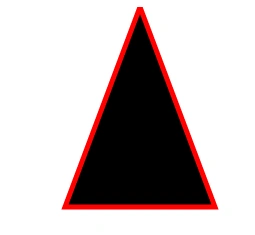
The following creates a triangle using the path element:
- <!DOCTYPE html>
- <html>
- <body>
- <svg width="500" height="300" >
- <path d="M150 0 L75 200 L225 200 Z"
- style="fill:#000;stroke:red;stroke-width:5"/>
- </svg>
- </body>
- </html>
In the preceding example, "d" is the attribute. By using this you can define all the commands. The drawing starts from x co-ordinate 150 and y co-ordinate 0; here we have used the M command because we want to move from here to some other direction. The next point or co-ordinate is 75,200 and used here the L command means we want to create a line from the moving point. So we have used (L75 200). Now we have created another line (L255 200) then we used the z command that closes the path. So it will create a line from the current position to the starting position.
Output
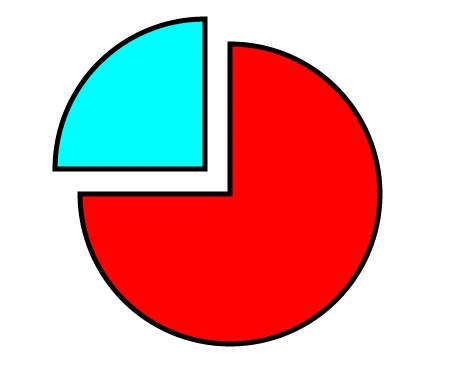
The following creates a custom drawing using the path element:
- <!DOCTYPE html>
- <html>
- <body>
- <svg width="500" height="500" >
- <path d="M300,200 h-150 a150,150 0 1,0 150,-150 z"
- fill="#ff0000" stroke="#000" stroke-width="5"/>
- <path d="M275,175 v-150 a150,150 0 0,0 -150,150 z"
- fill="#00ffff" stroke="#000" stroke-width="5"/>
- </svg>
- </body>
- </html>
Output
The text Element
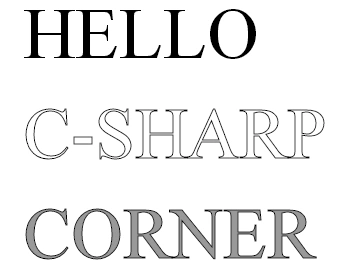
The text element draws text in the SVG. An example is given below
- <!DOCTYPE html>
- <html>
- <body>
- <svg width="500" height="500" >
- <text x="20" y="50"
- style="fill: #000000; stroke: none; font-size: 72px;">
- HELLO
- </text>
- <text x="20" y="150"
- style="fill: none; stroke: #000000; font-size: 72px;">
- C-SHARP
- </text>
- <text x="20" y="250"
- style="fill: #999999; stroke: #000000; font-size: 72px;">
- CORNER
- </text>
- </svg>
- </body>
- </html>
Output
Conclusion
In this article, we studied Scalable Vector Graphics (SVG) in HTML5
Sanjay SinghPosted Jul 1, 2014, 12:43 AM
nice article sir..