

In this article I am going to show how we can scroll text or banner in silverlight. This is my XAML code...
<UserControl x:Class="ScrollingBannerInSilverlight.MainPage"
xmlns="http://schemas.microsoft.com/winfx/2006/xaml/presentation"
xmlns:x="http://schemas.microsoft.com/winfx/2006/xaml"
xmlns:d="http://schemas.microsoft.com/expression/blend/2008"
xmlns:mc="http://schemas.openxmlformats.org/markup-compatibility/2006"
mc:Ignorable="d"
d:DesignHeight="300" d:DesignWidth="400">
<Canvas xmlns="http://schemas.microsoft.com/client/2007"
xmlns:x="http://schemas.microsoft.com/winfx/2006/xaml">
<Canvas.Triggers>
<EventTrigger RoutedEvent="Canvas.Loaded" >
<BeginStoryboard>
<Storyboard x:Name="animation" Storyboard.TargetProperty="(Canvas.Left)" RepeatBehavior="Forever" >
<DoubleAnimation Storyboard.TargetName="ScrollText" From="0" To="-820" Duration="0:0:10" />
<DoubleAnimation Storyboard.TargetName="ScrollText1" From="820" To="0" Duration="0:0:10" />
</Storyboard>
</BeginStoryboard>
</EventTrigger>
</Canvas.Triggers>
<TextBlock x:Name="ScrollText" FontFamily="Verdana" FontSize="36" Foreground="Blue" Text="Welcome to silverlight word." />
<TextBlock x:Name="ScrollText1" FontFamily="Verdana" FontSize="36" Foreground="Blue" Text="Welcome to silverlight word." />
</Canvas>
</UserControl>
When we run the application then.
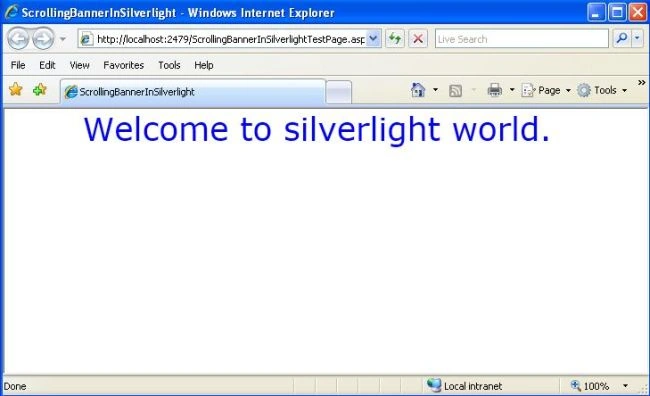
Image 1.
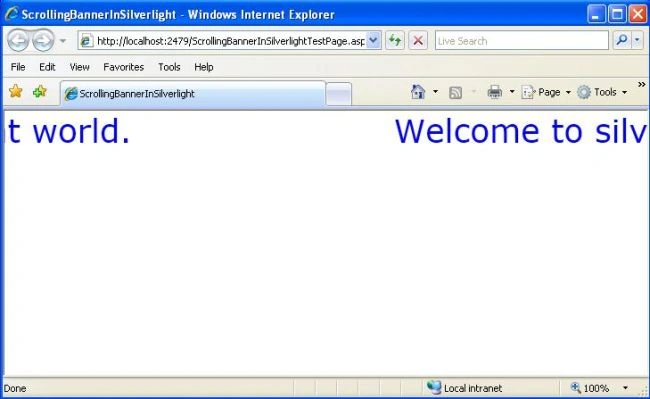
Image 2.
Join the conversation! Your thoughts help the community grow.