

Previous part: Listing Information from the Local DB in MAUI .NET 9 [GamesCatalog] - Part 15
Step 1. Let’s create a function to remove a game from the list. In GameRepo, we’ll add a function to inactivate the game and declare it in the interface.
        public async Task InactivateAsync(int uid, int id, DateTime updatedAt)
        {
            using var context = DbCtx.CreateDbContext();
            await context.Games.Where(x => x.Id == id && x.UserId == uid)
                .ExecuteUpdateAsync(y => y
             .SetProperty(z => z.UpdatedAt, updatedAt)
             .SetProperty(z => z.Inactive, true));
        }
Step 1.1. Let’s modify the UpdateStatusAsync so that if the game exists in the local database and is inactive, it is reactivated.
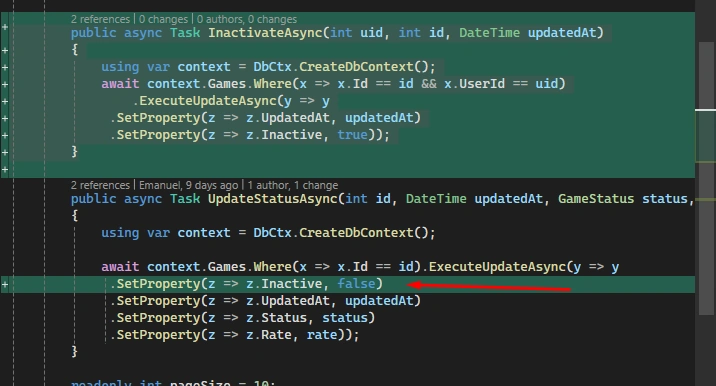
Code of UpdateStatusAsync
        public async Task UpdateStatusAsync(int id, DateTime updatedAt, GameStatus status, int? rate)
        {
            using var context = DbCtx.CreateDbContext();

            await context.Games.Where(x => x.Id == id).ExecuteUpdateAsync(y => y
             .SetProperty(z => z.Inactive, false)
             .SetProperty(z => z.UpdatedAt, updatedAt)
             .SetProperty(z => z.Status, status)
             .SetProperty(z => z.Rate, rate));
        }
Step 2. In GameService, we’ll add the InactivateAsync function and declare it in the interface.
        public async Task InactivateAsync(int? uid, int id)
        {
            int _uid = uid ?? 1;

            await GameRepo.InactivateAsync(_uid, id, DateTime.Now);
        }
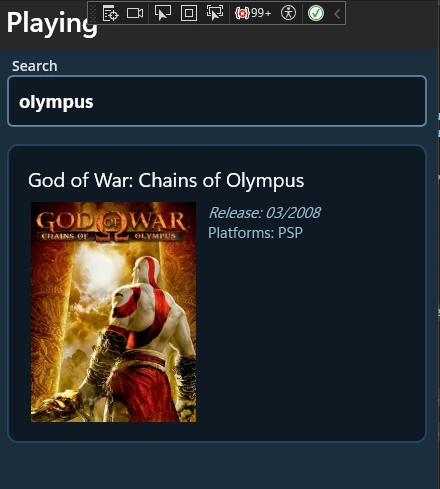
Step 3. In GameList.xaml, we’ll set a tap on an item in the list to navigate to the game addition screen.
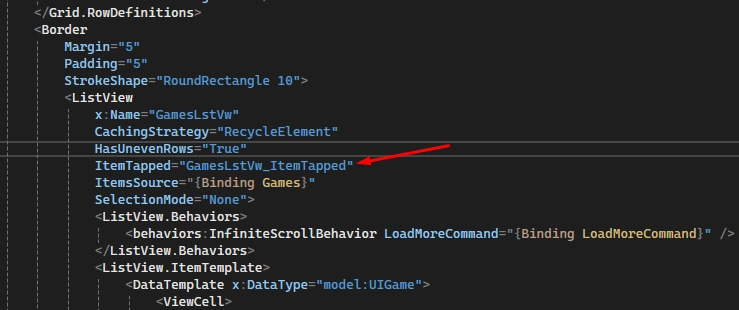
Add the command and use [Ctrl + space] to add the function.
Step 3.1. In GameList.xaml.cs, the function will open the game addition screen, passing the game object from the list.
    private void GamesLstVw_ItemTapped(object sender, ItemTappedEventArgs e)
    {
        if (e.Item is UIGame tappedItem)
            Shell.Current.GoToAsync($"{nameof(AddGame)}", true, new Dictionary<string, object>
            {
                { "Game", tappedItem }
            });
    }
Step 4. In AddGameVM.cs, we’ll add a variable to control the visibility of the Expander, which will contain the option to remove a game:
        private bool expanderIsVisible = false;

        public bool ExpanderIsVisible
        {
            get => expanderIsVisible;
            set => SetProperty(ref expanderIsVisible, value);
        }
Step 4.1. In the BuildGameStatus function, we’ll set ExpanderIsVisible to true when the game exists in the local database and is not inactive.
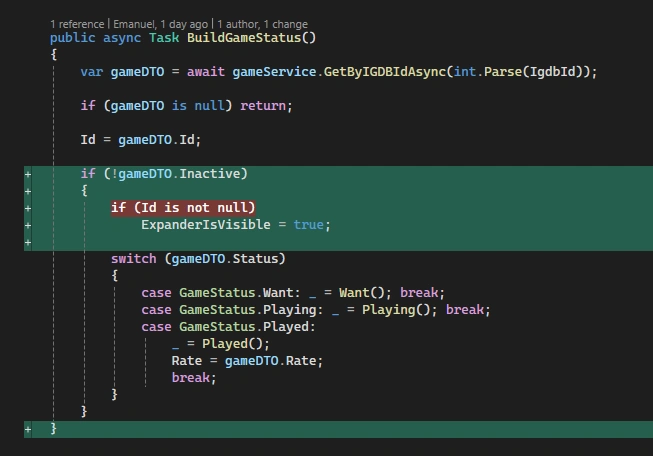
Code of BuildGameStatus
        public async Task BuildGameStatus()
        {
            var gameDTO = await gameService.GetByIGDBIdAsync(int.Parse(IgdbId));

            if (gameDTO is null) return;

            Id = gameDTO.Id;

            if (!gameDTO.Inactive)
            {
                if (Id is not null)
                    ExpanderIsVisible = true;

                switch (gameDTO.Status)
                {
                    case GameStatus.Want: _ = Want(); break;
                    case GameStatus.Playing: _ = Playing(); break;
                    case GameStatus.Played:
                        _ = Played();
                        Rate = gameDTO.Rate;
                        break;
                }
            }
        }
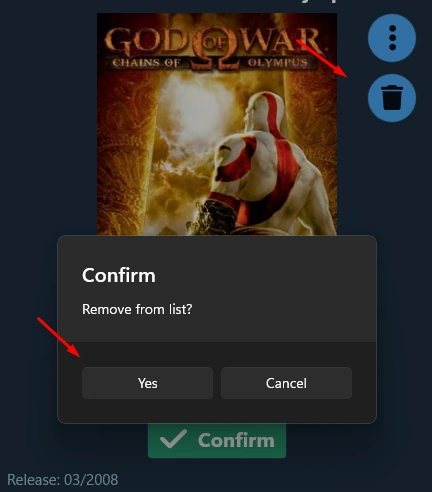
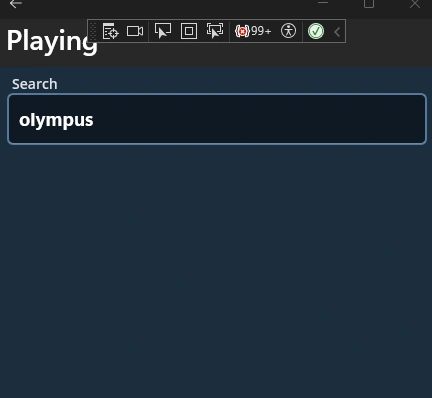
Step 4.2. And we’ll create a command to inactivate the game, removing it from our list:
        [RelayCommand]
        public async Task Inactivate()
        {
            if (await Application.Current.Windows[0].Page.DisplayAlert("Confirm", "Remove from list?", "Yes", "Cancel"))
            {
                _ = gameService.InactivateAsync(null, Id.Value);

                if (DeviceInfo.Platform == DevicePlatform.iOS || DeviceInfo.Platform == DevicePlatform.Android)
                {
                    ToastDuration duration = ToastDuration.Short;

                    var toast = Toast.Make("Game removed", duration, 15);
                    await toast.Show();
                }
                else
                    await Application.Current.Windows[0].Page.DisplayAlert("Success", "Game removed", null, "Ok");

                await Shell.Current.GoToAsync("..");
            }
        }
Step 5. In AddGame.xaml, let’s add the toolkit usage:
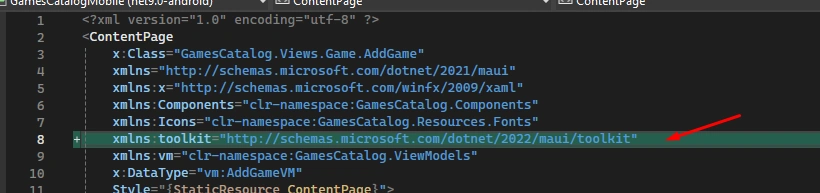
Code
xmlns:toolkit="http://schemas.microsoft.com/dotnet/2022/maui/toolkit"
Step 5.1. And we’ll create an Expander, which will currently only contain the option to remove the game from the list:
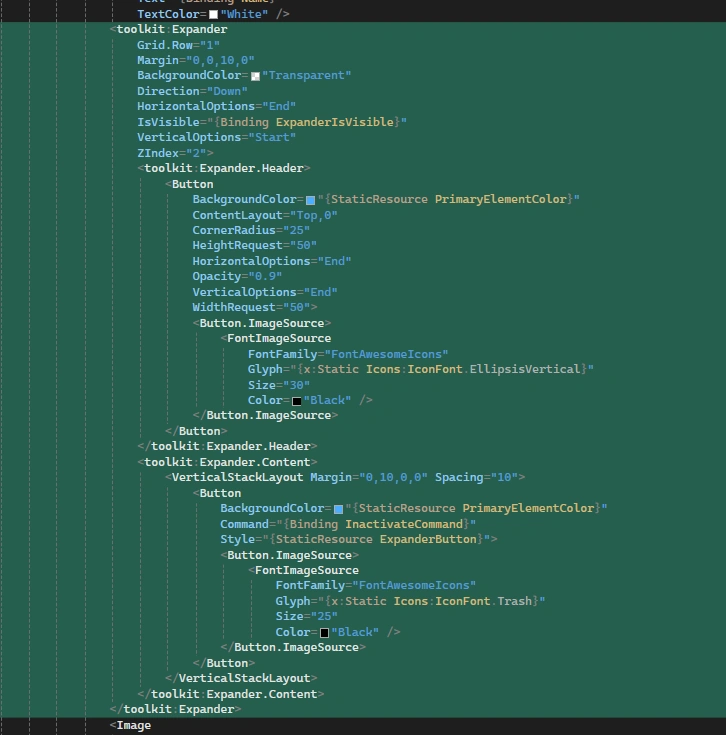
Code for the Expander
                <toolkit:Expander
                    Grid.Row="1"
                    Margin="0,0,10,0"
                    BackgroundColor="Transparent"
                    Direction="Down"
                    HorizontalOptions="End"
                    IsVisible="{Binding ExpanderIsVisible}"
                    VerticalOptions="Start"
                    ZIndex="2">
                    <toolkit:Expander.Header>
                        <Button
                            BackgroundColor="{StaticResource PrimaryElementColor}"
                            ContentLayout="Top,0"
                            CornerRadius="25"
                            HeightRequest="50"
                            HorizontalOptions="End"
                            Opacity="0.9"
                            VerticalOptions="End"
                            WidthRequest="50">
                            <Button.ImageSource>
                                <FontImageSource
                                    FontFamily="FontAwesomeIcons"
                                    Glyph="{x:Static Icons:IconFont.EllipsisVertical}"
                                    Size="30"
                                    Color="Black" />
                            </Button.ImageSource>
                        </Button>
                    </toolkit:Expander.Header>
                    <toolkit:Expander.Content>
                        <VerticalStackLayout Margin="0,10,0,0" Spacing="10">
                            <Button
                                BackgroundColor="{StaticResource PrimaryElementColor}"
                                Command="{Binding InactivateCommand}"
                                Style="{StaticResource ExpanderButton}">
                                <Button.ImageSource>
                                    <FontImageSource
                                        FontFamily="FontAwesomeIcons"
                                        Glyph="{x:Static Icons:IconFont.Trash}"
                                        Size="25"
                                        Color="Black" />
                                </Button.ImageSource>
                            </Button>
                        </VerticalStackLayout>
                    </toolkit:Expander.Content>
                </toolkit:Expander>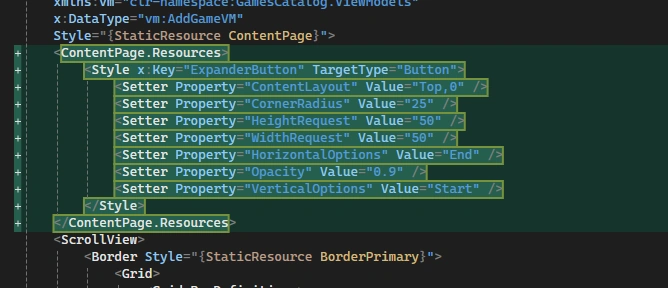




Join the conversation! Your thoughts help the community grow.