

In this article I will show you how to search files in a local computer's locations such as folder, library or any other location in the computer. To access the files and folders I use the Windows.Storage.Search API.
Using the Windows.Storage.Search.API we can access the files and folders and even get files based on some query options. We can create our own query to search the files and folders in the system libraries.
Here I show an example of searching files in the Music Libraries based on some query criteria and also display a status message indicating whether the file is found or not.
How to search files programmatically in Windows Store Apps.
Step 1
Create a Blank application of Windows Store Apps.
Step 2
Include some namespaces to use the APIs; they are:
using Windows.Storage;
using Windows.Storage.Search;
Step 3
Get the MusicLibrary in the storage folder as in the following:
StorageFolder musicFolder = KnownFolders.MusicLibrary;
Step 4
Here I use the QueryOptions class to make a query to search the folder. Use the user's input to make a query. See:
QueryOptions queryOptions = new QueryOptions(CommonFileQuery.OrderBySearchRank, fileTypeFilter);
//use the user's input to make a query
queryOptions.UserSearchFilter = InputTextBox.Text;
StorageFileQueryResult queryResult = musicFolder.CreateFileQueryWithOptions(queryOptions);
Step 5
Get the result into an IReadOnlyList, as in:
IReadOnlyList<StorageFile> files = await queryResult.GetFilesAsync();
Step 6
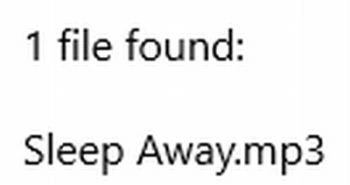
Now, we only need to traverse the List and check the count of list objects to determine whether file is found or not. See:
if (files.Count == 0)
{
outputText.Append("No files found for '" + queryOptions.UserSearchFilter + "'");
}
else if (files.Count == 1)
{
outputText.Append(files.Count + " file found:\n\n");
}
else
{
outputText.Append(files.Count + " files found:\n\n");
}
//output the name of each file that matches the query
foreach (StorageFile file in files)
{
outputText.Append(file.Name + "\n");
}
OutputTextBlock.Text = outputText.ToString();
Here is full code

Join the conversation! Your thoughts help the community grow.