

Table of Contents
Introduction
The Perils of Hardcoded Secrets
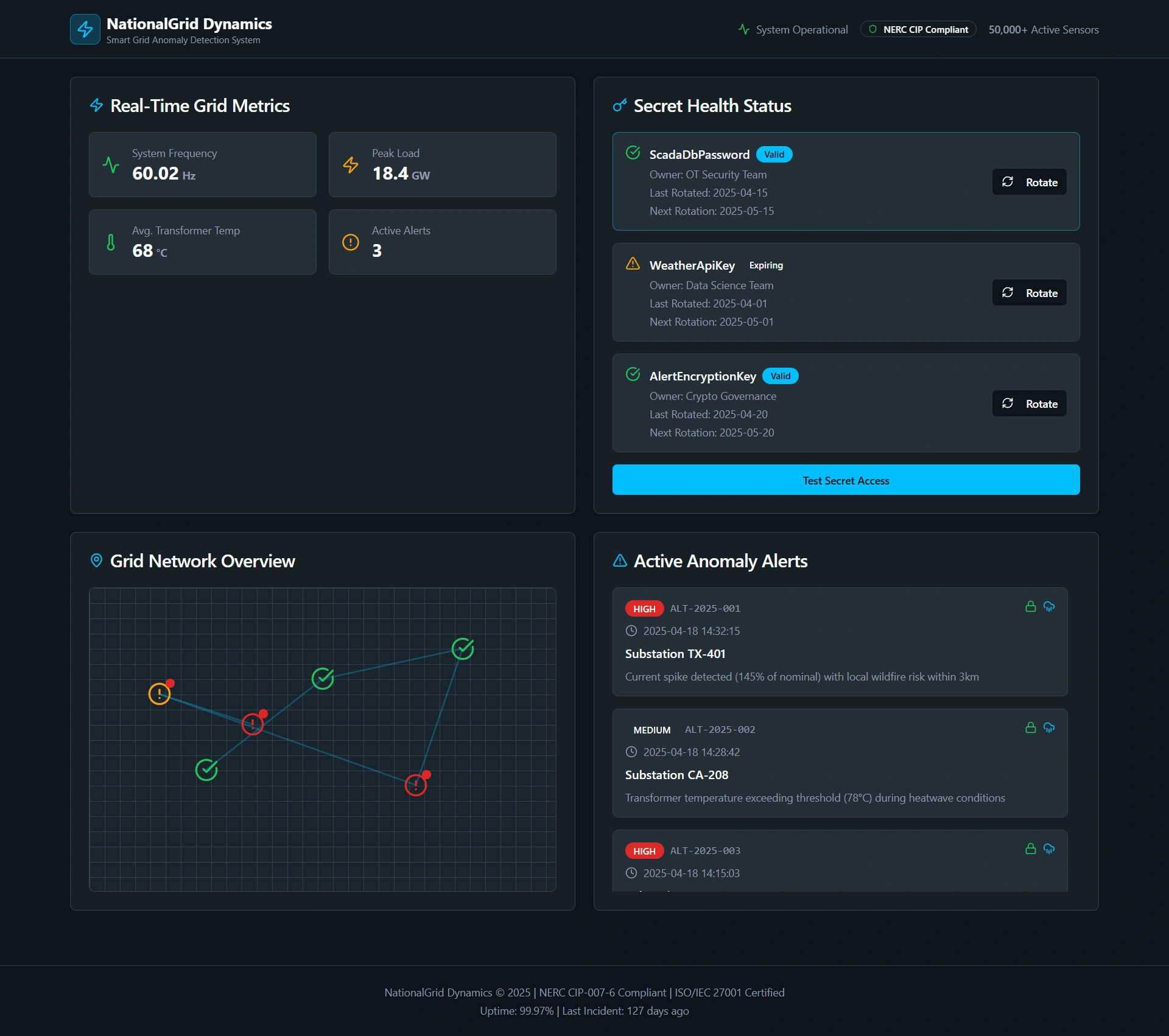
Real-World Scenario: Smart Grid Anomaly Detection System
Storing Secrets Securely with Azure Key Vault
Using Key Vault References in Function App Settings
Complete Implementation (Python)
Best Practices for Enterprise Secret Management
Conclusion
Introduction
In enterprise cloud systems, a single hardcoded secret can compromise an entire data pipeline, expose customer data, or trigger regulatory fines. As a senior cloud architect, I treat secrets—API keys, database passwords, encryption certificates—not as configuration, but as high-value assets that demand strict lifecycle control, auditability, and zero exposure in source code.
Azure Key Vault, combined with Key Vault references in Azure Functions, provides a zero-trust, zero-leakage pattern for secret management. This article demonstrates how to implement it in a mission-critical energy sector use case.
The Perils of Hardcoded Secrets
Hardcoding secrets leads to:
Accidental commits to Git (even in private repos)
Exposure in CI/CD logs or container layers
Inability to rotate credentials without redeployment
Violation of ISO 27001, NIST 800-53, and SOC 2 controls
The only acceptable approach in production: never store secrets in code, config files, or environment variables as plaintext.
Real-World Scenario: Smart Grid Anomaly Detection System
A national utility company operates a real-time anomaly detection system for its smart grid. Thousands of IoT sensors across substations stream voltage and current data to an Azure Function. The function must:
Authenticate to a legacy SCADA database using a username/password
Call a third-party weather API using a commercial API key
Encrypt alerts using a rotating AES key before sending to Azure Event Hubs
All three secrets change monthly due to compliance policy. The system must never contain these values in source code or deployment artifacts—and must support rotation without downtime.
Storing Secrets Securely with Azure Key Vault
Step 1: Create a Key Vault and Store Secrets
# Create Key Vault
az keyvault create \
  --name grid-secrets-prod \
  --resource-group energy-rg \
  --location eastus \
  --enable-purge-protection true

# Store secrets
az keyvault secret set \
  --vault-name grid-secrets-prod \
  --name "ScadaDbPassword" \
  --value "p@ssw0rd!2025#Secure"

az keyvault secret set \
  --vault-name grid-secrets-prod \
  --name "WeatherApiKey" \
  --value "wx_live_a1b2c3d4e5f6..."

az keyvault secret set \
  --vault-name grid-secrets-prod \
  --name "AlertEncryptionKey" \
  --value "a3f8e1c7b2d9..."
Enable purge protection and soft delete to prevent accidental or malicious deletion.
Using Key Vault References in Function App Settings
Instead of copying secret values into Function App settings, use Key Vault references—a secure pointer that Azure resolves at runtime.
Step 1: Enable System-Assigned Managed Identity on the Function App
az functionapp identity assign \
  --name grid-anomaly-detector \
  --resource-group energy-rg
Step 2: Grant the Function App Access to Key Vault
# Get the Function App's principal ID
PRINCIPAL_ID=$(az functionapp identity show \
  --name grid-anomaly-detector \
  --resource-group energy-rg \
  --query principalId -o tsv)

# Grant 'Key Vault Secrets User' role
az role assignment create \
  --role "Key Vault Secrets User" \
  --assignee $PRINCIPAL_ID \
  --scope $(az keyvault show --name grid-secrets-prod --query id -o tsv)
Step 3: Configure Function App Settings as Key Vault References
In the Azure Portal (or via CLI), set application settings using this syntax:
ScadaDbPassword = @Microsoft.KeyVault(VaultName=grid-secrets-prod;SecretName=ScadaDbPassword)
WeatherApiKey    = @Microsoft.KeyVault(VaultName=grid-secrets-prod;SecretName=WeatherApiKey)
EncryptionKey    = @Microsoft.KeyVault(VaultName=grid-secrets-prod;SecretName=AlertEncryptionKey)
At runtime, Azure automatically fetches and injects the secret value—your code sees it as a normal environment variable, but it’s never stored in the Function App’s configuration store.
Complete Implementation (Python)
requirements.txt
azure-functions>=1.18.0__init__.py
import os
import logging
import azure.functions as func

def main(req: func.HttpRequest) -> func.HttpResponse:
    try:
        # Secrets are available as environment variables—resolved by Azure
        db_password = os.environ['ScadaDbPassword']
        weather_key = os.environ['WeatherApiKey']
        enc_key = os.environ['EncryptionKey']

        # Simulate secure operations
        if not db_password or not weather_key:
            return func.HttpResponse("Missing secrets", status_code=500)

        # In real code: connect to SCADA DB, call weather API, encrypt alert
        logging.info("Anomaly detected. Secrets loaded securely.")

        return func.HttpResponse(
            '{"status": "alert_processed", "encrypted": true}',
            mimetype="application/json",
            status_code=200
        )

    except KeyError as e:
        logging.error(f"Secret not found: {e}")
        return func.HttpResponse("Configuration error", status_code=500)
No SDK calls to Key Vault. No credential handling. Just clean, secure access.
Best Practices for Enterprise Secret Management
Never grant
Getpermissions via Azure RBAC—use the built-in Key Vault Secrets User role (least privilege)Rotate secrets monthly using Azure Key Vault’s auto-rotation with Azure Functions or Logic Apps
Enable diagnostic logging on Key Vault to track
SecretGetoperations for audit trailsUse separate Key Vaults per environment (dev, test, prod) with strict network ACLs
Avoid secret caching in code—Azure handles caching and renewal automatically
Test locally using
local.settings.jsonwith dummy values (never real secrets)
Conclusion
Hardcoding secrets is technical debt with catastrophic risk. Azure Key Vault references eliminate that risk by decoupling secret storage from application configuration—while requiring zero code changes.
In regulated industries like energy, finance, or healthcare, this isn’t optional—it’s baseline security hygiene. By using Managed Identity and Key Vault references, you achieve:
Zero secrets in Git, CI/CD, or app settings
Instant secret rotation without redeployment
Full auditability via Azure Monitor
Compliance with major security frameworks
As a senior architect, I enforce this pattern on every serverless workload. If your Function App contains a hardcoded secret, it fails architecture review.
Join the conversation! Your thoughts help the community grow.