

In this article, we are going to create a Xamarin iOS application that contains UI Segmented control that let the user select the value between the certain range of values. We will create a simple application that contains the set of values and a user can select values among the available values.
Prerequisites
- Knowledge of C#
- Basics of Xamarin.
Implementation
- Open Visual Studio Community.
- Select iOS single view app.
- Ener the app name and click on "Next" button.
- Enter the project name and solution name, and create the application.
Open Main.Storyboard.
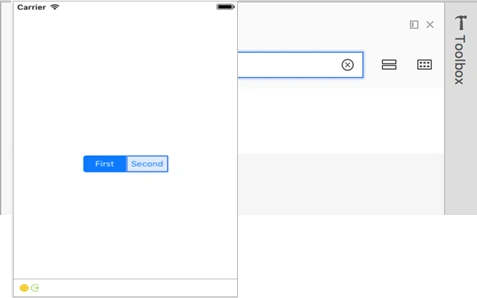
Add the Segmented Control from the toolbox to the View Controller.
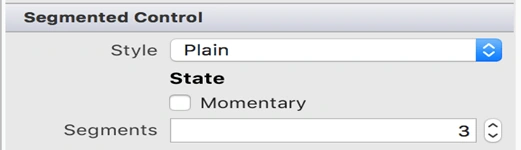
You can increase the number of segments from its properties. Let us suppose, by default, it is 2 and we make it 3.
You can set the title from the Title property.
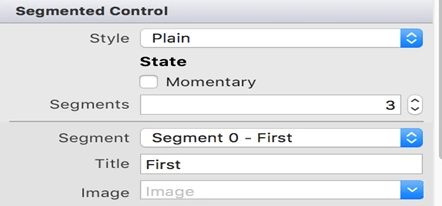
Now, you have 3 segments with title 'First', 'Second', and 'Third'.
You can also add the segments from the code. For this, you must have set the Name property of this View. Set the name property to 'MySegmentedControl'.
MySegmentedControl.InsertSegment("Fourth", 3, true);
The first argument is Title; the second one is Position that starts from 0; and the third parameter defines if it is animated or not.
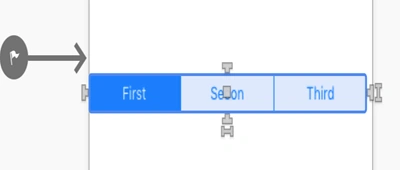
Now, your View will look like something like it. The fourth segment will be added at runtime.
Now, we need to add an event to the Segmented Control.
Select Control and go to Events.
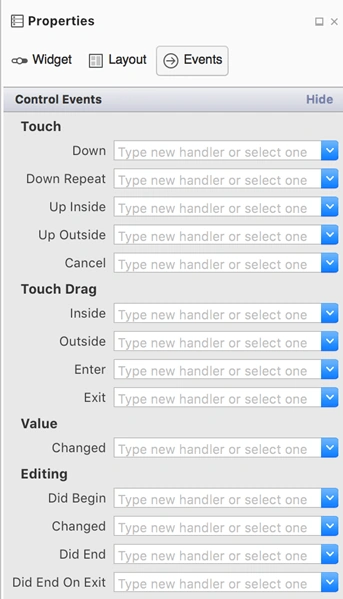

Go to the Value Changed event, and write the event name. Eg: SegmenteContol_ValueChanged and press Enter.
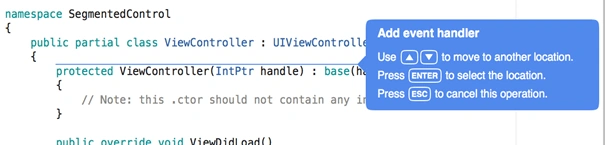
Select the position where you want to place the event.

Now, write the code inside this event.
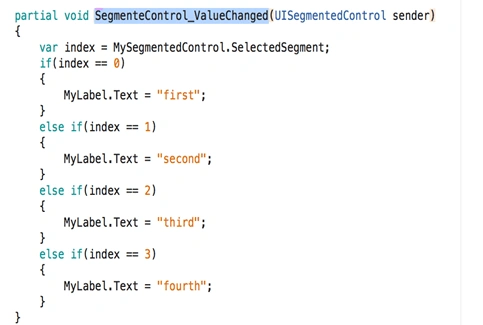
Your viewController.cs file will be as follows.
- using System;
- using UIKit;
- namespace SegmentedControl
- {
- public partial class ViewController : UIViewController
- {
- protected ViewController(IntPtr handle) : base(handle)
- {
- // Note: this .ctor should not contain any initialization logic.
- }
- public override void ViewDidLoad()
- {
- base.ViewDidLoad();
- MySegmentedControl.InsertSegment("Fourth", 3, true);
- }
- public override void DidReceiveMemoryWarning()
- {
- base.DidReceiveMemoryWarning();
- // Release any cached data, images, etc that aren't in use.
- }
- partial void SegmenteControl_ValueChanged(UISegmentedControl sender)
- {
- var index = MySegmentedControl.SelectedSegment;
- if(index == 0)
- {
- MyLabel.Text = "first";
- }
- else if(index == 1)
- {
- MyLabel.Text = "second";
- }
- else if(index == 2)
- {
- MyLabel.Text = "third";
- }
- else if(index == 3)
- {
- MyLabel.Text = "fourth";
- }
- }
- }
- }
Note - You have to add the label “MyLabel” to the View so as to change its value according to the selected segment. You can also change the Background color of the View according to your wish.
Build and run the application.
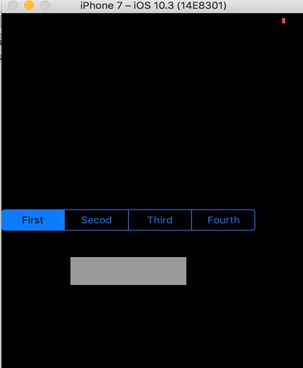
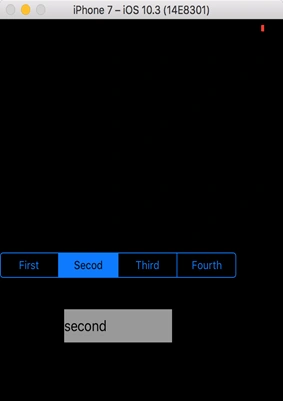
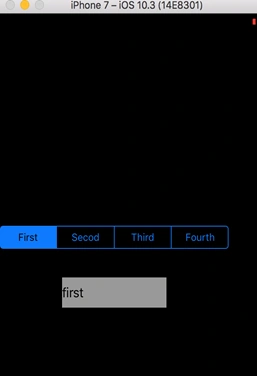
In this way, you can create the application with Segment Control View that is beneficial for selecting the values from the bundle or range of values and perform the necessary action by defining its event accordingly.
queue6Group queue6GroupPosted Jul 23, 2018, 9:51 AM
Wonder lesson...But please help me how do I use and do this with Mvvmcross And my own WepApi