

Introduction
Suppose there is a web page in our shopping web site that accepts a price range from the users. When the users provide a price range, the items or products that lie within the specified price range are displayed. Such functionality and logic can be incorporated using a select statement in the script. A selection statement uses a condition to select, or determine, the statement that is to be executed. These statements help us to make decisions and change the flow of execution of the statements. In the JavaScript, there are three selection statements as in the following:
- if
- if....else
- switch
Let's learn more about these statements.
If the statement is one of the most basic and simplest controls flow statements. We can use the if statement when we want to execute a group of one or more script statements only when a particular condition is met.
Syntax
In the preceding syntax, if the JavaScript keyword that signifies an if statement and contains a condition, that needs to be evaluated to true, then the script statement, represented by statement 1, enclosed within the curly braces, is executed. If the condition evaluates to false, then the statement enclosed within the curly braces is skipped and the statement immediately after closing curly brace (}) is executed.
Let's understand a simple example of a if statement as in the following:
The if Statement
- if(condition)
- {
- Statement 1
- }
- <!DOCTYPE HTML>
- <html>
- <head>
- <title>Using if Statement</title>
- </head>
- <body>
- <h1>
- Using the if Statement in the script
- </h1>
- <script type="text/javascript">
- var Number = 45;
- if ((Number % 2) != 0) {
- document.write(Number + " is an odd number");
- }
- document.write("<BR/>Thank you!");
- </script>
- </body>
- </html>
Output
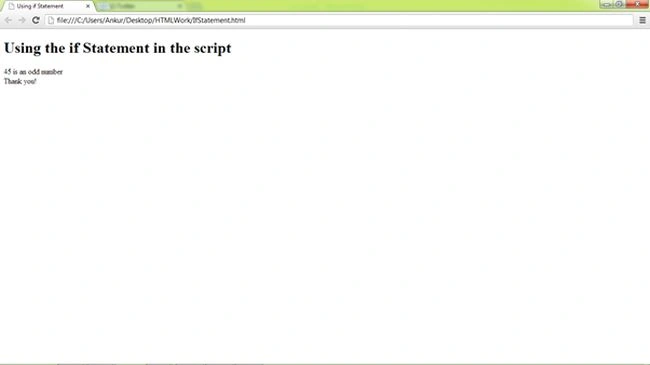 As we know, the if statement allows us to execute a set of statements only when a particular condition is true. However, if we want to execute another set of statements when the condition is false, then we can use the if....else statement.
Syntax
In the given syntax, the if and else keywords signify the if...else statement. The condition of the if....else statement is enclosed within parentheses. If the condition is true, then the group of statements represented by statement 1 enclosed within the first curly braces is executed. If the condition is false, then the statement 1 is skipped and the group of statements, represented by statement 2 of the else block is executed.
Let's try a simple if else statement as given below:
As we know, the if statement allows us to execute a set of statements only when a particular condition is true. However, if we want to execute another set of statements when the condition is false, then we can use the if....else statement.
Syntax
In the given syntax, the if and else keywords signify the if...else statement. The condition of the if....else statement is enclosed within parentheses. If the condition is true, then the group of statements represented by statement 1 enclosed within the first curly braces is executed. If the condition is false, then the statement 1 is skipped and the group of statements, represented by statement 2 of the else block is executed.
Let's try a simple if else statement as given below:
The if.....else statement
- if(condition)
- {
- Statement 1
- }
- else
- {
- Statement 2
- }
- <!DOCTYPE HTML>
- <html>
- <head>
- <title>if...else Statement</title>
- </head>
- <body>
- <h1>
- Using the if...else Statement in the Script</h1>
- <script type="text/javascript">
- var Number = 44;
- if ((Number % 2) != 0) {
- document.write(Number + " is an odd number");
- }
- else {
- document.write(Number + " is an even number");
- }
- document.write("<BR/>Thank you!");
- </script>
- </body>
- </html>
Output
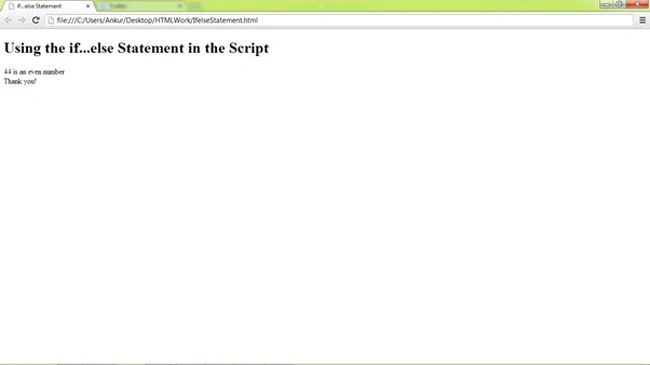 A switch statement selects a particular group of statements to be executed among several other groups of statements. The group of statements that are to be executed is selected on the basis of a numeric or string expression.
Syntax
In the given syntax, the switch case, and break are JavaScript keywords. The switch keyword indicates the switch statement. In a switch statement, the expression that is to be evaluated is specified within parentheses. This expression is checked against each of the case values specified in the case statements. If any of the case values match the value of the expression, the group of statements (statement 1, statement 2 or statement 3) specified in the respective case statement is executed.
A switch statement selects a particular group of statements to be executed among several other groups of statements. The group of statements that are to be executed is selected on the basis of a numeric or string expression.
Syntax
In the given syntax, the switch case, and break are JavaScript keywords. The switch keyword indicates the switch statement. In a switch statement, the expression that is to be evaluated is specified within parentheses. This expression is checked against each of the case values specified in the case statements. If any of the case values match the value of the expression, the group of statements (statement 1, statement 2 or statement 3) specified in the respective case statement is executed.
The switch statement
- switch(expression)
- {
- case value1:statement 1
- break;
- case value2:statement 2
- break;
- case value3: statement 3
- break;
- default:statement_default
- break;
- }
If none of the case values matches the value of the expression, then the default statement, specified by the default keyword, is executed. The default statement is generally placed at the end of the switch statement; however, we can place it anywhere within the switch statement.
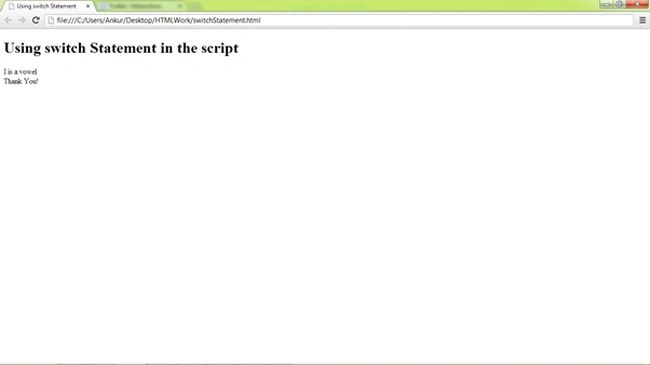
Let's try a simple example of the switch statement as given below:
Output- <!DOCTYPE HTML>
- <html>
- <head>
- <title>Using switch Statement</title>
- </head>
- <body>
- <h1>
- Using switch Statement in the script</h1>
- <script type="text/javascript">
- var letter = "I";
- switch (letter) {
- default: document.write("consonant");
- break;
- case "A": document.write("A is a vowel");
- break;
- case "E": document.write("E is a vowel");
- break;
- case "I": document.write("I is a vowel");
- break;
- case "O": document.write("O is a vowel");
- break;
- case "U": document.write("U is a vowel");
- break;
- }
- document.write("<BR/>Thank You!");
- </script>
- </body>
- </html>
Ankur MishraPosted Aug 7, 2013, 5:18 AM
Yes ! Thanks, apology. I'll request to Admin for editing.
Ankur MishraPosted Aug 6, 2013, 4:12 PM
JavaScript is case sensitive and 'if' and 'else' are 'keywords'.