

Introduction
This article explains one of the CSS rules, “selectors”, with suitable examples for a better understanding.
Selectors are one of the most important aspects of CSS that allow you to select and manipulate HTML elements. Basically selectors are the CSS rule set that actually finds or select the HTML elements you want to style based on their id, classes, attributes, types, values of attributes and much more.
In other words, CSS selectors are the rule set that is used to select the HTML content on HTML pages so that they can be styled as we choose..
Types of CSS Selectors
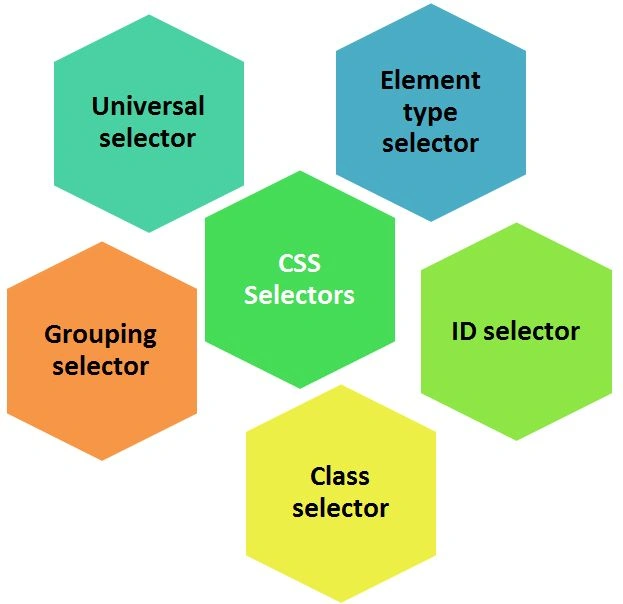
Basically there are five types of selectors that are as follows:
 The universal selector plays the role of a wild card character that selects all the elements on the page. The HTML pages are made up of various tags and using this selector, all the tags are affected according to the style specified in the style block.
As you can see, the universal selector is declared using an asterisk (*). You can also use this selector in combination with another selector.
The “syntax” of the universal selector is given below.
The universal selector plays the role of a wild card character that selects all the elements on the page. The HTML pages are made up of various tags and using this selector, all the tags are affected according to the style specified in the style block.
As you can see, the universal selector is declared using an asterisk (*). You can also use this selector in combination with another selector.
The “syntax” of the universal selector is given below.
Selectors
Types of CSS Selectors
Universal Selector
- *{ color: green;
- font-family: arial black;
- text-align: center; }
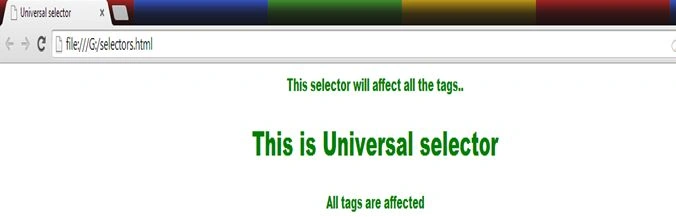
Let's see the example to implement this selector
- <html>
- <head>
- <title>Universal selector</title>
- <style>
- *{color:green;
- font-family:arial black;
- text-align:center;}
- </style>
- </head>
- <body>
- <p>This selector will affect all the tags..</p>
- <h1>This is Universal selector</h1>
- <h4>All tags are affected</h4>
- </body>
- </html>
Output
Element type selector
- p{color:green;
- font-family:arial black;}
- ul{list-style-type: circle;
- border: solid 1px #ccc;
- color: red;}
Let's understand this selector with an example.
- <html>
- <head>
- <title>Element type selector</title>
- <style>
- p{color:green;
- font-family:arial black;}
- ul{list-style-type: circle;
- border: solid 1px #ccc;
- color: red;}
- </style>
- </head>
- <body>
- <p>This selector will affect the tags which have the same name of elements..</p>
- <p>This tag is very helpful</p>
- <h1>This is Element type selector</h1>
- <ul>
- <li>Animals</li>
- <li>Fruits</li>
- <li>Electronics</li>
- </ul>
- <ul>
- <li>Boy</li>
- <li>Girl</li>
- </ul>
- </body>
- </html>
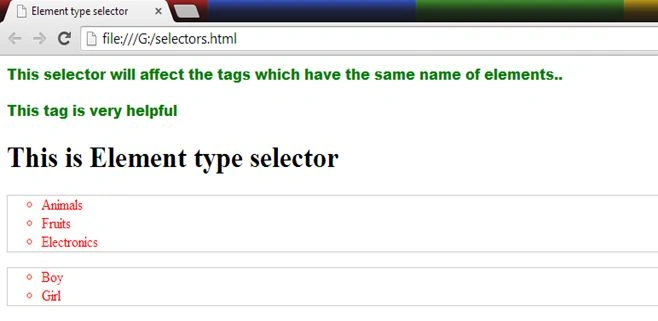
In the preceding example, there are two types of elements selected, <p> and <ul>, and based on that the following is the output.
Output
ID selector
- #para2{color:green;
- font-family:arial black;}
- #list{list-style-type: circle;
- border: solid 1px #ccc;
- color: red;}
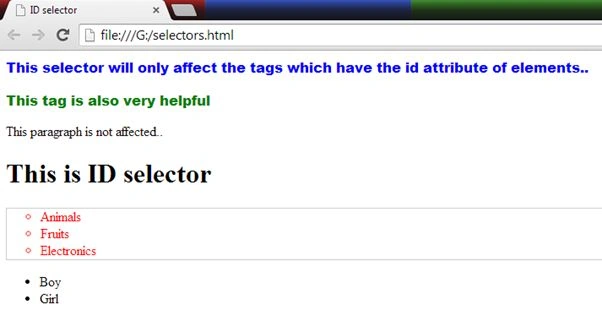
Now let's have an example.
- <html>
- <head>
- <title>ID selector</title>
- <style>
- #para1{color:blue;
- font-family:arial black;}
- #para2{color:green;
- font-family:arial black;}
- #list{list-style-type: circle;
- border: solid 1px #ccc;
- color: red;}
- </style>
- </head>
- <body>
- <p id="para1">This selector will only affect the tags which have the id attribute of elements..</p>
- <p id="para2">This tag is also very helpful</p>
- <p>This paragraph is not affected..</p>
- <h1>This is ID selector</h1>
- <ul id="list">
- <li>Animals</li>
- <li>Fruits</li>
- <li>Electronics</li>
- </ul>
- <ul>
- <li>Boy</li>
- <li>Girl</li>
- </ul>
- </body>
- </html>
Prerana TiwariPosted Jul 16, 2014, 10:43 PM
Nice explanation........