

Introduction
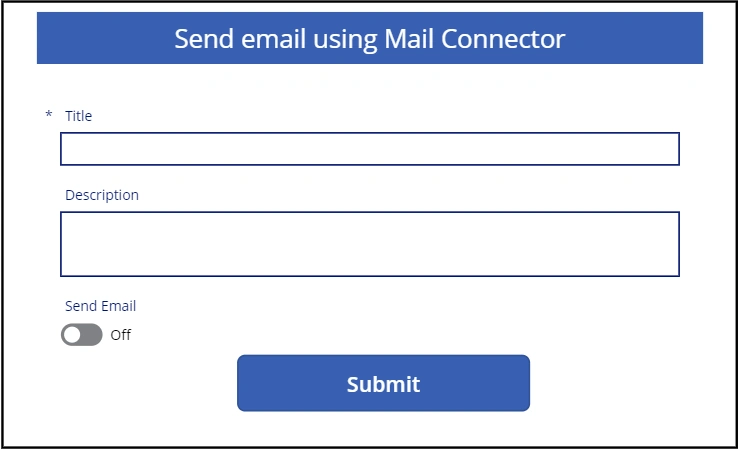
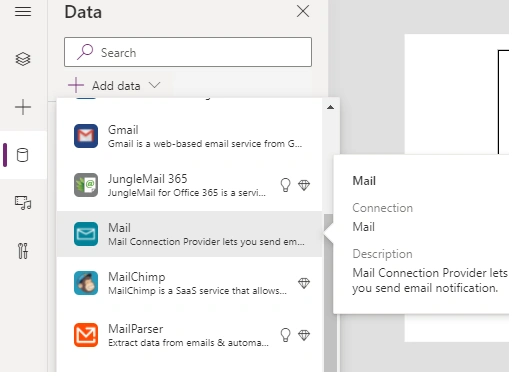
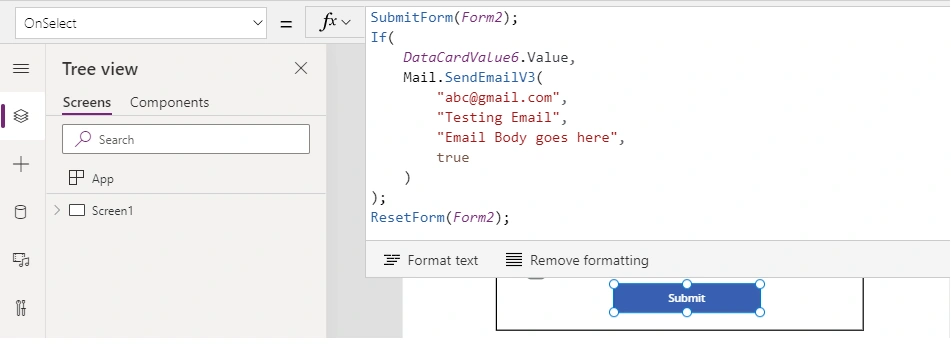
In business scenarios where you don't want to call a Power Automate Flow from Power Apps to send an email or push notifications, Microsoft has made our lives easier with connectors like Mail, Outlook.com, Office365Outlook, and so on. I am writing a series of articles where you will see how we can use these connectors to trigger emails directly to users' desired mailboxes or send a push notification to Power Apps using Power Apps Notifications/ Power Apps Notifications (V2) connectors. In this article, let's start with the Mail connector and understand the benefits and limitations along with a sample to simplify it further.
Mail Connector
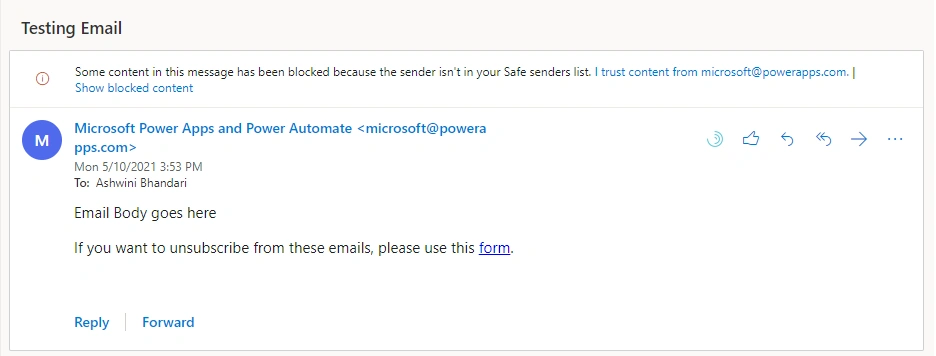
It is important to understand that the Mail connector has 5 API calls per connection for 5 minutes and it can extend up to 100 API calls per connection for 24 hours. Hence, according to Microsoft documentation (see Reference section for the link to this documentation) Mail connector can be used to send infrequent emails. So with that said, while designing the email configuration within your application it is very important to understand the frequency of emails to be sent in your business use case. Mail connectors are not suitable for bulk email functionalities however can be used for minimal usage only. Sometimes there are cases where your business does not want to authenticate Outlook connectors, and Mail connectors come in handy then. Additionally, Mail connectors send emails from Power Apps (using [email protected]) and not as a specified person or the currently logged-in user who is triggering the email.
| Item | Description |
| Action in Power Apps | Send Email Notification (V3) |
| Operation ID |
SendEmailV3 |
| Deprecated Operation ID | SendEmail |
Understand the Action Parameters: Send Email Notification (V3)
| Name | Key | Required | Type |
| To | to | True | string |
| To Names | toname | False | string |
| Subject | subject | True |
string
|
| Body | text | True | html |
| Is Html | ishtml | True | boolean |
| CC | cc | False | string |
| CC Names | ccname | False | string |
| BCC | bcc | False | string |
| BCC Names | became | False | string |
| Attachment | files | False | byte |
| Attachment File Name | filenames | False | string |

Vinay AyinapurapuPosted May 11, 2021, 6:03 AM
Nice. This is not interacting wtih Flow. Directly sending email from PowerApps. very cool