

Introduction
In this article we will learn about automating birthday wishes via email through Power Automate.
Step 1
Create a list called "Birthdays"
Step 2
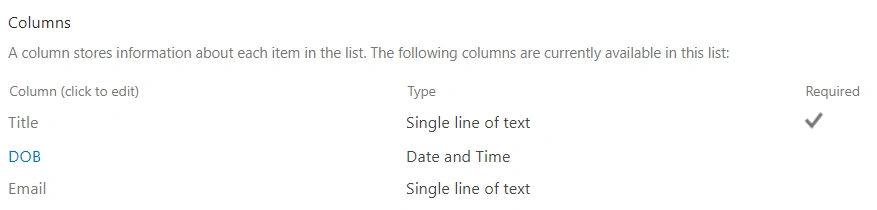
Inside the list create the columns as follows,
Step 3
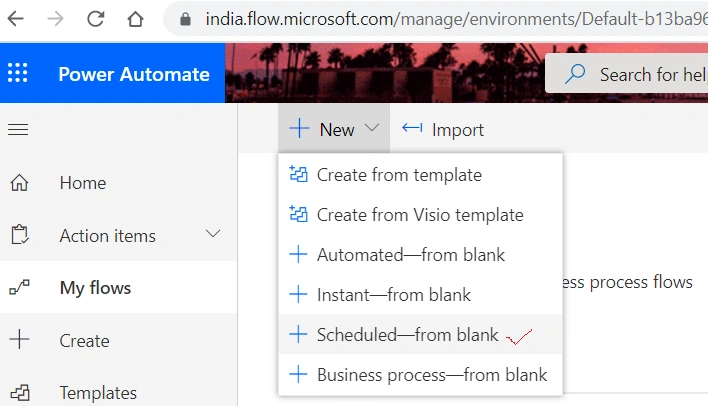
Go to https://flow.microsoft.com/
Click on Scheduled--from blank
Step 4
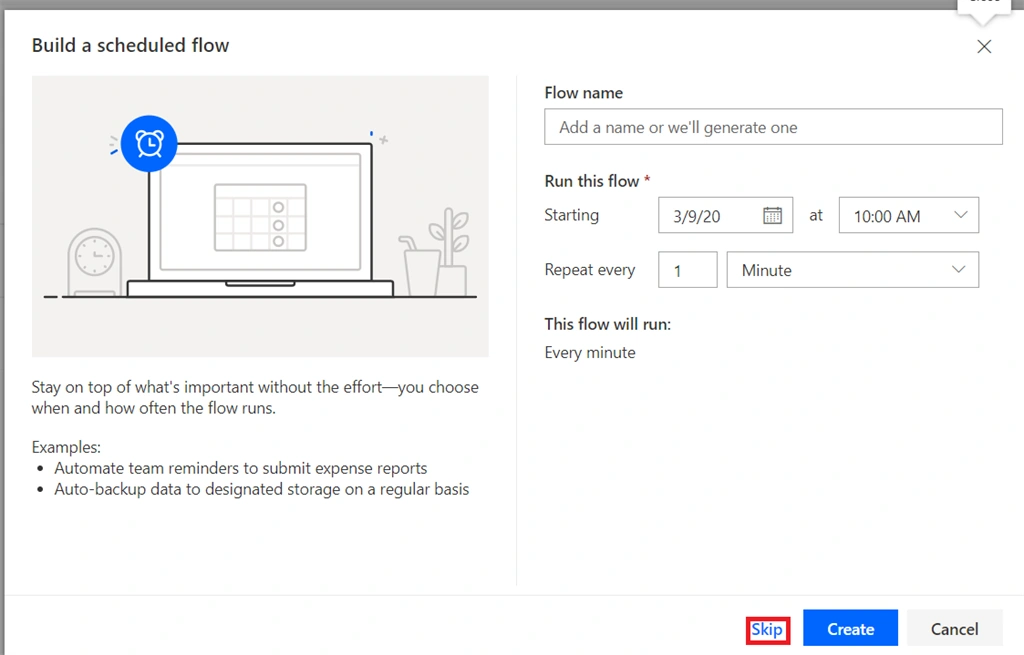
After clicking a pop up will appear, click skip
Step 5
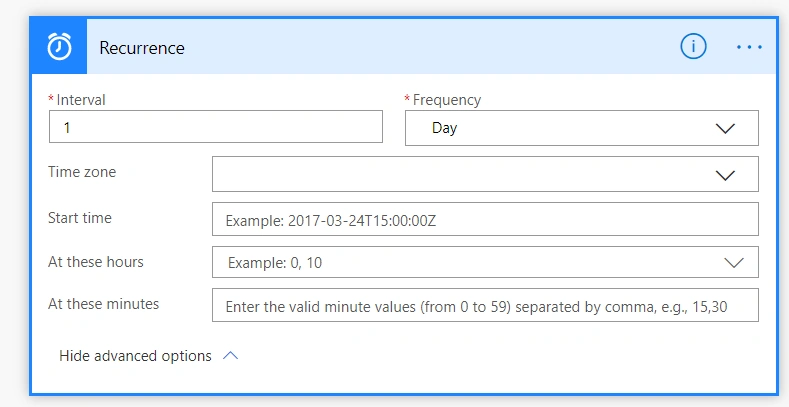
In the search box, search for recurrence and select recurrence

Step 6
In the Recurrence box set interval to "1" and Frequency to "Day" and fill in other choices as per your need, but I am making all other fields as blank
Step 6
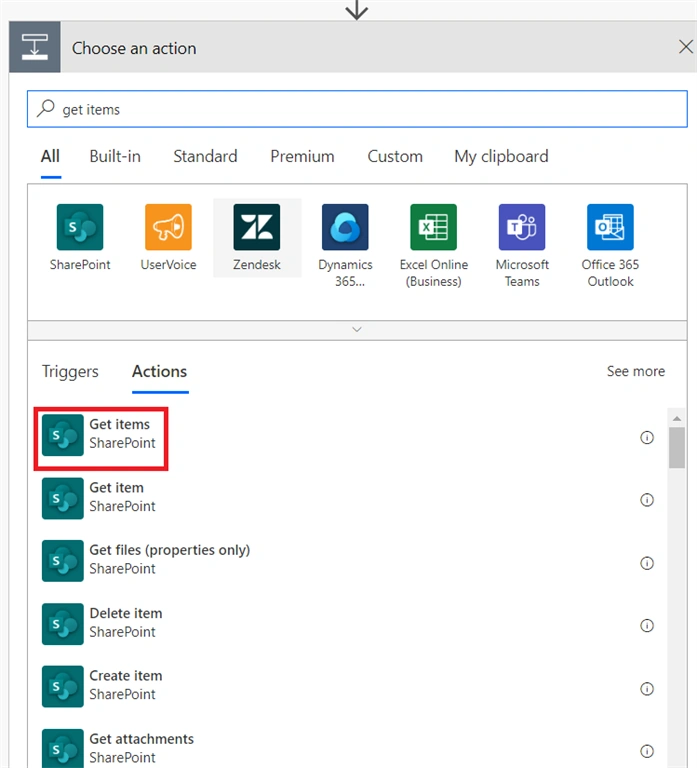
Click on next, find and select the “Get Items” action.
Step 7
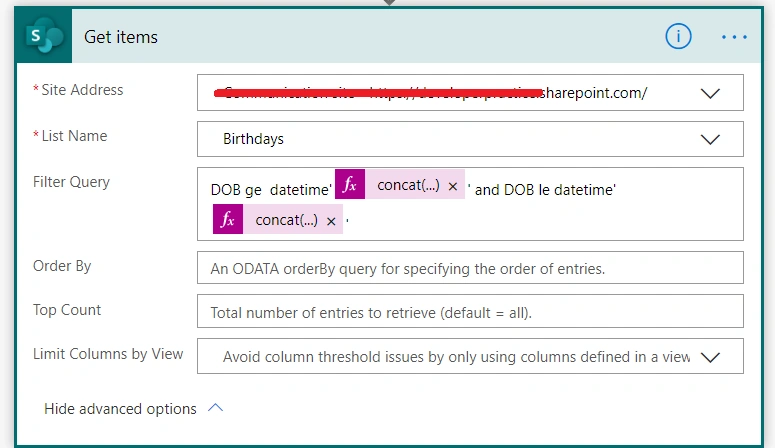
In the get items box provide the site url and select list name as "Birthdays"
In the filter query
- DOB ge datetime'@{concat(formatDateTime(utcNow(),'yyyy-MM-dd'),'T00:00:01Z')}' and DOB le datetime'@{concat(formatDateTime(utcNow(),'yyyy-MM-dd'),'T23:59:59Z')}'
Step 8
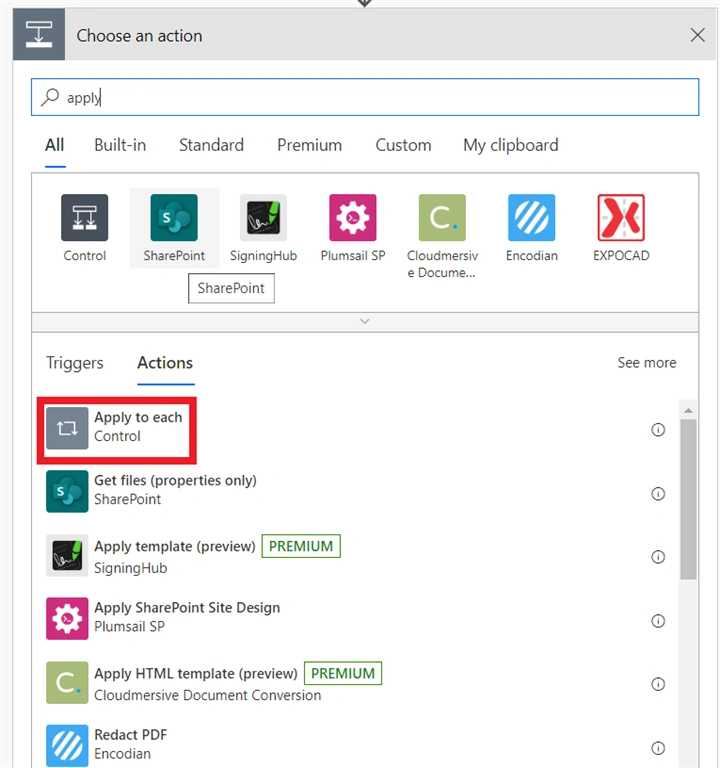
Click on Next Step and find and select the “Apply to Each” action.
Step 9
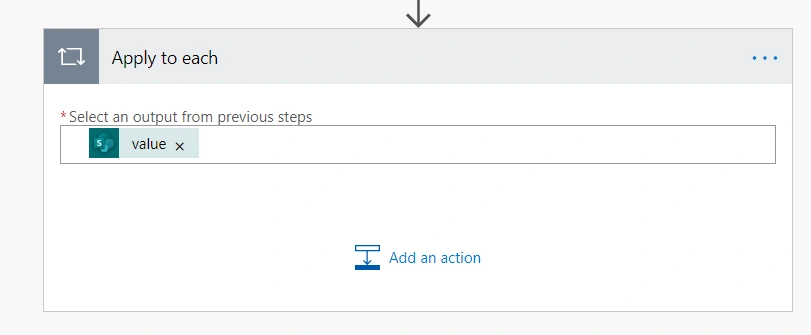
In "Apply to Each" box set value from previous output
Step 10
Inside "Apply to Each" box Click on Next Step and find select the “Send an Email V2” action.
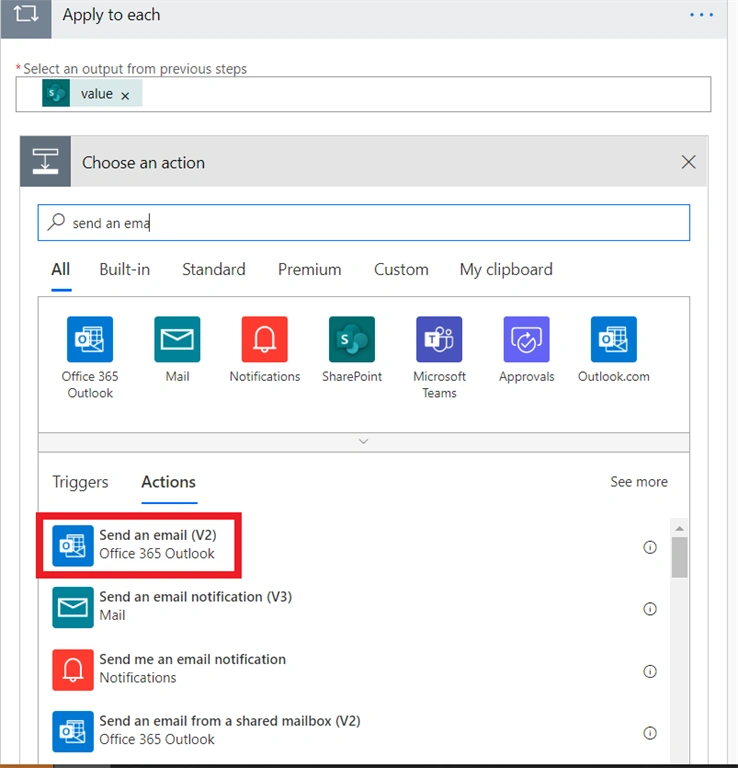
Step 11
Set the email address from the output of "apply to each" Email Column and set the subject and email formatting as per your needs.
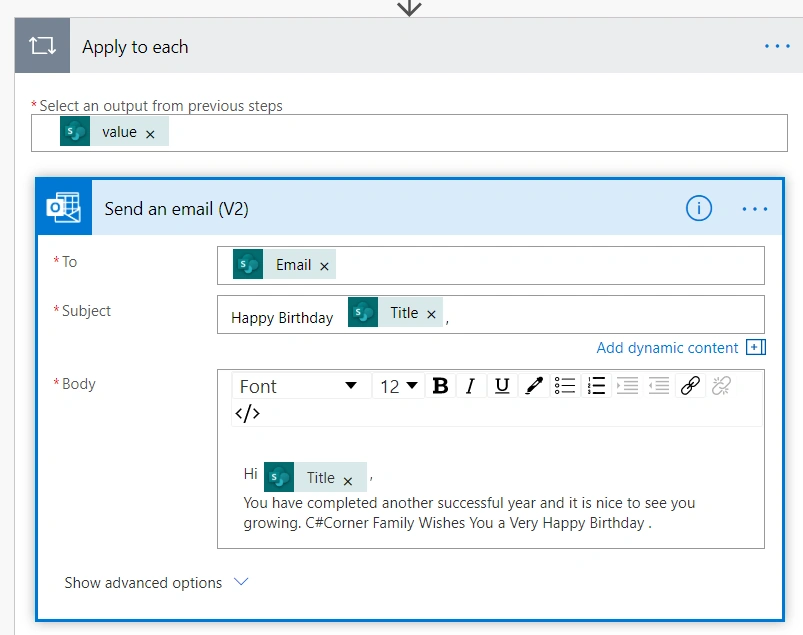
Step 12
Click on Save Flow.
Step 13
To test the flow, click on the Test button from the right side of the top menu and click the Run flow button. Then click the done button and verify the email (however it automatically works on a daily basis).
Step 14
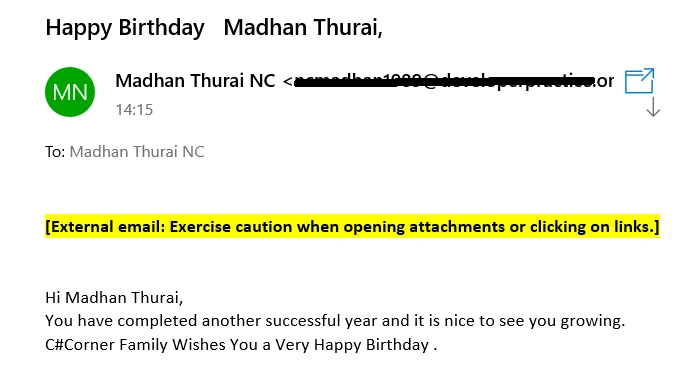
Expected output
Conclusion
Hence we learned about how to automate birthday wishes using power automate (Formerly MS Flow). I hope this helps someone, and happy coding.
Manok JeeteditedPosted Sep 7, 2026, 10:51 AMEdited Sep 15, 2026, 9:31 PM
The Power Automate approach is useful for turning birthday reminders into an automatic email workflow. I recently set up a similar scheduled automation, and keeping names, dates, and email addresses in clearly mapped fields makes sending birthday wishes for friend much easier.
Emilio RoquetaPosted Dec 17, 2021, 1:07 PM
Hi, I think this flow is not working because you are taken the Year of the date, and the Birthday is every year.
Mahendra KanePosted May 22, 2021, 6:45 AM
This flow works only when date is in current year. Let's say the actual birthday is 22 May 1990 & I want to send email in year 2021 then what should be the expression (Filter query)?
Roshani GhanwatPosted Aug 17, 2020, 1:32 PM
Can you please help me. How to send email to team member to inform that today is our team member birthday using sharepoint data??
Nash A.Posted Mar 12, 2020, 9:31 AM
@Madan Thurai Can you please elaborate on your filter query logic?