

I am writing simple instructions with snapshots for a good understanding and for your use in your projects.
Let's create our web service first for sending a DataSet and DataTable.
Step 1 : Open Visual Studio then select "File" -> "New" -> "Project..." then provide a project name.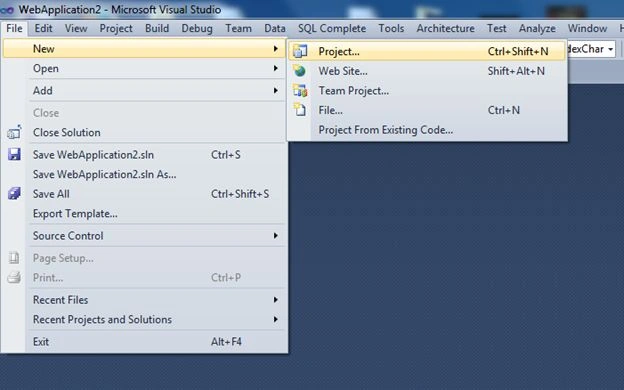
I have provided the project name WebServicewithpassingliat.
After adding the project name we will just create a new web service.
Step 2 : Let us add a web service for sending a DataSet and DataTable.
For adding the web service right-click on the solution then select Add > Add New Item then select Web Service then click the Add button.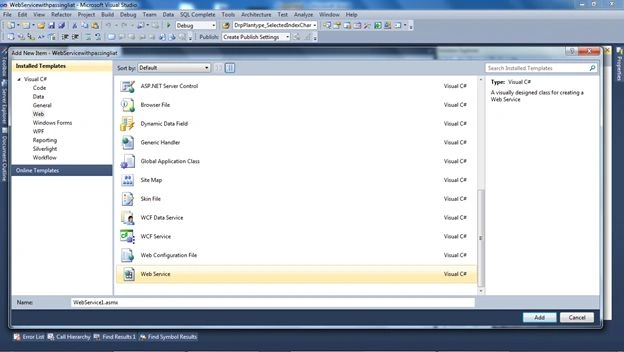
Step 3 : After adding the web service you will see a WebMethod with the name Helloworld; just remove it.
And create a new WebMethod of type DataSet and name it MobileDataset() and add another Web Method of type DataTable and name it MobileDatatable().
For reference see the following image: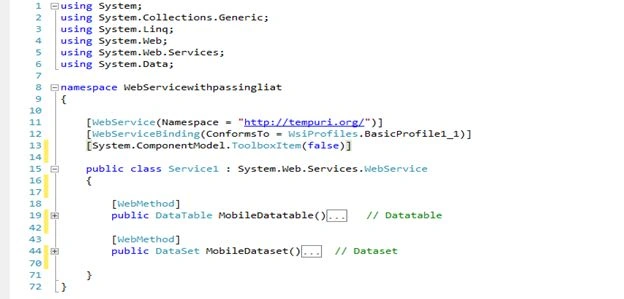
- DataSet Code Snippet.
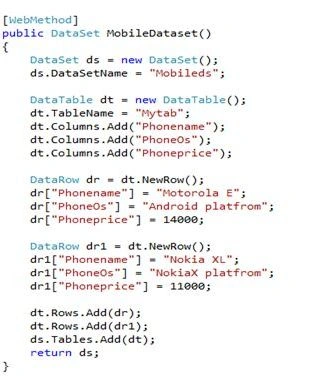
And this Webmethod will return a DataSet.
- DataTable code snippet.
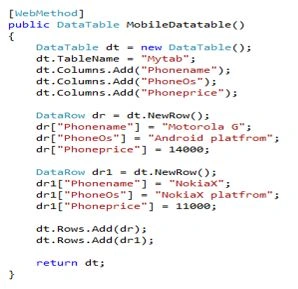
And this Webmethod will return a DataTable.
Just run your application now.
You will see the same screen that is given below.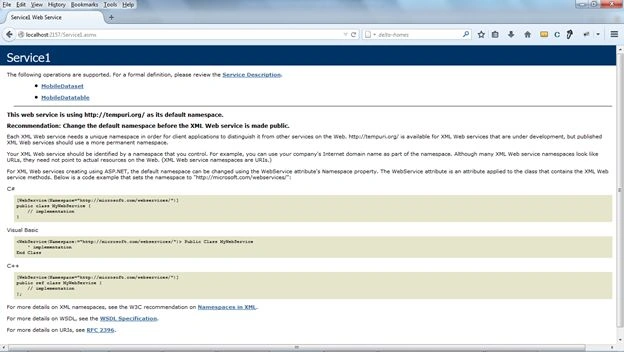
Now just copy this URL.
http://localhost:2157/Service1.asmx
Step 4 : Let's create another project then it will consume this list.
Open Visual Studio then select "File" -> "New" -> "Project..." then provide a project name.
Here I am using the name WebApplication2.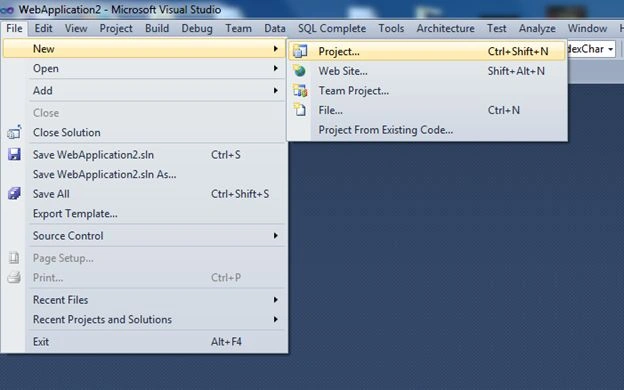
After creating it you will see your solution like the following: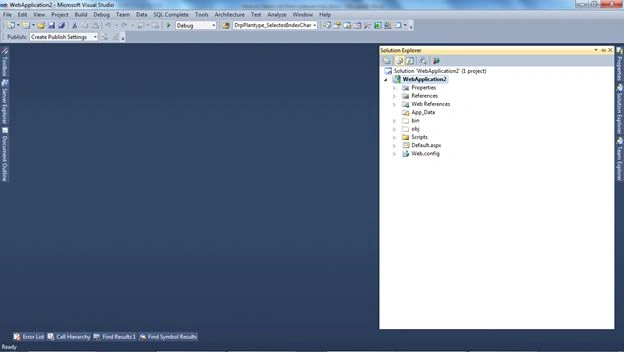
Step 5 : Then just right-click on the solution and select Add Web Reference.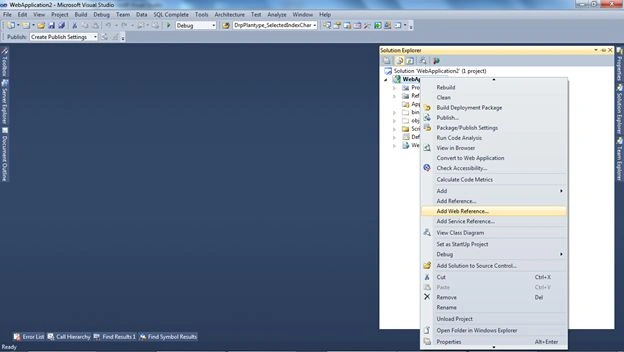
After selecting Add Web Reference a new dialog will pop up asking for an address.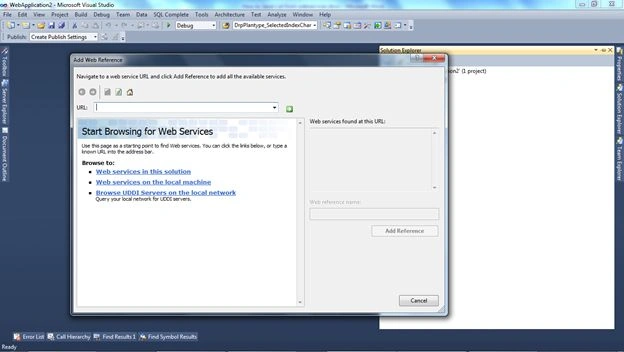
Step 6 : Just paste the preceding address that you copied.
http://localhost:2157/Service1.asmx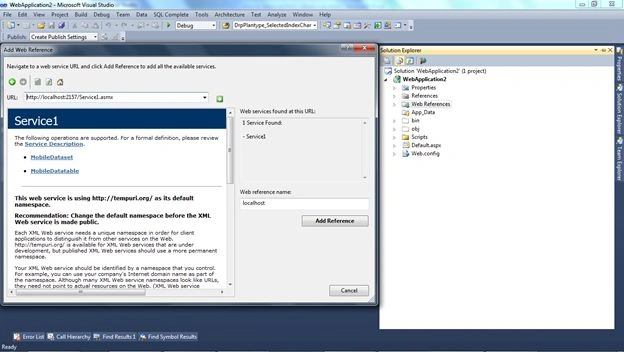
After adding the URL just click the Add Reference button.
Now your solution will look like this.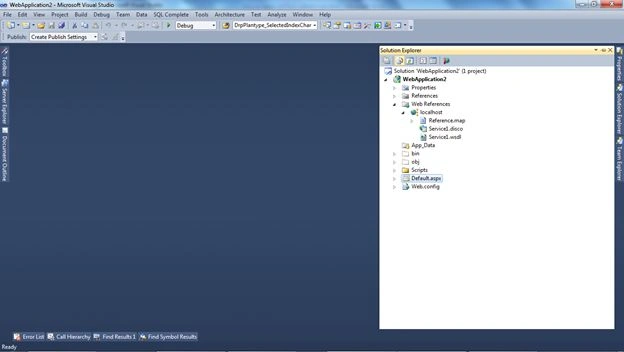
Now we have completed the adding of the service.
Step 7: Now we just want to use this service.
We have a default page that is created by default.
On the page load of that page I have created a couple of methods with the names:
- GET_DATASET(); // For Getting the Dataset
- GET_DATATABLE(); // for Getting the DataTable
Code of the default page:
- using System;
- using System.Collections.Generic;
- using System.Linq;
- using System.Web;
- using System.Web.UI;
- using System.Web.UI.WebControls;
- using System.Data;
- using WebApplication2.localhost;
- using System.Text;
- namespace WebApplication2
- {
- public partial class _Default : System.Web.UI.Page
- {
- protected void Page_Load(object sender, EventArgs e)
- {
- GET_DATASET();
- GET_DATATABLE();
- }
- public void GET_DATATABLE()
- {
- localhost.Service1 mo = new WebApplication2.localhost.Service1();
- DataTable dt = mo.MobileDatatable();
- GridView1.DataSource = dt;
- GridView1.DataBind();
- }
- public void GET_DATASET()
- {
- localhost.Service1 mo = new WebApplication2.localhost.Service1();
- DataSet ds = mo.MobileDataset();
- GridView2.DataSource = ds;
- GridView2.DataBind();
- }
- }
- }
Namespace
- using WebApplication2.localhost; // is the namespace for accessing service objects
In this code I have created an object of web service that we have added.
- localhost.Service1 mo = new WebApplication2.localhost.Service1();
After creating an object I have passed an object to the DataSet.
- localhost.Service1 mo = new WebApplication2.localhost.Service1();
- DataSet ds = mo.MobileDataset();
For the DataTable I have created an object. I have passed an object to the DataTable.
- localhost.Service1 mo = new WebApplication2.localhost.Service1();
- DataTable dt = mo.MobileDatatable();
Design of Default page
- <html xmlns="http://www.w3.org/1999/xhtml">
- <head runat="server">
- <title></title>
- </head>
- <body>
- <form id="form1" runat="server">
- <div>
- <asp:GridView ID="GridView1" runat="server">
- </asp:GridView>
- <br />
- <asp:GridView ID="GridView2" runat="server">
- </asp:GridView>
- </div>
- </form>
- </body>
- </html>
I have only added 2 GridViews for displaying data of both the DataTable and DataSet.
After doing that, just run the application and check it.
Here is the output: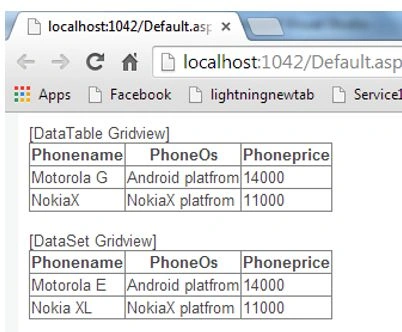
Now we have successfully transferred a DataTable and DataSet.
beso moseshviliPosted Sep 20, 2017, 5:39 AM
I mean protected by crypting DataSet and/or DataTable
beso moseshviliPosted Sep 20, 2017, 4:52 AM
Very good thank you , but have You any idea of how I can protect a dataset to upload
Amatya AgyeyPosted Apr 4, 2016, 6:42 AM
Fantastic 1
Peter ConchaPosted Dec 18, 2014, 10:40 AM
Hi, You have any idea of how I can read a dataset with a datatable from PHP?