

This article will cover the following topics:
- Show the alert message before the session timeout.
- The user will have an option to extend or continue with the current session or he can log out from the site.
For this article I have used the jQuery plug-in, timeout-dialog.js.
Example: Timeout-Dialog.js Example
Documentation: timeout-dialog.js
Well I simply have the necessary code and I am not explaining the code here. I am mainly focusing on the example and you can download the attachment for that.
Features
- This is free and you have right to change this code.
- You can use this with a master page and Ajax update panel as well.
- You can customize all the messages and logs.
- You can apply the styles and themes to the confirm window.
CODE
Web.Config File
You need to set the session timeout in the web.config file as below:
Web.Config File
You need to set the session timeout in the web.config file as below:

Default.aspx file
Now you need to add the jQuery code to the page. See the following one:

Here setTimeout() will run in the background and $.timeoutDialog() will show the popup box.
Default.aspx.cs file
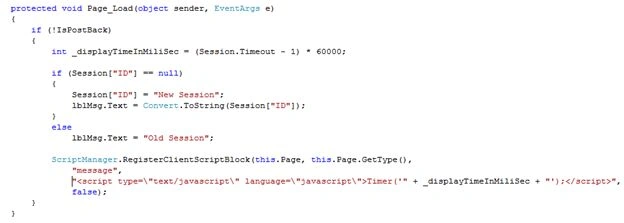
Here I am calling the Timer() function from my .cs file using ScriptManager. See the following code:
$.timeoutDialog() method parameters
You can see the following link:
Timeout-Dialog.js
EXAMPLE
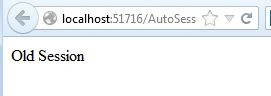
When you run the project, it will show the “new Session”.

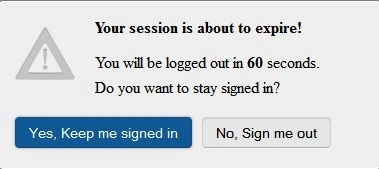
After 2 minutes, it will display the confirm window as below:
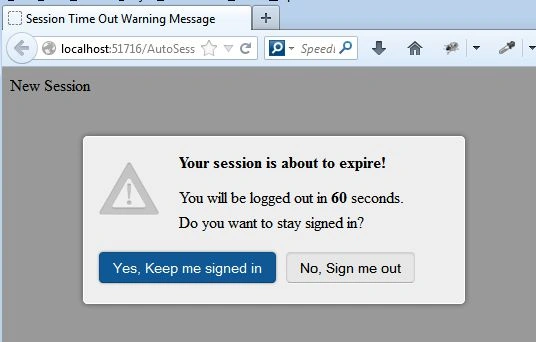
When you click on “Yes, Keep me signed in”, then it will not reset the session. It will use the same session.
Again after 2 min, it will again show the same message.
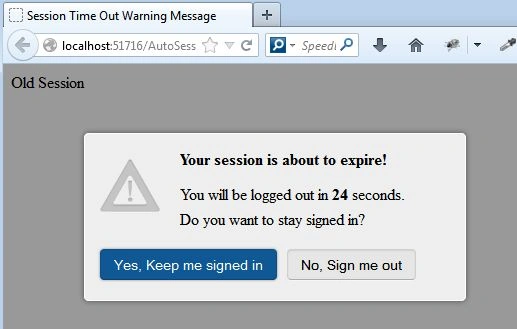
If you click on “No, Sign me out”, then it will automatically redirect to another page and your session will be destroyed.

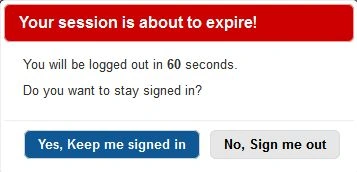
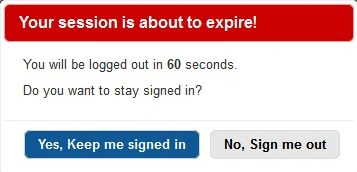
New theme to confirm window:
Please provide your feedback.
MuhmmadSamiullah ArshedPosted May 10, 2023, 8:00 PM
We need to calculate an idle time only . if idle time passed, then show a timer. what is to add in it
Navneet KumarPosted May 31, 2021, 4:00 PM
Working Fine as Demo but when implemented in my project got these error. Unchecked runtime.lastError: The message port closed before a response was received.Uncaught TypeError: $.timeoutDialog is not a function at TimeOut (FrontPage.aspx:18)
kannan ravanthPosted Dec 20, 2016, 4:39 AM
With out ScriptManager it is working?
SubashPosted Jul 13, 2016, 4:01 AM
Intresting
Hari BPosted Feb 12, 2016, 1:52 AM
Please find http://stackoverflow.com/questions/31609397/session-time-out-warning-in-javascript-with-jquery-dialog/35356354#35356354
Hanitha PisapatiPosted Dec 2, 2015, 4:44 AM
This is not working in IE8? can you please tell me how to make it work in IE8 as well.
Elyor BegmuradPosted Aug 7, 2015, 3:11 AM
didn't work!
Surinder SinghPosted Jul 5, 2015, 4:39 AM
how to program a form to get OK for keep_alive_url?
sreenivasa kPosted Feb 23, 2015, 3:02 PM
very useful for me. thx for nice article
deepak karmaPosted Feb 23, 2015, 2:25 AM
Is it necessary to keep session time out in webconfig... I have timeout mentioned in IIS application pool.. will it work? And another thing.. it it really keep session alive ..I mean how it can increase timeout time for the page without postback the current page.?will it work with update panel.. if im hitting button in updatepanel then every time timeout will increase.?
Angelo CaixetaPosted Oct 20, 2014, 12:29 PM
I use this in masterpages, but when the user click in Ok to reset the session, all of info in the page are lost, happen a eset in all the page, why? i wnat just the reset of he time, dont lost any info of any form. Help!!!
Shaun CollegePosted Oct 10, 2014, 11:36 AM
I should clarify that the basic example worked, but when integrated into my own project, it did not. I am guessing that there was a load/race issue due to other JQuery code that was loading.
Shaun CollegePosted Oct 9, 2014, 5:28 PM
Yes, unfortunately it is not working for me either. '
Karthikeyan ThangaRajuPosted Jun 8, 2014, 2:03 AM
It is not working for me, It is failing after setupDialogTimer method, Could you please suggest?
Pandurang PawarPosted Apr 11, 2014, 3:46 AM
hi mahesh, it's work thanks