

In this article I would like to explain how to set a welcome page in a SharePoint 2013 site.
Look at the following procedure.
Step 1
Login to the SharePoint 2013 site as an administrator (System Account).
Step 2
Clicking the settings menu near User account (System Account) and the following window will appear. In that item details click the Site settings.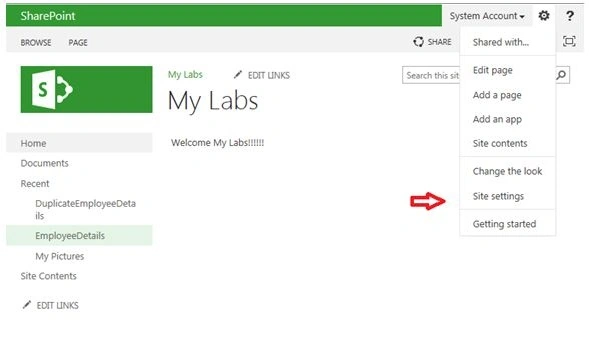
Step 3
After clicking the site settings, the following screen will be opened. In site settings, click "Welcome Page" under the "Look and Feel menu" item.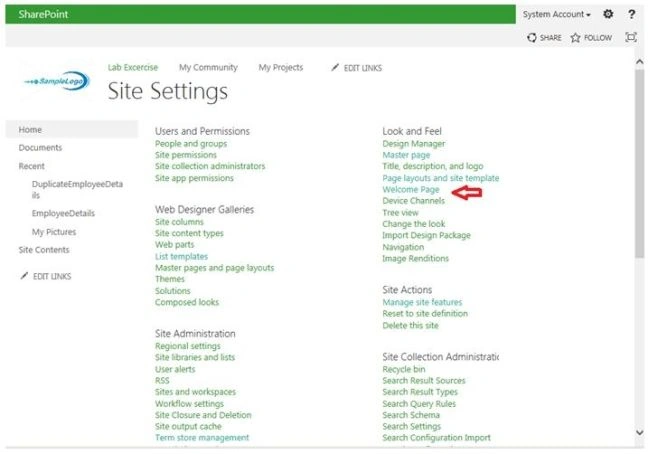
Step 4
The following screen will appear. Select your Welcome Page using the Browse button.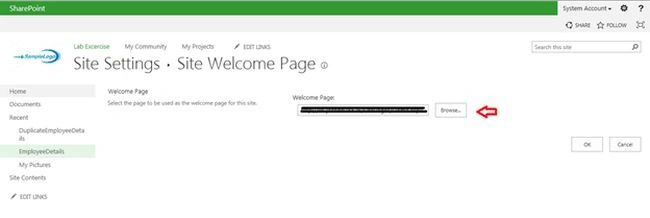
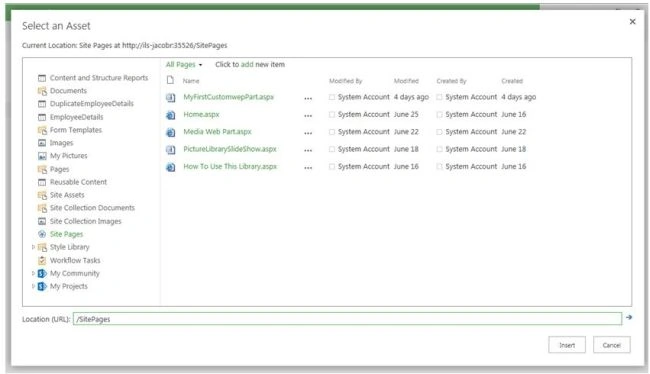
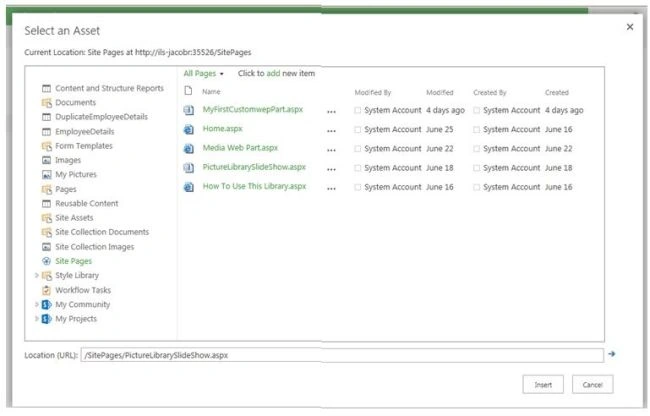
Here I have selected the PictureLibrarySlideShow page. Once selected click the Insert button.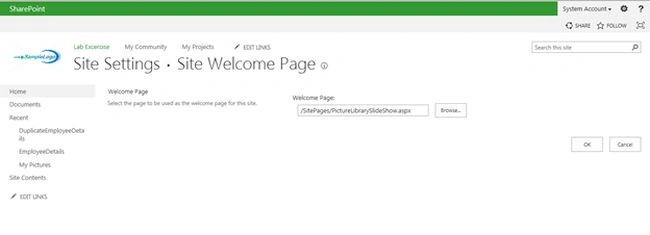
Click the OK button then go to Home.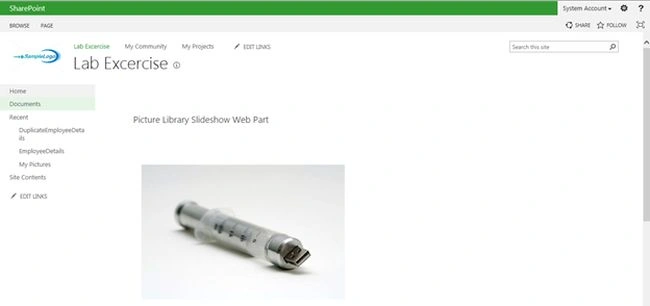
Finally your welcome page is selected in your SharePoint Site.
Summary
In this article we have explored how to set a welcome page in a SharePoint 2013 site.
Nilesh JadavPosted Jul 8, 2015, 12:27 AM
Nice one
Santhakumar MunuswamyPosted Jul 7, 2015, 3:11 PM
Good Article! Thanks for sharing
Neeraj KumarPosted Jul 7, 2015, 2:45 PM
Nice
Sibeesh VenuPosted Jul 7, 2015, 7:15 AM
Good One.
Gowtham RajamanickamPosted Jul 7, 2015, 6:58 AM
good one..
Gopi ChandPosted Jul 7, 2015, 5:01 AM
Good one