

Problem
You can easily set the default value to the text field, and dropdown control using the Default property in PowerApps forms. But how do you do it if you want to set a specific person as selected by default in Person and Group field or People picker control? This control also has Default property but in which format do we need to provide this value, so it works correctly?
Solution
Let’s see how to achieve this.
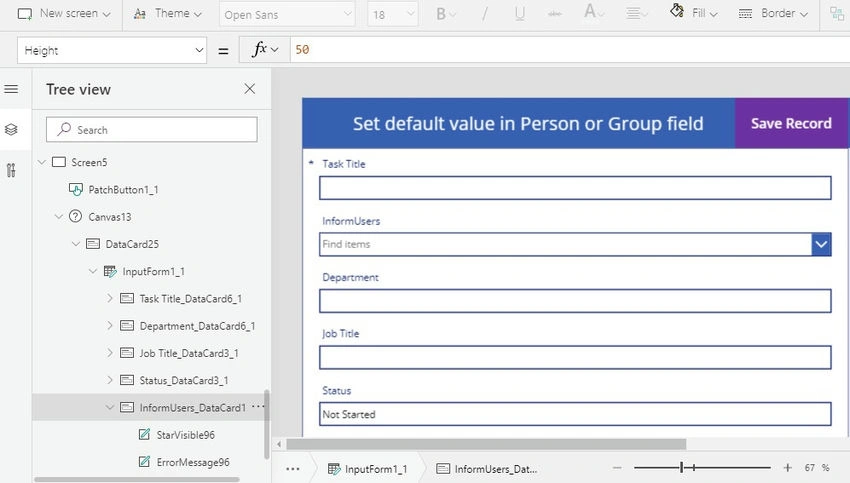
Open your PowerApps app. Open the screen which has a Form with a Person or Group field added on it >> In the below screen, InformUsers is a Person or Group field.
So, I require that whenever users try to add a new record >> I want to keep a specific person as selected automatically (default) in the InformUsers field.
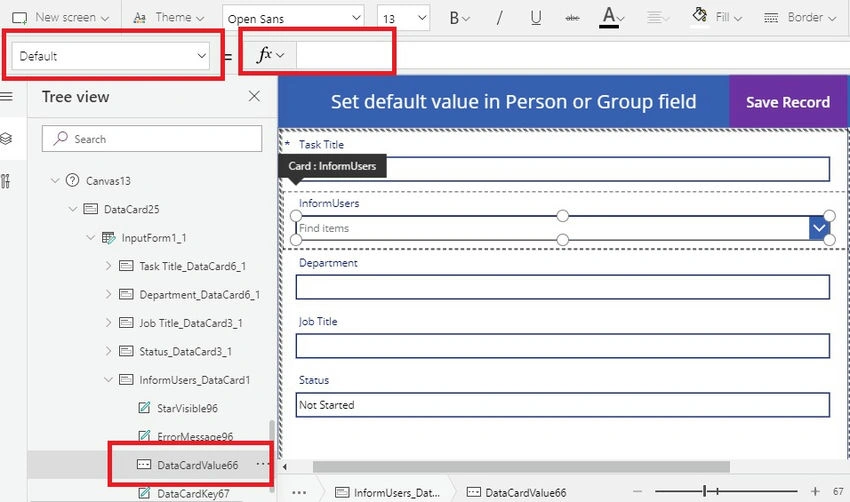
Select InformUsers data card >> Click on "Unlock to change properties" from the Advanced menu >> Select the value control inside the data card as shown below >> I have selected DataCardValue66 >> From the left top side drop-down menu select "Default" property
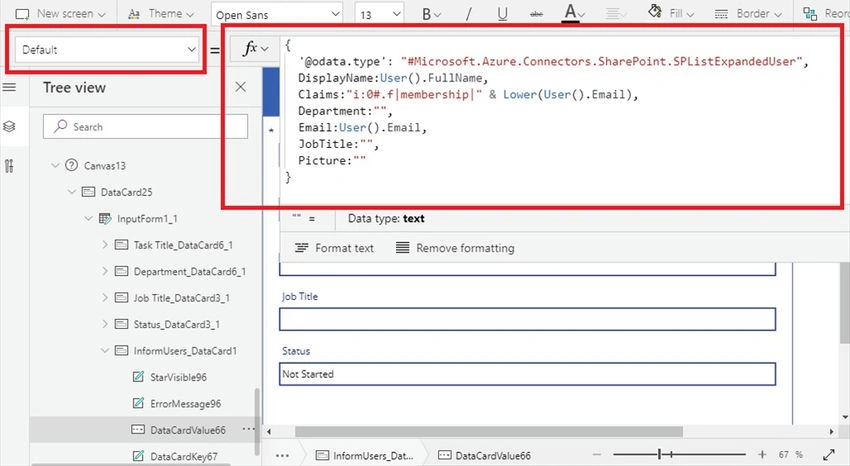
Here is the important step now >> Below is the format of data, this is how we need to set it; then only it detects it as a User object and accepts the input.
{
    '@odata.type': "#Microsoft.Azure.Connectors.SharePoint.SPListExpandedUser",
    DisplayName: User().FullName,
    Claims: "i:0#.f|membership|" + Lower(User().Email),
    Department: "",
    Email: User().Email,
    JobTitle: "",
    Picture: ""
}
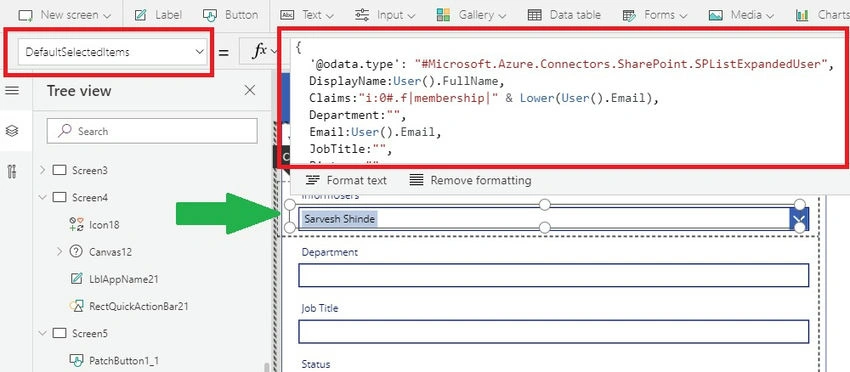
We need to set the same value to the "DefaultSelectedItems" Property as well. This is a required step, as only then will it work. >> As you can see in the below screen it shows Sarvesh users as selected already by default.
Once your changes are done >> Save the form and do a test to add a new record as shown below >> It will show Sarvesh user as selected by default. You can make any user selected by default, it can be the current user, current user's manager HR manager, etc.
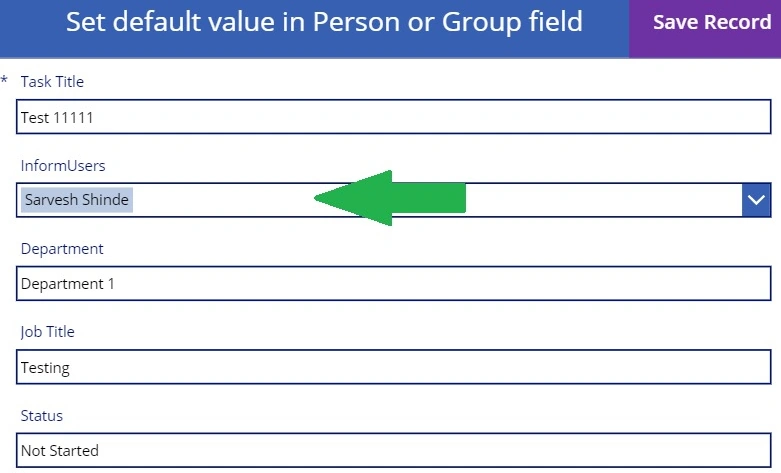
Once saved>> New list item was created in the SharePoint list with Sarvesh users saved properly in the Person or Group field.

Update the Person or Group field using the Patch function
If you want to update the SharePoint list item using the Patch function and set the value to Person or group field >> You can do this using the same data format as mentioned above.
Below is a sample screen where the form is in Edit mode and on the "Update Record" button click I am updating the record.
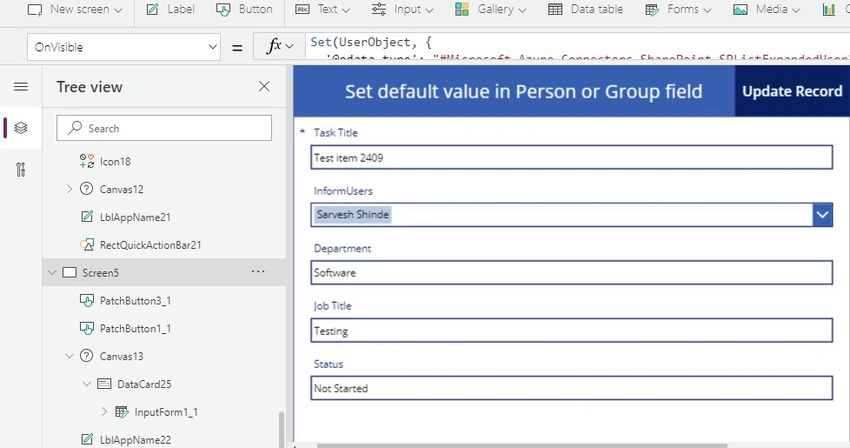
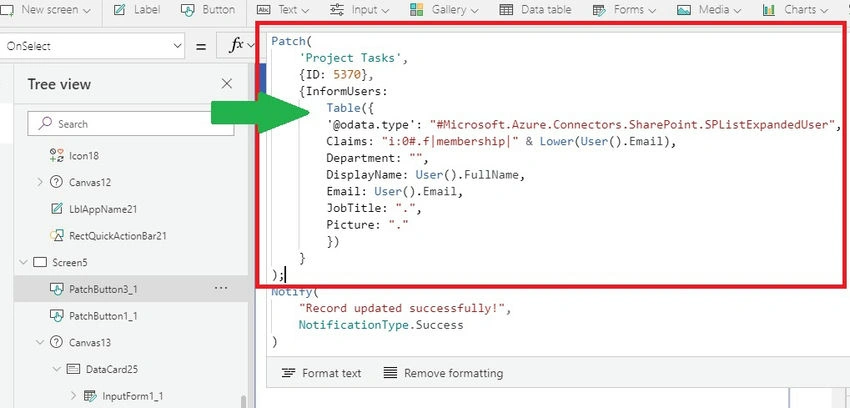
Add this code to your update button OnSelect Property. Depending on the configuration of your person or group field, either its single value or multi-select is allowed, and you need to provide a single record or table of records. In my case field is configured to allow multiple user selections, so I have provided a Table of records.
Patch(
    'Project Tasks',
    { ID: 5370 },
    {
        InformUsers: Table({
            '@odata.type': "#Microsoft.Azure.Connectors.SharePoint.SPListExpandedUser",
            Claims: "i:0#.f|membership|" & Lower(User().Email),
            Department: "",
            DisplayName: User().FullName,
            Email: User().Email,
            JobTitle: ".",
            Picture: "."
        })
    }
)
Summary
So, we can easily set the default value to people picker control in PowerApps Forms, and we can update the person or group field using the Patch function. You just must generate the object with the specific format which includes Claims, Email, Department, DisplayName, JobTitle, and Picture fields.
That’s it for this article. Hope this helps. Thanks for reading.
Aniruddha BiswasPosted Sep 17, 2024, 3:46 AM
In the first code in the article instead of "+" in Claims better to use "&". Also "data.type" no more needed not only in people picker but also in Choice column while patch. (Default reference is Azure so no need to specify)
Balaji RPosted Aug 3, 2023, 5:07 AM
Hi ,i try the above steps but not worked for me
Muleee MMGPosted Jun 15, 2021, 1:50 PM
Thanks for the post and it works for the current user. But, wanted to set ANY user (not specific to the current user) as a default value for the "People/Group" field imported from SPO data source to powerapps. any suggestions?
Leslie RiveraPosted Feb 8, 2021, 7:51 PM
You can make any user seleted by default, it can be current user, current user's manager or HR manager etc.--How can I select a specific user? I dont see where I can make that specific change.
Asan KaniPosted Jan 13, 2021, 4:18 PM
Let me know.. How to use person or group field in Edit Form to create new item in SharePoint list? i have tried like above form coding. but new record not created in SharePoint list. If it is possible Edit form to create new item in SP list?
Love ThakkerPosted Jan 10, 2021, 1:23 PM
How can I set sharepoint Site group in person or group field? Can you add details for that. I am not able to find that in azure groups?
Mugesh RPosted Nov 6, 2020, 2:24 AM
Thank you for sharing this wonderful blog.
Kunal BasuPosted Sep 1, 2020, 1:21 AM
Hi I've a SharePoint group in person or group field. How will I get all the users in the powerapps form field dropdown options.
Constantine KoulisPosted Jul 8, 2020, 1:15 PM
If i want to assign as default another person where in your formula do i need to assign it? can you assist pls?
Kapil RajPosted Jun 20, 2020, 3:55 PM
Hi I am reading multi select people picker field value from another sharepoint list on my Powerapps form but not able to do so. I used Lookup function for single user people picker it worked for same formula is not working for Multi select people. I am using following code for DefaultSelectedItem of my people picker field on Powerapps.... please help me: Table( { Claims: "i:0#.f|membership|" & LookUp('SST Planned App',And('Application Name'=Dropdown2.Selected.'Application Name',Quarter=Dropdown1.Selected.Result),'BAO-D'.Email), DisplayName: LookUp('SST Planned App',And('Application Name'=Dropdown2.Selected.'Application Name',Quarter=Dropdown1.Selected.Result),'BAO-D'.DisplayName) })
Mustafa HussainPosted Jun 8, 2020, 2:38 AM
I have used the formula you provided, but the only issue is that when I view other people's records it displays my name instead of the original submitter, how to add the condition what will be the code, can you provide?
prasanna kumarPosted May 4, 2020, 2:54 AM
Can we assign a field(Peoplepickermulti field) from a lookup list to a field (Peoplepicker) upon selection the dropdown. Ex: After selecting the country name i need to set the country approvers name automatically to the field in powerApps.
Gary Freeman, CISSPPosted Mar 6, 2020, 3:26 PM
This is great - saved me a lot of work. The only issue is that when I view other people's records it displays my name instead of the original submitter.