In this article, we will discuss how to set the source of an image. For this follow these steps:
Step 1
A simple way to set the source of an image
First we take an Image control from the Toolbox and go into the Properties tab. After that we select the Source property like this:

When we click on the Button the following window will be appear:
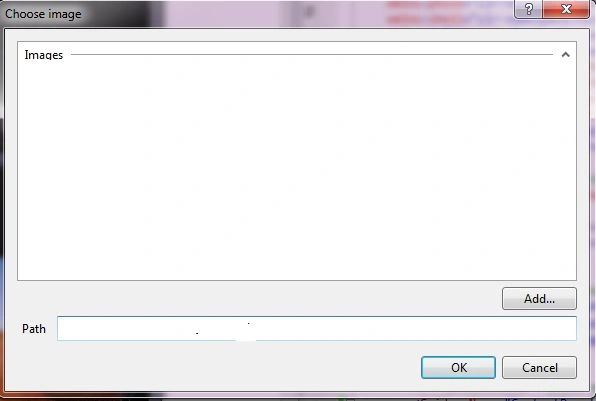
After that we click on add and select the Photo and then we click the Ok button.
<Grid x:Name="ContentPanel" Grid.Row="1" Margin="12,0,12,0">
<Image Name="img" Source="/images;component/Images/Desert.jpg"></Image>
</Grid>
The output will be:

Step 2
With the help of the web
Here we set the image source via the web like this:
<Grid x:Name="ContentPanel" Grid.Row="1" Margin="12,0,12,0">
<Image Name="img" ManipulationStarted="img_ManipulationStarted" Source="http://www.sendflowerstojaipur.in/products/12Apr20120502PM1.jpg"></Image>
</Grid>
The output will be:

Step 3
Via the Code
We can do it with the help of the BitmapImage. For this use these steps:
- Set the Directive like this:
using System.Windows.Media.Imaging;
- Now we write the following code:
public MainPage()
{
InitializeComponent();
Uri uri = new Uri("http://www.sendflowerstojaipur.in/products/12Apr20120502PM1.jpg");
BitmapImage bmp = newBitmapImage(uri);
img.Source = bmp;
}
Here we create a BitmapImage with the help of the URI. And now we set it in the source property of the image. So the output will be:

Step 4
Another way via coding
Here we use WebClient, which makes it easier to download a Bitmap Image. We can use it to download text or binary data. Now we create a simple program; to do that use the following steps.
- First we add a reference in our program:
using System.Net;
- After that we write the following code:
public MainPage()
{
WebClient wc =new WebClient();
wc.OpenReadCompleted += OnWebClientOpenReadCompleted;
wc.OpenWriteAsync(newUri("http://www.sendflowerstojaipur.in/products/12Apr20120502PM1.jpg"));
}
Here we call the Method (OnWebClientOpenReadCompleted), when the entire file has been downloaded. And we set the URI of the Image. Here we use the OpenWriteAsync Method to write the data to the specified resource.
- Now we use the following code:
void OnWebClientOpenReadCompleted(object sender,OpenReadCompletedEventArgs args)
{
BitmapImage bmp =new BitmapImage();
bmp.SetSource(args.Result);
img.Source = bmp;
}
Here we create a BitmapImage object and call a SetSource method for loading the bitmap from a stream object. After that we assign it to the Image.


Join the conversation! Your thoughts help the community grow.