

Introduction
In this article we create an empty view application and use a uiviewcontroller class to navigate from one view to another. To set a title on the navigation bar we code in a correspondence view class in which we want to set the title.
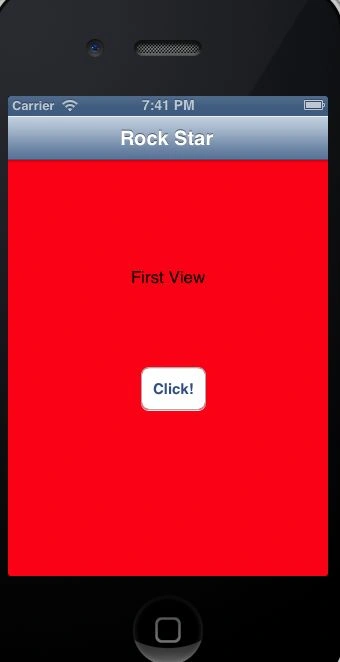
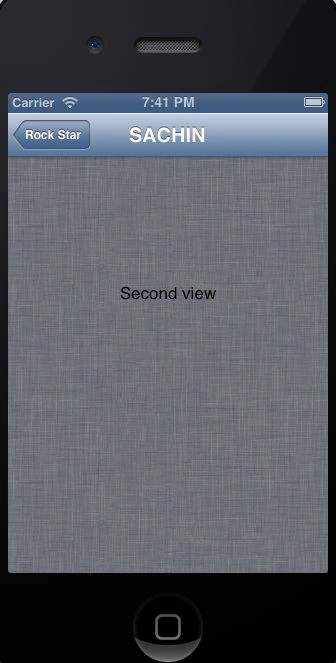
Here I use two views; FirstViewController and SecondViewController and set the title on the navigation bar of the first view to "ROCKSTAR" or the navigation bar of the second view to "SACHIN".
Step 1
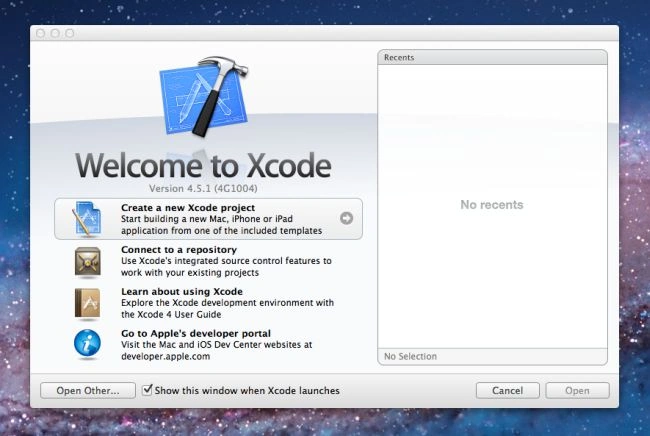
Open XCode by double-clicking on it.

Step 2
Create a new XCode Project by clicking on it.
Step 3
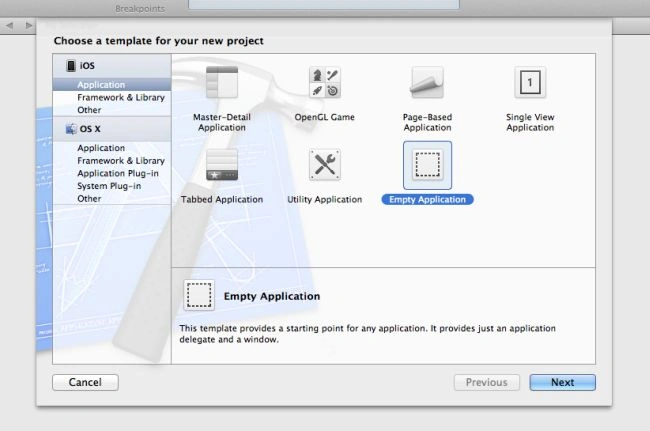
Now select Empty View Application and click on Next.
Step 4
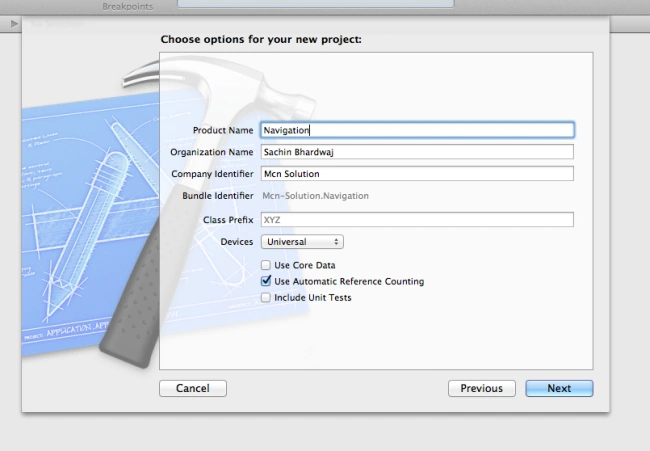
Now give your Product Name, Company Identifier and click on Next.
Step 5
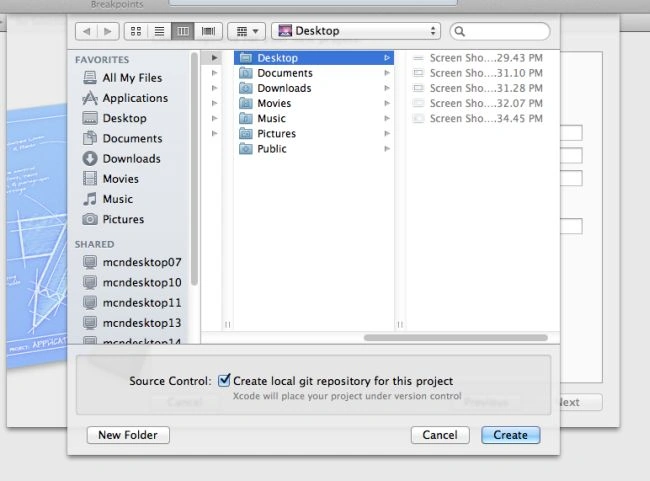
Select the location where you want to save your project and click on Create.
Step 6
Now you will see in the XCode Window two Objective-C Classes were generated by XCode.
1. Appdelegate.h
2. AppDelegate.m
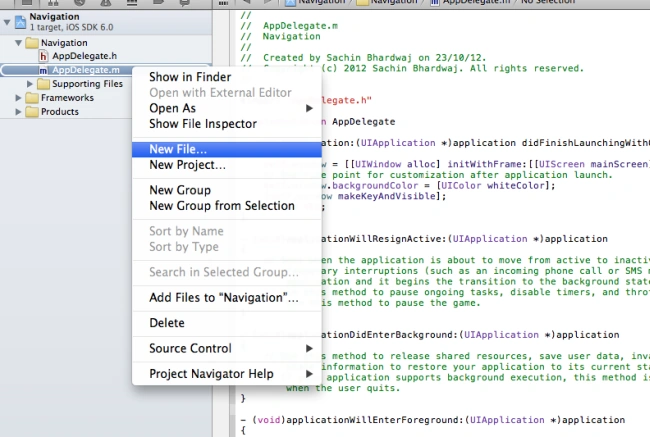
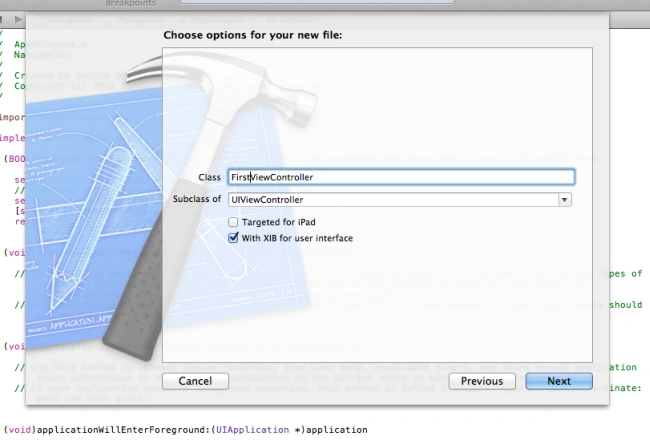
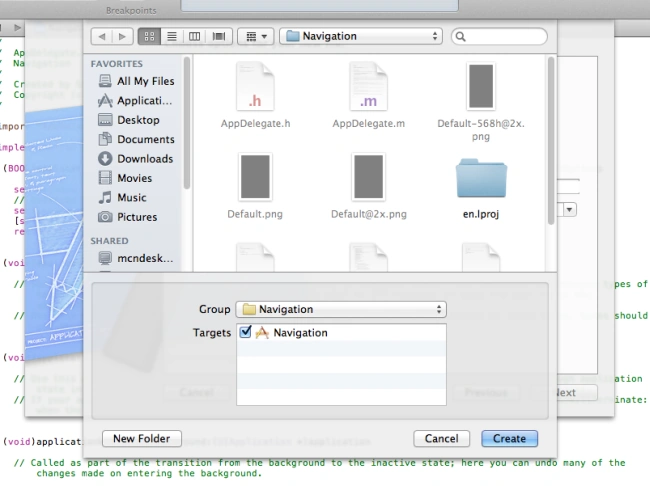
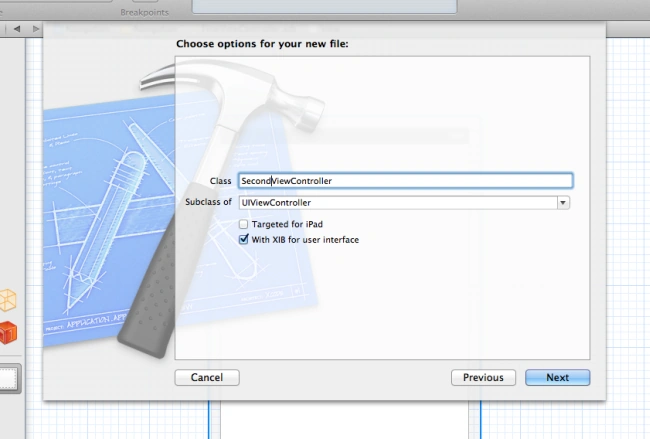
Now we add two UIViewControllers; for that we use Steps 7 to 9.
Step 7

Join the conversation! Your thoughts help the community grow.