

Here are the steps to setup Online Microsoft Dynamics CRM and create contact data using web service:
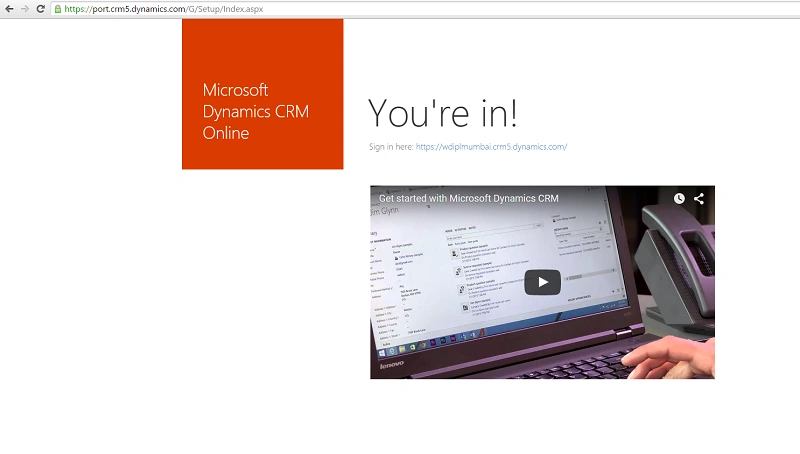
Step 1: Click here to setup your Online Microsoft Dynamics CRM setup. Here are the steps.
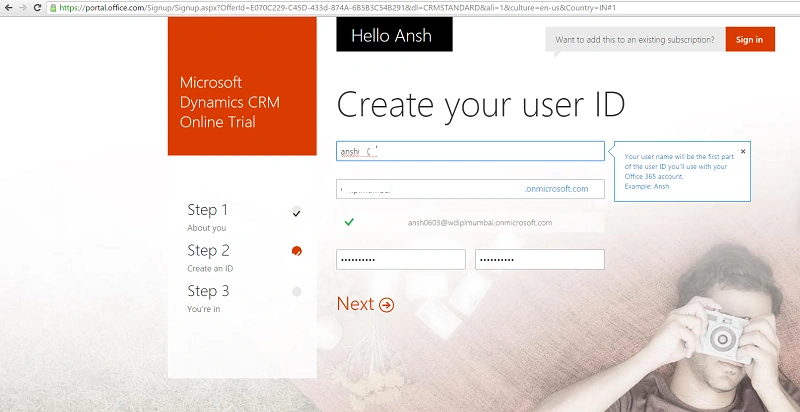
Step 2: Create your User ID and password.
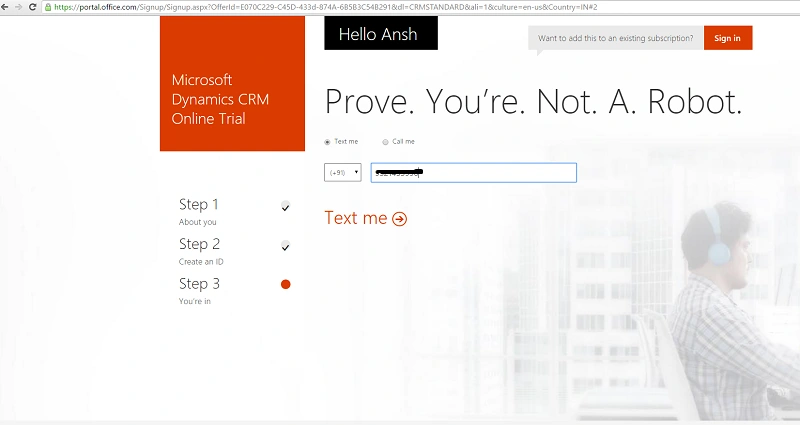
Step 3: Select Text me or Call me option and enter your contact number so you will get the code by sms or by phone call.
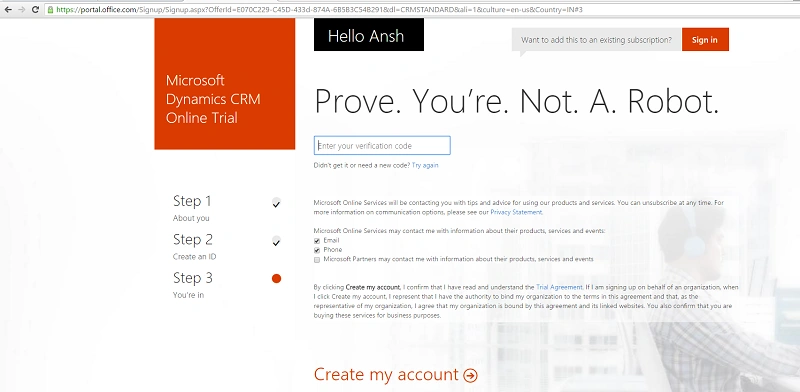
Step 4 : Enter the verification code and complete the setup.
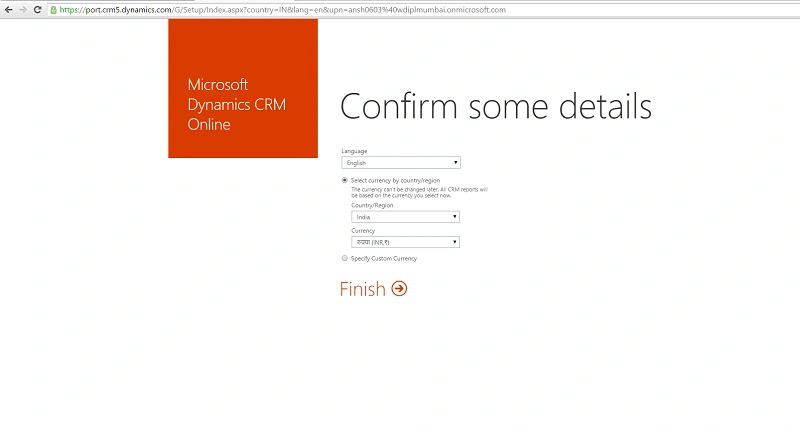
Step 5: Click the link sign in here and this will redirect you on Microsoft Dynamics CRM.
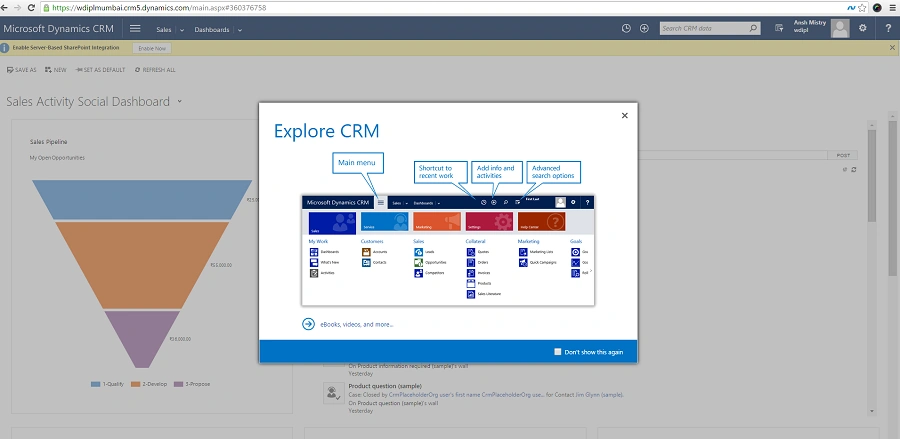
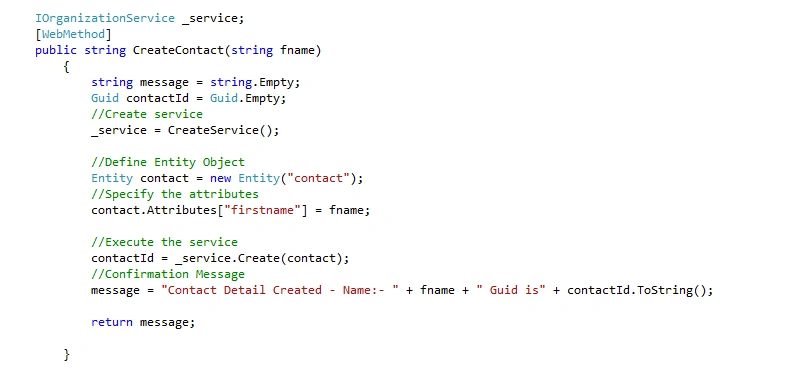
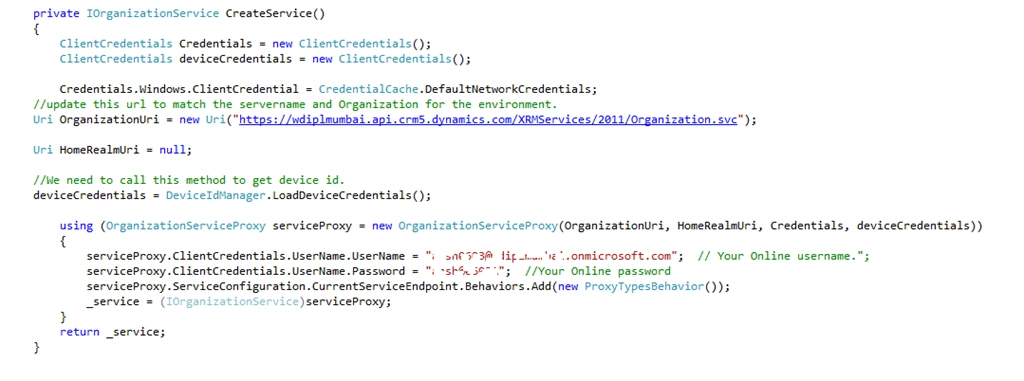
Step 6: Now we have to create a web service that will insert the contact details into CRM.
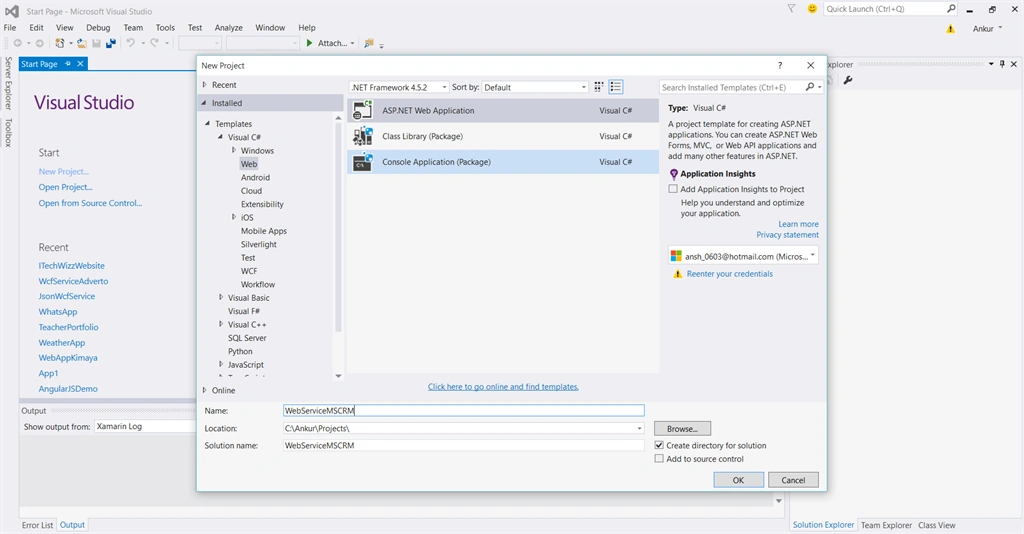
For that create a new project as shown below:
For that create a new project as shown below:
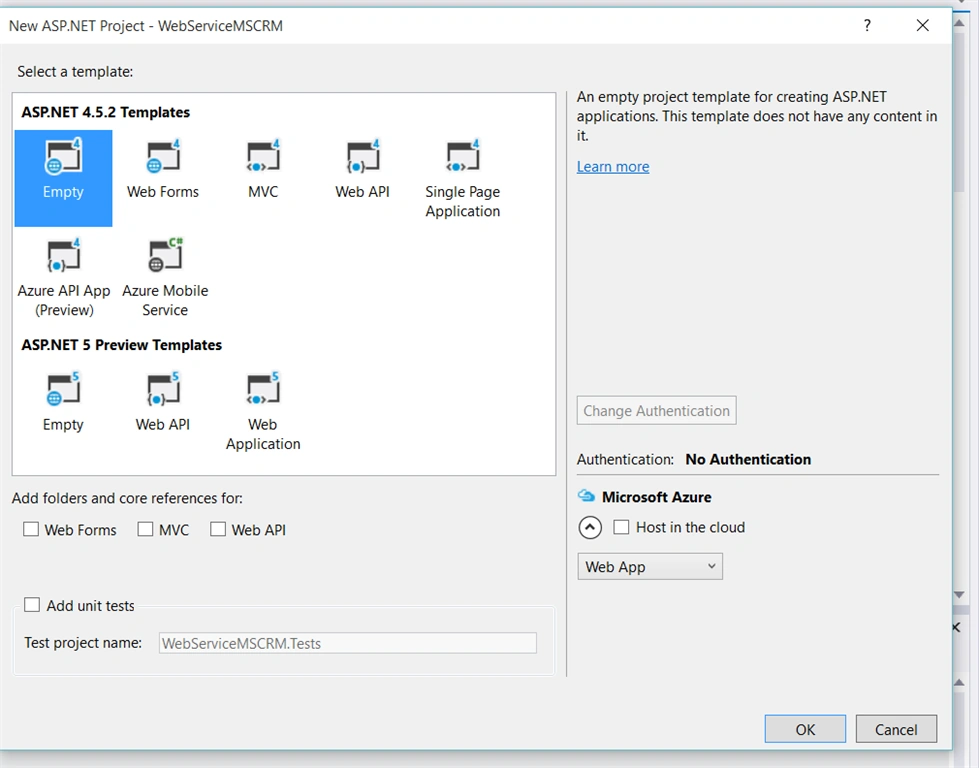
Step 7: Select Empty template and give a name 'WebServiceMSCRM',
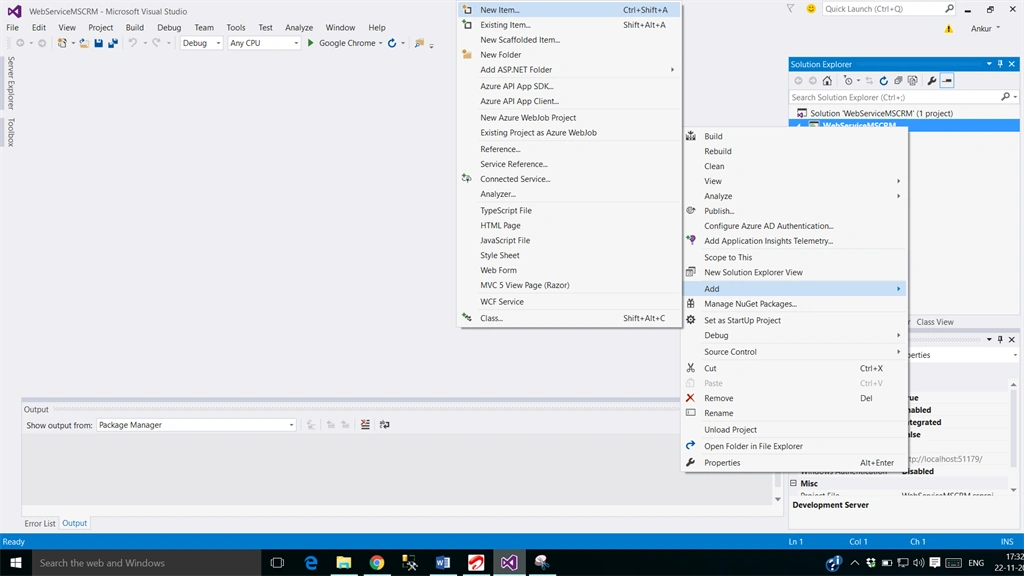
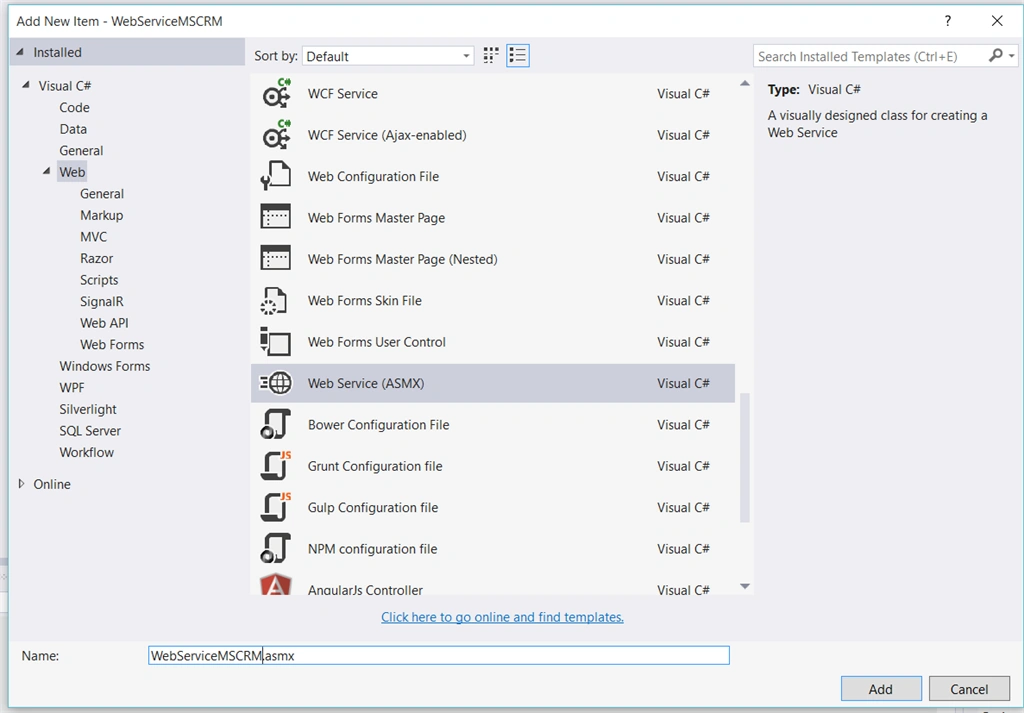
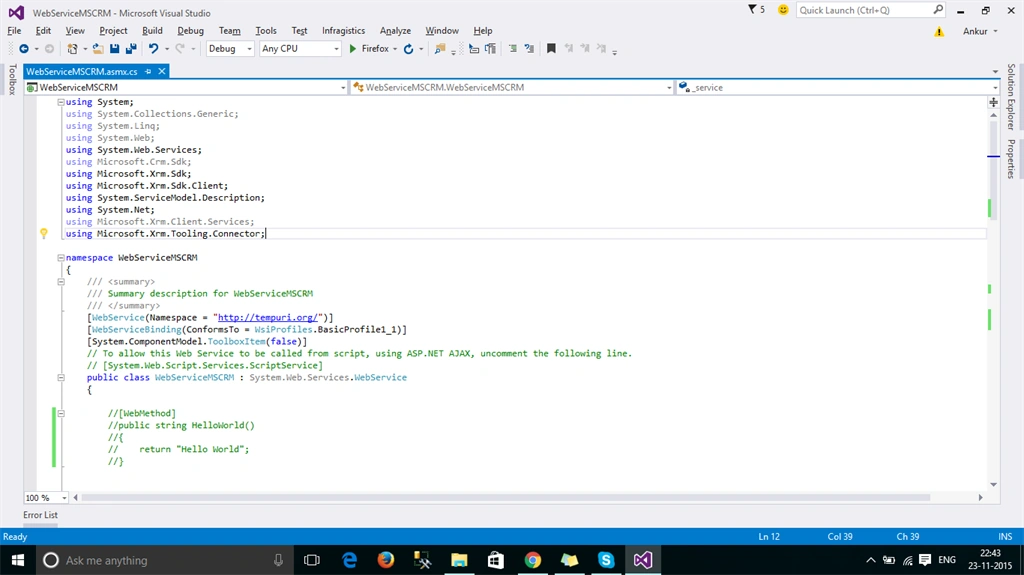
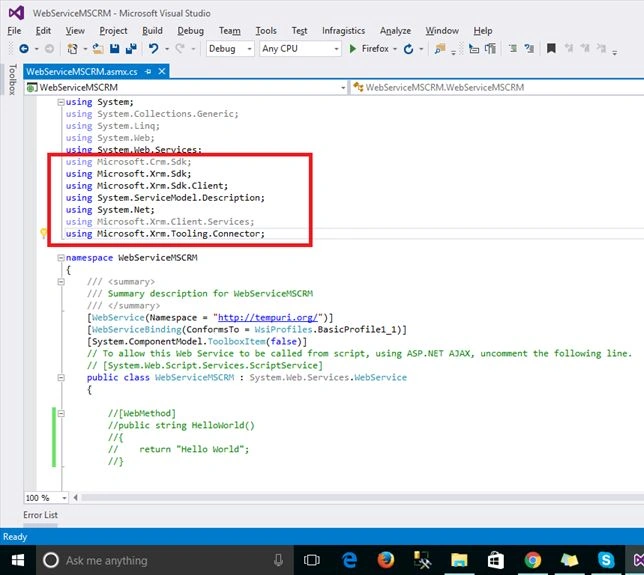
Step 8: Now right click on project and click on add, new item, then web services (ASMX).
ranjith kumarPosted Apr 13, 2017, 2:00 AM
Is .asmx format available in MS Dynamics CRM 2016 version. Can I use this webservice file in HTML website page(using javascript) to create contact in CRM.
Bhuvanesh MohankumarPosted Apr 30, 2016, 3:13 PM
Good one...
Rushabh ParekhPosted Nov 26, 2015, 1:51 AM
Awesome it is thank you for publishing very helpful
supriya tarsePosted Nov 26, 2015, 1:47 AM
Nice article
Ankur MistryPosted Nov 25, 2015, 7:26 AM
thank you
Bhalchandra mithbavkarPosted Nov 25, 2015, 2:17 AM
Nice article
Rahul LadPosted Nov 24, 2015, 4:58 AM
Useful article
Ankur MistryPosted Nov 24, 2015, 4:56 AM
Thank you all
Sneha PurohitPosted Nov 24, 2015, 4:52 AM
Very useful (Y)
Mukesh KumarPosted Nov 24, 2015, 4:47 AM
Good Job
MannanPosted Nov 24, 2015, 4:46 AM
Nice post sir, it will help us,thanks for post...
Hitesh KalalPosted Nov 24, 2015, 4:40 AM
Thank you for uploading it's very helpful article.
Mayank SharmaPosted Nov 24, 2015, 4:38 AM
the way u posting here , is just awesome.. Good Post as always :-)
Banketeshvar NarayanPosted Nov 24, 2015, 4:14 AM
Nice Share