

Share Plugin is used to easily share text, links, or to open a browser.
After reading this article, you will learn how to share text, link or open a browser in Xamarin.Forms Application for Android and Universal Windows Platform with XAML and Visual C# in cross platform application development.
The important tools are given below, which are required to develop UWP.
- Windows 10 (Recommended).
- Visual Studio 2015 Community Edition (It is a free software available online).
- Using Visual studio 2015 Installer, Enable the Xamarin (Cross Platform Mobile development and C#/.NET while install/Modify Visual studio 2015.
Now, we can discuss step by step app development.
Step 1
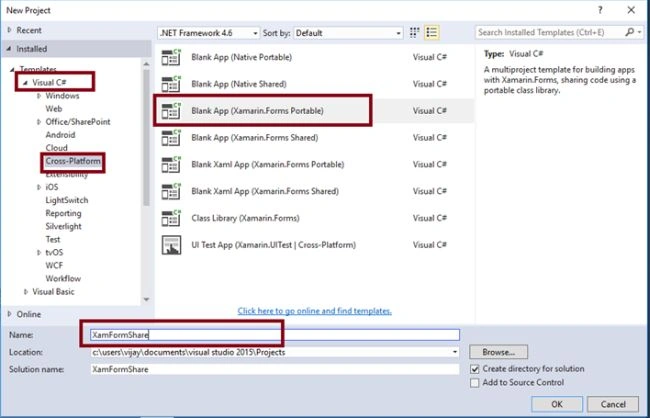
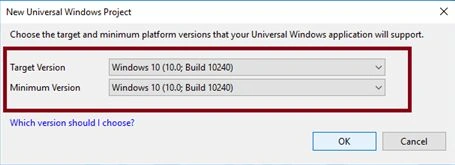
Now, create project “XamFormShare_Droid”, choose the Target and minimum platform version for your Universal Windows Project and create project “XamFormShare_UWP”.
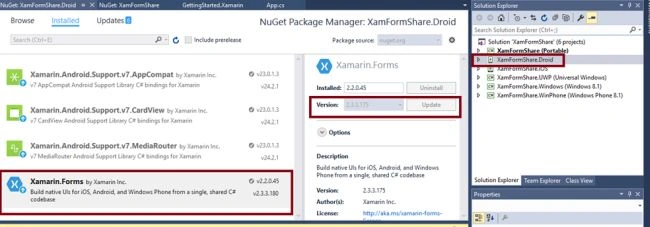
Afterwards, Visual Studio creates 6 projects and displays Getting Started.XamarinPage. Now, we have to update Xamarin.Forms Reference for Portable Project and XamFormShare_Droid project, using Manage NUGet Packages.
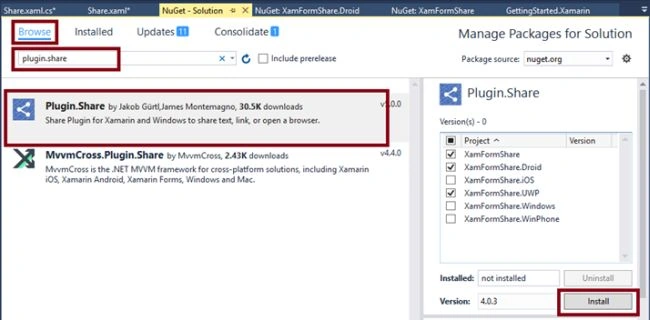
Also, add Plugin.Share Reference in the Portable, Android and UWP projects.
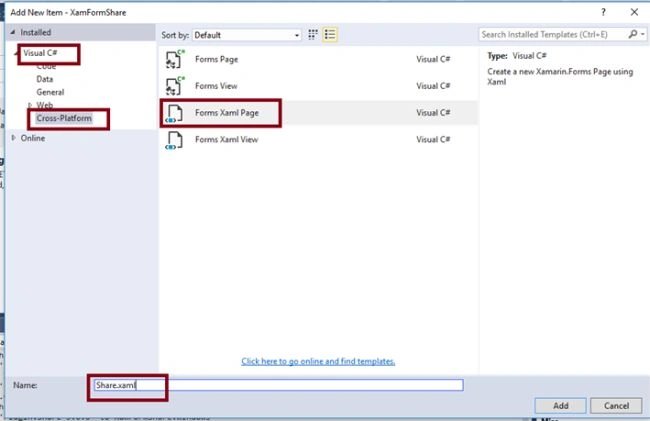
Add XAML page for sharing Demo. Right click XamFormShare (Portable) project and select ADD-> NewItem.
Select ->CrossPlatform-> FormXamlPage-> Give the relevant name.
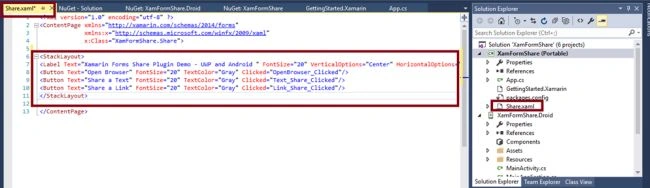
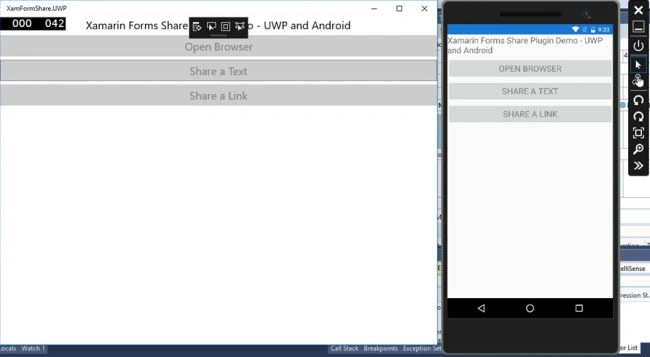
In Share.Xaml page, add 3 buttons and label.
- <StackLayout>
- <Label Text="Xamarin Forms Share Plugin Demo - UWP and Android " FontSize="20" VerticalOptions="Center" HorizontalOptions="Center" />
- <Button Text="Open Browser" FontSize="20" TextColor="Gray" Clicked="OpenBrowser_Clicked" />
- <Button Text="Share a Text" FontSize="20" TextColor="Gray" Clicked="Text_Share_Clicked" />
- <Button Text="Share a Link" FontSize="20" TextColor="Gray" Clicked="Link_Share_Clicked" />
- </StackLayout>
Step 6
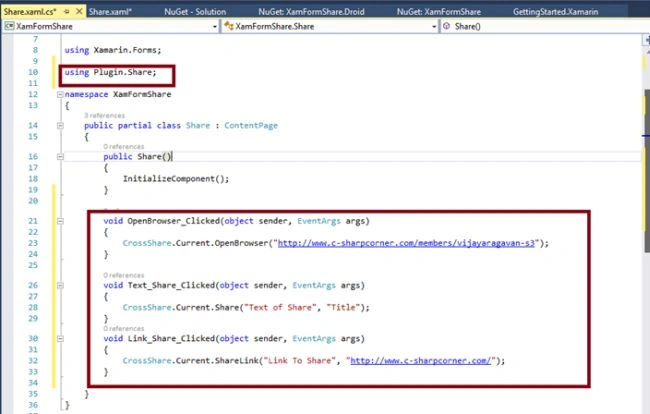
Add the code given below in Share.Xaml.cs for each button click event.
- using Plugin.Share;
- void OpenBrowser_Clicked(object sender, EventArgs args) {
- CrossShare.Current.OpenBrowser("http://www.c-sharpcorner.com/members/vijayaragavan-s3");
- }
- void Text_Share_Clicked(object sender, EventArgs args) {
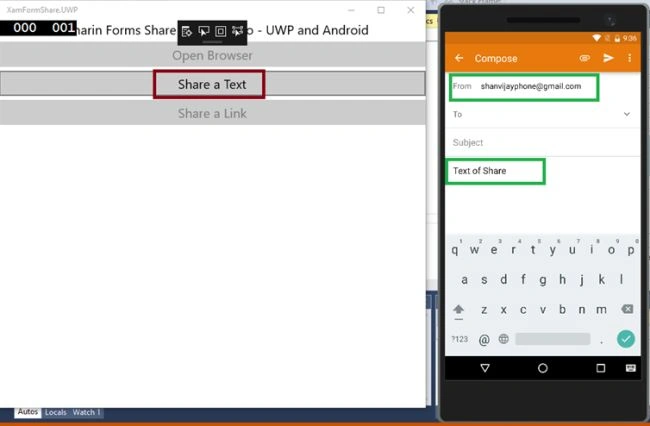
- CrossShare.Current.Share("Text of Share", "Title");
- }
- void Link_Share_Clicked(object sender, EventArgs args) {
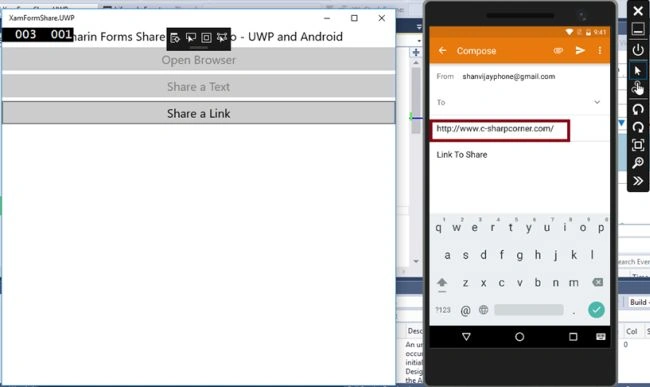
- CrossShare.Current.ShareLink("Link To Share", "http://www.c-sharpcorner.com/");
- }
Step 7
Step 8
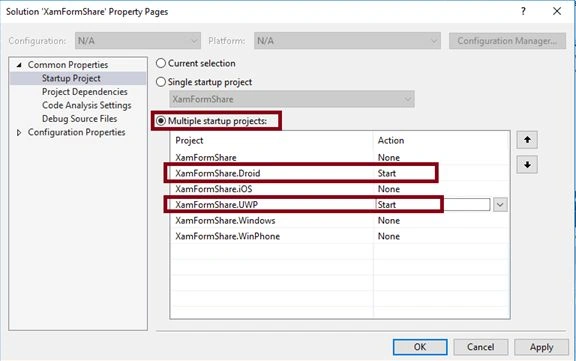
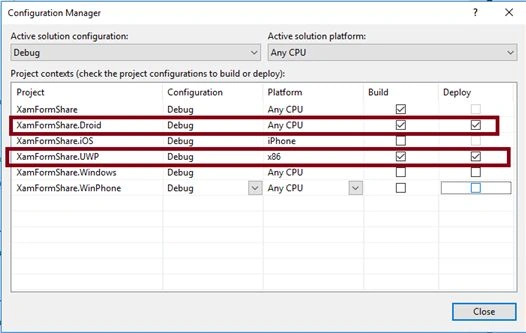
Change the Configuration Manager settings and go to Build -> Configuration Manager.
Uncheck all the Build and deploy options to the iOS, Windows, WinPhone, check the Droid and UWP.
Step 10
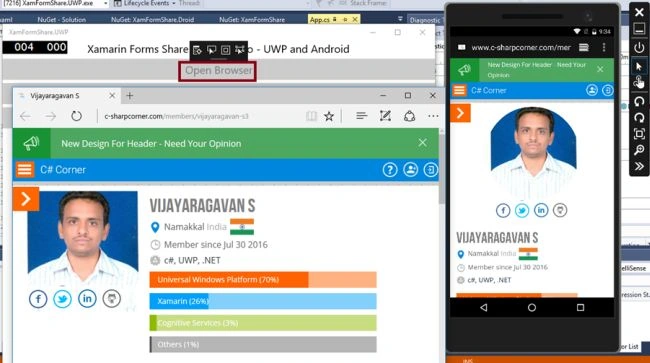
After clicking, open Browser button.
After clicking, sharing a Text button is given below.
After Clicking, Share a Link button is given below.
Summary
Now, you have successfully tested sharing text, links, or opening a Browser in Xamarin.Forms Application for Cross Platform application development using Visual C# and Xamarin.
Vaibhav PatilPosted Jun 22, 2017, 1:23 PM
Sorry, But CrossShare.Current.Share("Text of Share", "Title"); Not woking. Only sharing "Text of Share".
Aegan JoshuaPosted Jun 9, 2017, 4:21 AM
Good day , can i get the source code of this project ? this is my email [email protected]